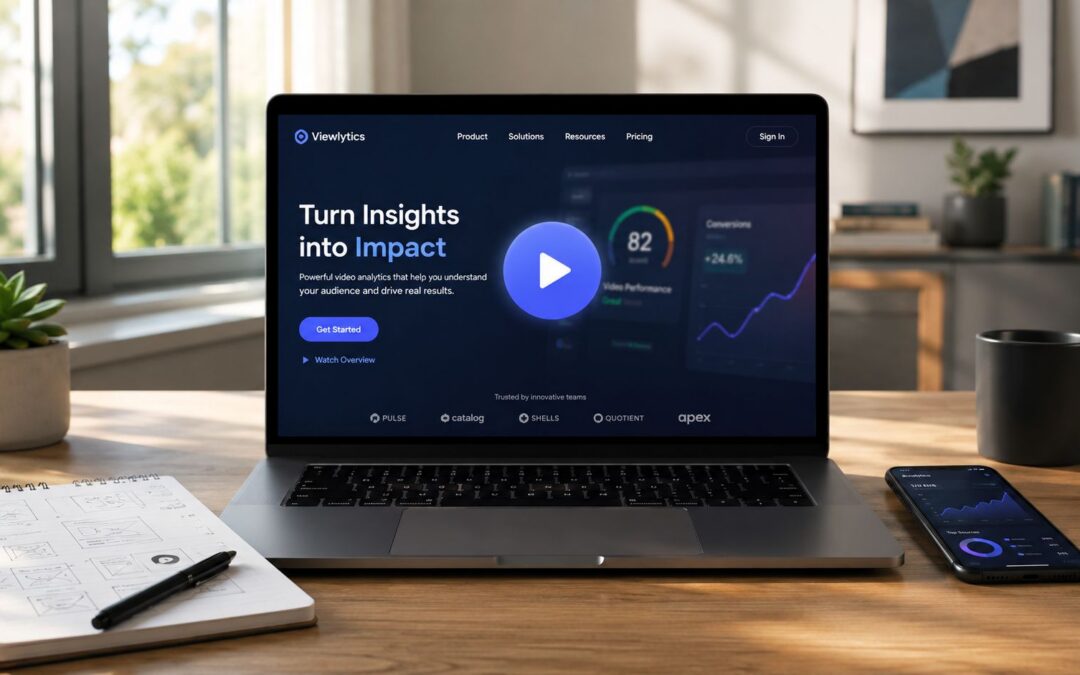
Adding video to a landing page can raise conversions by up to 86%, and 38.6% of marketers say it has the biggest positive effect on landing-page conversion more often than any other element, according to Digital Applied’s 2026 statistics roundup.
That headline gets attention, but it also creates the wrong habit.
Teams start chasing a single heroic asset when what they need is a repeatable system for video landing page optimization.
The Foundation From Tactic to System
A landing page with an audiovisual piece isn’t just a campaign asset. It can become part of customer acquisition, sales enablement, onboarding, retention, internal communication, training, and stakeholder reporting when the same production logic connects to real workflows.

A SaaS company applies this by using one recorded message on the demo request page, a shorter variant inside trial onboarding, and another version for customer success nudges when usage drops. An ecommerce team uses visual content to show product fit, assembly, or texture that still images miss. An enterprise operations team uses the same template logic to send internal updates, policy rollouts, and training explainers without waiting on a studio schedule.
The shift that matters
The move is from one-off production to a visual content engine. Creative, page structure, analytics, CRM data, and distribution have to work together, or the page becomes another isolated asset that nobody can improve with confidence.
Practical rule: If the page has one business goal, the dynamic asset needs one job. Explain the offer, remove uncertainty, and move the visitor to the next step.
This is why product, growth, and design teams should treat landing pages as part of broader UX optimization for product teams, not as a separate marketing island. The pages that perform consistently usually come from shared rules around message hierarchy, page speed, analytics, and handoff between departments.
A lot of companies still ask for one polished hero clip and call the project finished.
That’s usually the start of the problem.
Sales wants a version for outbound follow-up. Customer success needs a simpler cut for onboarding. HR asks for a training adaptation. Operations wants a repeatable format for updates. If you build only one asset, every new use case becomes a fresh production request instead of a fast variation. That’s why the thinking behind why one video isn’t enough for your business matters so much in practice.
Performance First The Technical Bedrock
Before anyone watches a second, the page has to appear fast and stay stable.

Google data cited in landing-page research shows that pages loading in 1 second can have 3× higher conversion rates than pages that take 5 seconds, and even a 1-second delay can reduce conversions by about 7%, as summarized by Involve.me’s landing page research.
What technical teams need to get right
Most landing pages fail here because the recorded message is treated like decoration. It gets embedded at full weight, blocks rendering, and punishes mobile users before the headline even lands.
Use a compressed source file. Serve a modern format where browser support allows it, then keep MP4 as fallback for broad compatibility. Lazy-load the player when possible, preload only the thumbnail or poster frame, and make sure the first paint shows the page promise before the player downloads the heavy media layer.
Fast persuasion beats rich media that arrives late.
A finance company explaining a complex lending product can still use visual content near the top of the page, but it has to arrive without delaying the headline, trust signals, and form. A travel brand promoting itinerary changes or upgrade offers can use an audiovisual piece, but the page still has to load cleanly on hotel Wi-Fi and mid-range phones. An insurance team sending claim-status explainer pages has the same problem. Users are often stressed, impatient, and mobile.
The technical review I use before launch
- Player behavior: Mute autoplay if motion is needed for attention, but never force sound.
- File discipline: Compress aggressively enough that the media doesn’t dominate page weight.
- Responsive delivery: Make sure the player scales cleanly across mobile and desktop without layout shift.
- Hosting choice: Pick infrastructure designed for embedded playback and page performance, not just storage. Teams comparing approaches usually start with guidance on where to host explainer video.
- Page focus: Keep navigation and competing elements minimal so the media supports the CTA instead of distracting from it.
A heavy player can cancel out the persuasive value of the asset itself. That trade-off is where a lot of otherwise strong pages lose the sale, the booked meeting, or the completed application.
Design and Placement for Conversion
Placement isn’t a style preference. It’s a decision about attention.
EyeView’s experiments reported that top-center placement outperformed bottom placement, and post-roll animation lifted conversions by over 86% on TutorVista’s landing page, as discussed in Unbounce’s guide to landing page videos.
Two pages, two very different jobs
A SaaS demo page usually needs the dynamic asset in the hero area because the visitor is evaluating a product that needs explanation. The page works best when the headline states the problem, the recorded message shows the workflow, and the CTA asks for the next committed step, not a vague “learn more.”
An ecommerce page often has a different job. If the product is simple, price-led, or comparison-heavy, putting the visual content below the fold can work better because the buyer may want specs, shipping, reviews, and the add-to-cart path first. In that setup, the media supports decision confidence rather than carrying the full conversion burden.
When it hurts instead of helping
Teams often get sloppy. They hear “put it above the fold” and do it every time.
A financial services page for a straightforward refinance check can lose momentum if the visitor just wants eligibility criteria and a short form. A real estate landing page for a virtual tour, by contrast, may depend on the audiovisual piece because the property experience is the offer. Same format category, different decision context.
If the visitor already understands the offer, extra media can become friction.
That’s also why pages with one clear action tend to outperform pages filled with alternate exits, side links, and mixed messages. If you want a good companion read on how growth teams structure these trade-offs, this guide on landing pages for growth-focused brands is useful.
Teams refining creative details should also review practical patterns for increasing conversions with your landing page video. The best pages usually test shorter cuts progressively, not a simplistic long-versus-short argument.
Making Your Video Discoverable and Accessible
A strong landing page shouldn’t disappear the moment someone turns sound off or a crawler tries to interpret the page.

Recent behavior data cited by Mindstamp notes that 90% of businesses use video as a marketing tool, based on Wistia reporting, while Google continues to treat mobile page speed as a core ranking and user experience factor in this discussion of video landing page trade-offs. That means discoverability and accessibility aren’t side tasks. They’re part of performance.
The technical layer search engines need
If the page includes an audiovisual piece that matters to conversion, give search engines clear metadata with JSON-LD video schema. Keep the implementation simple and accurate.
- Name: Clear title that matches the page intent.
- Description: Short summary of what the visitor will learn or see.
- ThumbnailUrl: The image search engines may surface in results.
- UploadDate: Useful context for freshness and indexing.
- ContentUrl: Direct reference to the media file or canonical location.
The accessibility layer people need
Captions matter because many visits happen in sound-off environments. They also help viewers process dense information in onboarding, training, and compliance content. A transcript adds another layer of utility because support teams, HR managers, and enterprise buyers often scan before they commit to watching.
For caption quality and compliance details, this guide to accessibility standards for video is worth keeping close. A media asset that isn’t accessible creates avoidable drop-off, especially in education, insurance, public-sector communication, and internal training.
A transcript also gives your sales and customer success teams reusable text for emails, help docs, and follow-up pages.
Measurement and Meaningful Iteration
Many teams measure the wrong thing.
They report views, celebrate completion rate, and still can’t tell whether the page produced qualified leads or better sales conversations.
Start with two layers of measurement
Treat the recorded message as a conversion element, not a branding asset. Benchmark conversion rate, play rate, average watch time, CTR, and bounce rate before and after launch, then test length, CTA timing, and layout, as recommended in Vbout’s analysis of landing page video impact. That same analysis notes an average landing page conversion rate of 10.76%.
Engagement metrics answer narrow questions. Did the thumbnail earn the click? Did the opening hold attention? Did viewers drop when the pitch started too late? Business metrics answer the only questions that matter to revenue teams. Did form quality improve? Did booked meetings rise? Did fewer people bounce after seeing the page?
What useful testing looks like
A media company running subscription offers might test a founder-led opener against a product-led explainer. A university could compare a student-story hero asset against a course-overview version for the same inquiry form. A B2B software team might keep the same page copy and test CTA timing inside the dynamic asset to see whether earlier action prompts reduce qualified demo requests or improve them.
Views are easy to collect. Revenue-linked insight takes instrumentation.
Are your current media metrics tied to revenue, or just to views?
Teams that need a cleaner reporting model should define one dashboard for engagement and another for pipeline outcomes, then connect both. If you need a practical starting point, this walkthrough on how to measure the success of landing page videos is a useful reference for building that reporting discipline.
Scaling With Programmed and User-Specific Video
The true ceiling appears when a company stops refining one page at a time and starts producing repeatable landing-page experiences from data.
Public guidance still lacks benchmark data on which combinations of personalization outperform standard pages, and the core business question is whether video changes qualified leads, booked meetings, or revenue when using dynamic and AI-driven approaches, as argued in SmartAcre’s analysis of video landing pages.
From campaign asset to business system
A real estate group can create one template for listing follow-up pages, then populate location, price band, agent name, and next-step CTA from CRM records. A SaaS company can send a one-to-one welcome page after demo request, with a context-aware intro from the assigned account executive and a customized walkthrough for that prospect’s use case. An airline can create mass-producible trip update pages. HR can issue training refreshers by role. Internal comms can send quarterly leadership updates without rebuilding every asset from scratch.
In this context, intelligent workflow matters more than editing polish.
For teams that need to generate hundreds of onboarding or sales follow-up assets from CRM data without manual editing, platforms like Wideo’s personalized video workflow fit a clear operational need.
A practical implementation path
A company can connect its CRM as the data source, map fields into a template, and set a trigger when a lead reaches a defined stage such as demo requested. The system then generates a user-specific landing page asset with the right name, company, offer variant, and CTA. Distribution can happen through email, sales sequences, onboarding flows, or customer success outreach, depending on the stage.
That changes the operating model from manual, slow, one-off production to a systematic, enterprise-ready process. Marketing gets consistency. Sales gets speed. Customer success gets relevance. Operations gets a repeatable workflow instead of a queue of ad hoc requests.
The companies that win here won’t be the ones making the fanciest clip.
They’ll be the ones turning visual content into infrastructure.
A CTA for Wideo. If your team needs a practical way to move from manual editing to repeatable, data-connected visual content workflows, start by mapping one landing page use case end to end: source data, template, trigger, distribution, and measurement. The asset matters, but the system behind it matters more.