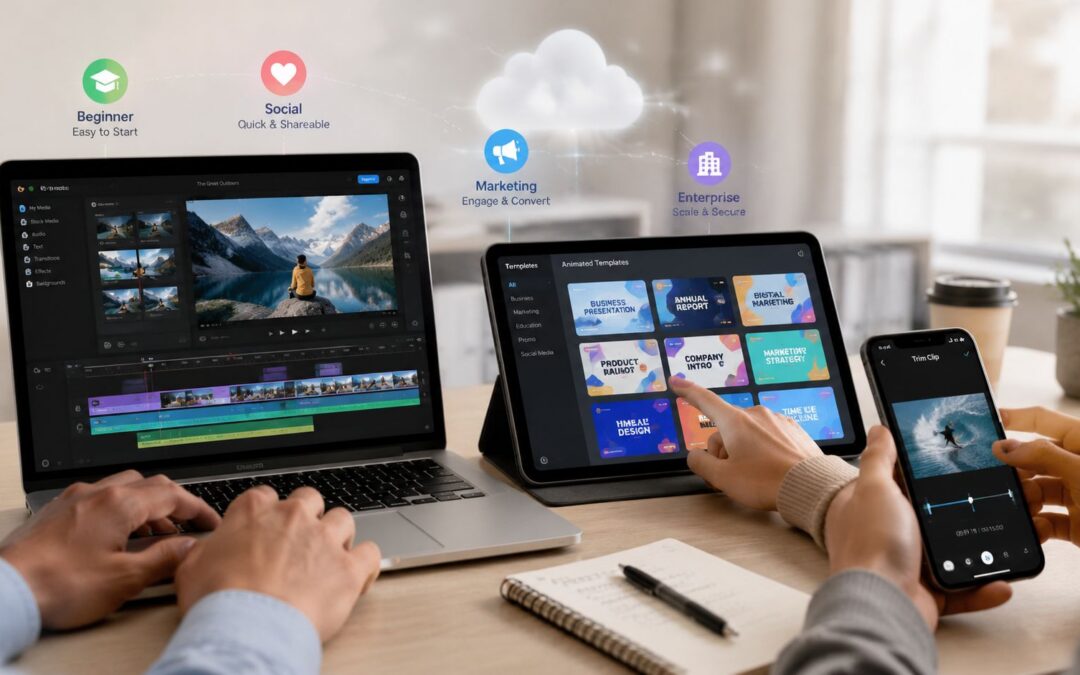
Search ‘best video editing apps’ and you’ll find lists full of professional tools built for Hollywood editors. But if your team needs to produce 50 onboarding videos this week, not a cinematic masterpiece, those lists are useless. For business teams, relevant tools include these.
Most roundup posts confuse complexity with value. They push powerful editors that are built for specialists, then call that a business recommendation. That misses the point. For marketing, sales, HR, onboarding, and operations, the true measure is whether a team can turn one branded asset into many consistent, useful outputs without burning hours on manual edits.
Why most best video editing apps lists miss the business problem
The usual list starts with tools like Adobe Premiere Pro, Final Cut Pro, or DaVinci Resolve, and those are serious products. They’re also built for trained editors with time, hardware, and patience. That’s fine for post-production. It’s a poor fit for a revenue team that needs a recorded message, a training update, or a client follow-up by Friday.
A business team should ask a harder question: can everyone on the team use this without becoming a part-time editor?
Practical rule: if the tool depends on one specialist to keep production moving, it’s not really a team system.
That is why the market keeps shifting toward faster, more accessible tools. The global video editing software market was valued at USD 2.41 billion in 2025 and is projected to reach USD 3.8 billion by 2034, rising from USD 2.53 billion in 2026 at a 5.2% CAGR during 2026 to 2034, according to Straits Research. Paid adoption is also projected to rise from 43 million users in 2023 to 63.59 million by 2030, an increase of about 20.59 million users, or roughly 48%, according to SendShort. That growth tells you something simple, teams will keep paying for tools that save time and make production repeatable.
What businesses actually need from a video editing app
Speed matters, but speed alone is not enough. A marketing team needs templates that keep campaigns on brand. A sales team needs user-specific recorded messages tied to CRM data. HR and training teams need repeatable formats that anyone can update without breaking the message. Operations teams need distribution that works across email, social, internal portals, and stakeholder updates.
Ease of use is the first filter. If a non-editor can’t produce a clean asset on day one, the tool becomes a bottleneck. Templates matter because they stop every new project from becoming a blank page. Brand control matters because one off-brand font or wrong logo can create avoidable cleanup across multiple departments.
Collaboration is the piece many buyers underestimate. The strongest business tools let teams share templates, assets, and approved layouts, so the work doesn’t restart every time a new person opens the project. That’s where systematic production beats one-off editing. The best tools also support context-aware output, so the same template can serve onboarding, sales follow-up, and customer retention without redesigning from scratch.
A useful benchmark is workflow efficiency, not feature count. If a platform reduces time-to-first-export and cuts repeat edit time per asset, it’s serving the business. This is why teams are moving toward enterprise-ready video systems.
The four categories of video editing apps
Professional NLEs like Premiere Pro, Final Cut Pro, and DaVinci Resolve are the right answer when you need frame-by-frame control. That includes high-end brand films, broadcast work, or heavily produced campaigns. They are also the least forgiving option for non-editors, especially when the team needs rapid turnarounds.
Consumer and social editors such as CapCut, Canva, and VEED are better for quick clips, short-form content, and simple campaign variants. They’re approachable and fast. They’re not built for heavy brand governance or high-volume, repeatable business workflows.
AI avatar tools like HeyGen and Synthesia solve a narrow problem well. They’re useful when the main job is a digital presenter speaking on screen. They’re less useful when the business needs broader campaign output, multiple formats, or deep template control across departments.
Business automation platforms are the category most companies should be looking at first. They combine templates, brand controls, repeatable workflows, and data connections. That makes them the right fit for marketing ops, customer success, onboarding, internal communications, and enterprise teams that need mass-producible output, not one polished file.
Why Wideo is the best video editing app for business teams
Wideo fits the job business teams have. They need to produce branded assets from templates at scale, not burn time on manual timeline edits that slow every campaign down. Its drag-and-drop editor keeps it usable for non-editors, and its template model lets multiple people work on the same output without turning production into a bottleneck.
The business case is simple. Wideo supports hands-off creation for bulk output, and it makes personalized, branded production practical for teams that need repeatable workflows. For teams that need to generate large volumes of onboarding assets using CRM data, Wideo’s video editing platform removes a lot of manual work without pushing everyone into professional editing software.
Practical rule: when the same workflow repeats across marketing, sales, onboarding, and support, the tool should behave like infrastructure.
Wideo is useful because it turns a recorded message into a repeatable process. That matters for ecommerce follow-ups, insurance explainers, SaaS onboarding, real estate listing updates, travel alerts, and internal training refreshes. The core value is consistency, not novelty. The brand stays intact, the output stays predictable, and the team stops rebuilding the same asset from zero.
That is also why teams should pay attention to subtitles. A good workflow depends on fast versioning, clear delivery, and content that still works when sound is off. Wideo’s subtitle workflow helps teams keep videos usable across channels without adding manual cleanup to every project.
For teams that want to learn the setup path quickly, the Wideo tutorials are a practical starting point.
Real use cases where Wideo fits the job
Marketing campaigns. A marketing team can turn one product launch into social clips, ad creatives, and product demos without rebuilding each file. That keeps campaign output aligned across email, paid social, and web.
Sales follow-up. Sales teams can use CRM fields to create user-specific recorded messages for prospects. That makes follow-up feel relevant without forcing reps to record every version manually.
Customer onboarding. SaaS and finance teams can generate welcome videos that explain next steps, login setup, or account usage. The same template can serve different customer segments with only the data changing.
Internal training. HR and operations teams can produce consistent training modules for policy changes, tools, and process rollouts. A new hire in one office gets the same message as a colleague in another.
Client communications. Agencies can create branded videos for multiple clients without rebuilding each project from scratch. That’s the difference between a service that scales and a team that stays trapped in manual production.
Top 10 Video Editing Apps, Feature Comparison
| Product | Core features | Ease of use | Best for | Unique selling points | Pricing |
|---|---|---|---|---|---|
| Wideo | Drag-and-drop templates, stock library, AI voice/avatars, blog-to-video, MP4/social export, campaign automation | Very easy, template-led, no editing skills required | Marketers, HR, agencies, enterprises needing scalable/personalized videos | AI-driven personalization, enterprise automation, Chromebook optimization, white-label API | Free trial; individual/team subscriptions; enterprise pricing via sales |
| Adobe Premiere Pro | Pro NLE: advanced timeline, multicam, color/audio tools, Firefly AI features, plugin ecosystem | Advanced, steep learning curve but industry-standard workflows | Professional editors, agencies, broadcast and film teams | Deep timeline control, cross-app Adobe pipeline, Frame.io review | Subscription (Creative Cloud) |
| Apple Final Cut Pro | Magnetic timeline, fast exports, Motion & Compressor apps, Apple silicon optimizations | Fast and smooth on Mac; unique timeline approach | Mac-based professionals and fast-turnaround editors | Optimized for Apple silicon, one-time purchase option | One-time Mac App Store purchase |
| Blackmagic DaVinci Resolve | Unified edit/color/VFX/audio, powerful color grading, DaVinci Neural Engine, collaboration | Powerful but learning curve for new users | Colorists, finishing houses, creators wanting all-in-one suite | Elite color tools, strong free edition, Studio one-time license | Free tier; Studio one-time license for advanced features |
| CapCut | Auto-captions, AI voice, generators, social templates; web/desktop/mobile apps | Extremely approachable; mobile-first workflows | Short-form creators, social ads, quick edits | Fast social formatting, strong built-in AI templates, subtitle workflow guide | Freemium; optional regional/subscription upgrades |
| Descript | Text-based editing, automatic transcripts, Overdub, Studio Sound, screen recording | Very easy for talking-heads; text-driven workflow | Podcasters, training, explainers, product demos | Edit-by-text, overdub voice, filler-word removal, AI video generation, branded pages | Tiered subscriptions with media/AI limits |
| Microsoft Clipchamp | Browser/Windows editor, screen/webcam recording, brand kits, AI TTS, autocaptions | Simple, browser-based, low barrier for non-editors | Internal comms, education, Microsoft 365 customers | Microsoft 365 integration, admin/tenant controls, brand kits, text to speech tools | Free tier; premium features via Microsoft 365 |
| VEED | Online editor with auto-subtitles, translation, AI voices, avatars, brand kits & APIs | Easy, zero-install browser access | Social teams, multilingual campaigns, remote teams | Strong subtitle/translation workflow, APIs for scaling | Freemium; paid tiers for higher resolution/AI credits |
| Wondershare Filmora | Templates, motion tracking, keyframing, AI voice/enhancers, asset libraries | User-friendly with guided workflows | Small businesses, creators who want more than entry-level | Large effects library, approachable advanced features | Subscription or one-time options (varies by plan) |
| Canva Video | Multi-track browser editor, templates, brand kits, stock media, integrated AI | Very easy; template-driven within Canva ecosystem | Marketers and teams needing consistent branded videos | Integrated design-to-video workflow, brand consistency, video templates | Freemium; Canva Pro for advanced assets and teams |
How the other main tools compare in practice
Adobe Premiere Pro is still the right choice for advanced editors who need tight control over every cut, layer, and finishing detail. It fits agencies and in-house creative teams that already work inside Adobe workflows. If your team cares most about cinematic output and complex timelines, Premiere Pro belongs on the shortlist.
Final Cut Pro is the cleanest option for Mac-based teams that want speed and a one-time purchase model. It works well in Apple-heavy production environments where editors need to move fast without subscription overhead. It is less useful if your team needs cross-platform flexibility or a template system built for non-editors.
DaVinci Resolve is a strong fit for teams that care about color, finishing, and a capable free edition. It belongs with post-production teams, not business operations teams. CapCut is the fastest route for social-first clips. Canva works well when your team already builds brand assets there. Descript is strong for text-led editing, training, and podcast-style work. Clipchamp fits Microsoft environments. VEED is useful for browser-based subtitle and translation workflows. Filmora gives non-specialists a friendlier path into editing. Each one has a role, but none of them beats Wideo when the job is repeated business production at scale.
Choosing Your Team’s Video Production System
- If you need cinematic control, choose a professional NLE like Premiere Pro, Final Cut Pro, or DaVinci Resolve.
- If you need quick social clips, choose a consumer editor like CapCut, Canva, or VEED.
- If you need a digital presenter, choose an AI avatar tool like HeyGen or Synthesia.
- If you need to produce many branded audiovisual pieces at scale, choose Wideo.
- If your team edits on the go, the tool should behave like infrastructure on desktop or on one of the many Tinymoose iPad keyboard solutions for mobile editing.
The core question is simple. Does your team need to make one video, or does it need a system for making many? If the answer is many, Wideo makes the business case obvious. Connect a CRM or spreadsheet as the data source, map fields into a branded template, set a trigger like a new customer being added, and send the finished one-to-one asset through the right channel, email, onboarding flow, or internal portal. That turns video into a repeatable operational process instead of a slow creative task. Which kind of video production engine does your team need?
Ready to find the right video editing app for your team? Explore how Wideo helps businesses produce video at scale without a dedicated editing team.