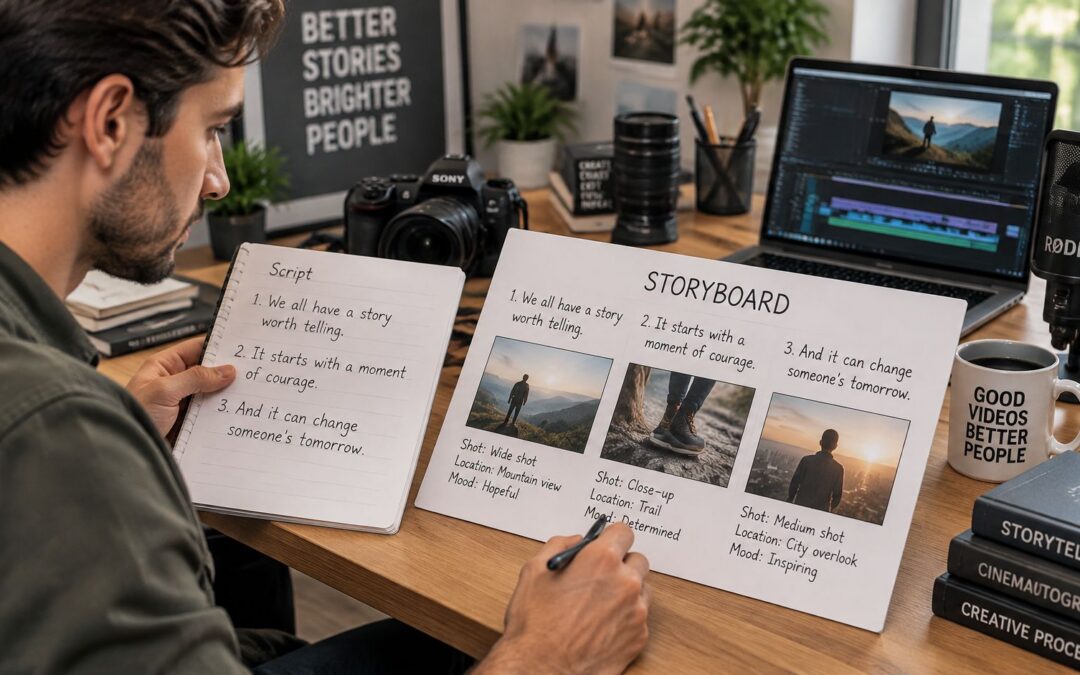
It’s 9 a.m. on launch-week Friday, and your marketing lead is staring at a blank doc parked next to yesterday’s blog draft. You don’t need to start over to figure out how to write a video script — pick one viewer and one takeaway, then sketch a hook, the familiar friction, one fix, visible proof, and a single next step.
Why Your Video Script Is Not a Blog Post
A blog reader can skim headings, re-read a sentence, or jump straight to a table.
Viewers can’t. They follow a moving timeline, so write for one hearing, not a careful re-read. Spoken language needs shorter sentences and a clear plan for what’s on screen, as this scripting guide explains.

Say a car dealership is turning a service reminder email into a 60-second recorded message. The job isn’t to recite every workshop feature.
It’s to explain why to book now, and show how simple it is.
I usually keep the working draft tight and visual:
- Spoken lines: explain the reminder in plain, everyday language
- Timing notes: leave breathing room so people can actually see the booking screen
- Visual cues: show the appointment button instead of describing every click
Keep the reason for the visit and the booking action; cut the feature catalogue.
That one shift gives the dealership a foundation they can reuse, instead of another file someone has to rebuild manually.
Build a Script You Can Reuse
Keep customer details separate from your approved service info. That way later versions can swap without rewriting every scene.
If you want drafting help, explore AI tools for small businesses, then double-check any suggested lines against your real offer.
Which unfinished script is still sitting in your folder?
Before you write a line of dialogue, lock in one viewer and one takeaway.
It sounds obvious, but it changes everything. A new hire trying to get through onboarding without getting stuck needs different help than a homeowner clicking play on a real estate tour. An insurance client trying to make sense of a renewal needs something else entirely.
Same company, completely different questions. What knowing how to write a video script really comes down to is deciding what that one person should be able to do after watching.
Complete this sentence before writing dialogue: “This video helped me…”
And make the ending concrete. “Submit my expense claim” is useful. “Understand our company” isn’t. Put that outcome in a clear video brief so everyone judges the draft against the same goal.
Practical help tends to hold attention better than slogans. Wistia’s 2024 State of Video Report found 43% average engagement across videos lasting 3–5 minutes, compared with 74% for instructional videos of the same length. Explore the report’s engagement findings.
That gap is worth paying attention to, though it doesn’t prove instructional scripting alone caused the higher engagement.
Turn the Takeaway Into a Video Script Filter
Use that one sentence as your filter for every scene. For a product demo, lead with the user’s problem, show the feature that solves it, then spell out the payoff. An ecommerce inventory demo, for example, works better when you follow a store manager spotting low stock and building a purchase order — not when you tour every dashboard. Because the viewer sees a familiar task from start to finish, the message stays clear and the next step feels obvious. As a result, the same filter works for sales enablement, customer onboarding, and internal updates without rewriting the structure.
For employee training, stick to one question per scene: where to upload a receipt, what details to enter, how to confirm it went through.
The same applies elsewhere. A SaaS renewal reminder might just help an account owner find their date and compare options. A finance team’s fee update might simply explain what changes on the next statement.
Nail that sentence before you draft either message. For repeatable production, keep the purpose fixed while approved customer details swap out between versions. Every choice about length, narration, and visuals must serve that takeaway.
Knowing how to write a video script gets a lot easier when every section has a clear job. I use this same outline for ads, customer onboarding, and internal updates, then keep the structure locked while the approved details shift between versions.
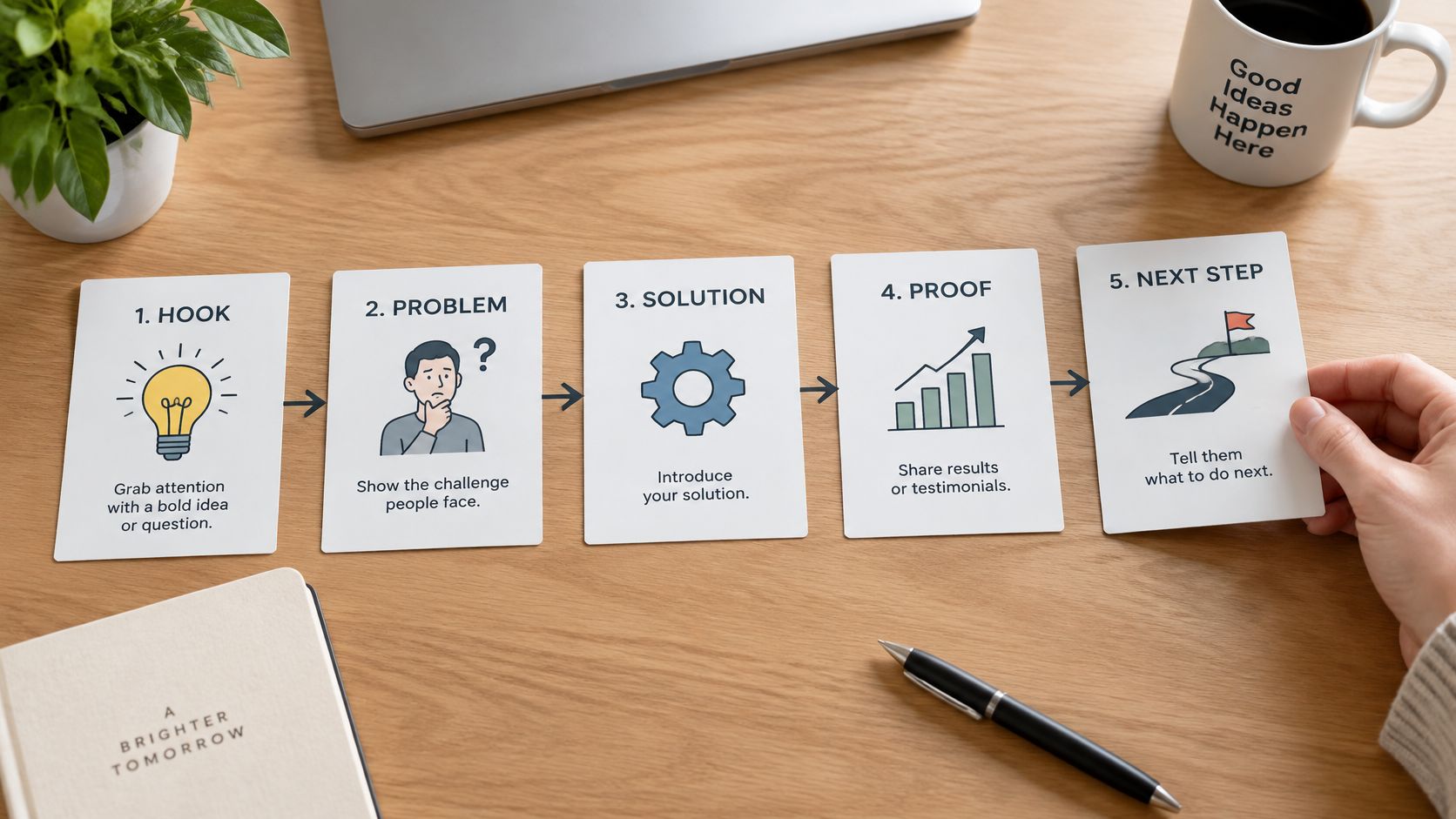
Hook
“Your departure time has changed. Let’s check whether your connection still works.”
An airline can open right in the traveler’s moment instead of leading with a slogan. Lead with relevance, and use confirmed booking information rather than invented urgency.
Problem
“The new arrival time leaves you less time to reach your next gate.”
Name the friction the viewer will actually recognize. For an insurance renewal, that means spelling out which premium changed, not saying insurance is complicated.
Keep the stakes honest. Don’t turn a possible delay into a guaranteed missed connection.
Solution
“Open your booking to review the available connection options.”
Show one action that fixes the problem. Leave out seat upgrades and loyalty perks here, even if another team asks to squeeze them in.
A few habits help a lot on repeat work. Keep approved wording separate from personal fields like departure time, and let a drafting tool suggest phrasing while a person verifies every instruction before it ships.
Proof
“Your booking now shows the revised itinerary.”
Pair that line with the matching confirmation screen, but only if the booking really reflects the change. Or use a customer quote that’s already approved for this exact use.
Evidence must support the exact claim, not just make the scene feel reassuring.
Next Step
“Check your booking code before you leave for the airport.”
Close with one concrete move. A dealership might ask viewers to book a test drive, while a training team might point people to file a practice expense claim.
Name the problem, show the process, clarify the result, and finish with one next step.
Sales and training teams can share this framework because each part does a specific job, even when the topics differ. If you want help tying those parts together, check out these practical storytelling tips.
Draft your five spoken lines before adding supporting details.
Pacing is how quickly an idea lands, not just how long the finished video runs. When you’re learning how to write a video script, split the timeline into scenes, give each scene one clear job, and cut anything that pulls away from the central message. Don’t guess speaking speed from memory. Check a narration provider’s published words-per-minute guidance, then have your intended narrator read a test passage out loud to confirm the real working rate before you lock in a word budget. For example, a longer product name or a translated line can shift timing, so retest before you lock the final cut.
Leave room for the viewer to watch, not just listen.
For a 90-second ecommerce launch featuring a new countertop blender, a draft allocation could look like this.
| Scene | Time | Purpose |
|---|---|---|
| Hook | 10 seconds | Show breakfast preparation friction |
| Problem | 15 seconds | Establish the messy cleanup |
| Useful feature | 45 seconds | Demonstrate the cleaning cycle |
| Purchase prompt | 20 seconds | Show the product page and purchase action |
These are planning choices, not performance benchmarks. Cut the secondary attachments and extra recipe ideas instead of stretching the timeline, so the acquisition message stays focused on one useful benefit.
Test Your Script’s Timing Aloud
A training piece of the same length will often need more demo time and less closing time. If employees are learning to assemble that blender, for instance, they need a clear view of the lid locking before the narration moves on.
Mark pauses and silent visual moments right in the draft. Then time the full read-through, pauses included, before you record or generate the voiceover.
For channel decisions, consult this guide to choosing video length; for format planning, see social video guidance for financial advisors.
Keep scene timings fixed across repeatable versions, but retest longer product names or translated lines.
Read your draft aloud today, and cut any line that forces you to rush.
Read everything out loud before you call the script done. Where you stumble, rush, or swap in a different word without thinking, mark it.
That’s usually the spot where you’re still writing for the eye instead of the ear.
When you’re working through how to write a video script, stick to short sentences, plain verbs, and one idea per line. Skip openers like “In this video, we will explain” and lead with the actual instruction.
Write what the narrator would say, not what a brochure would print.

For HR onboarding, that means trading vague product talk for an outcome a new hire actually cares about. Here’s what that swap often looks like:
Weak Lines and Their Spoken Rewrites
| Weak line | Rewritten line | What changed |
|---|---|---|
| Our platform provides a wide range of tools for employee onboarding. | New hires finish their first week’s setup in one sitting. | Names the viewer and a concrete result. |
| Users can access the invoice submission functionality. | Upload your invoice here. | Replaces a feature description with an action. |
Use those as a pattern for tone, not as an excuse to promise something the product doesn’t do.
Test Spoken Lines Against Real Work
The “one sitting” version fits in a single breath, but keep it only if setup really works that way. If not, try “New hires complete their setup in one place” — as long as that’s true.
Then pressure-test the lines where they’ll actually live. Have customer success follow the real screen while reading account instructions aloud, and ask someone in HR who doesn’t know onboarding to flag any term that sounds confusing.
For delivery decisions, check this guide to voiceover in animated videos.
Give AI drafts and reusable templates the same read-aloud treatment before you spin out versions. Say variable fields too, because a long name or job title can throw off the rhythm fast.
Read your next draft aloud: if the narrator would need to breathe mid-sentence, split the sentence.
Pair every spoken line with something specific to look at. Knowing how to write a video script really comes down to planning both tracks together, instead of handing off narration and hoping the visuals will fit.
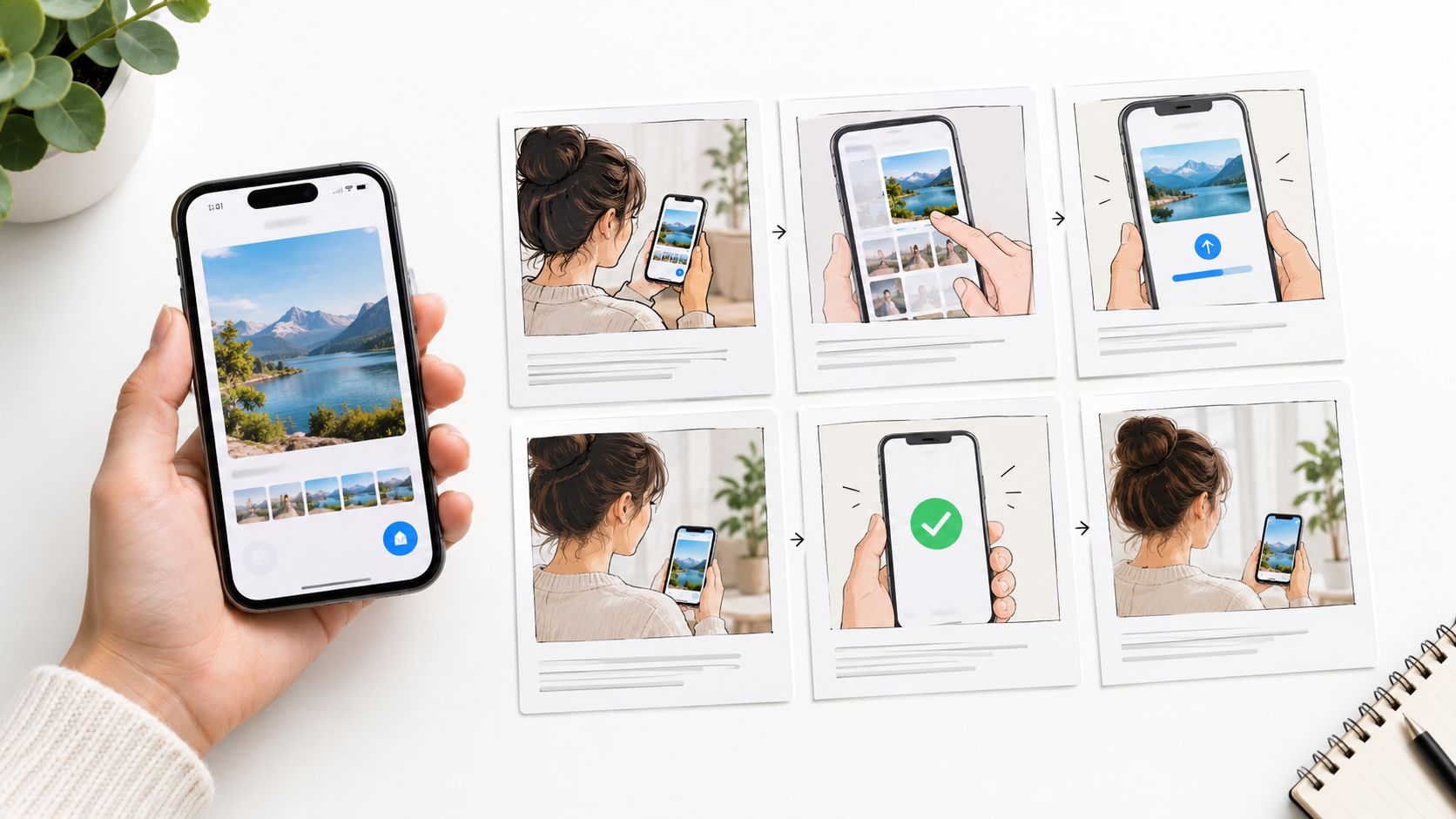
I always work from four simple columns: scene title, scene description, voiceover or dialogue, and image or illustration. This guide to storyboarding your video is a solid reference for keeping that handoff clean.
Let narration explain the action while the picture supplies the detail.
Say a regional insurance agency is building a claims walkthrough. They’d sketch the flow first, then check every instruction against their actual reporting process before anything goes into production.
| Scene Title | Spoken Line | Scene Description and Image |
|---|---|---|
| Start | “Ready to report damage?” | Show a phone opening the claims page. |
| Details | “Enter what happened and when.” | Show the claim form with sample entries. |
| Photos | “Upload clear photos of the damage.” | Show photo selection, then an upload checkmark. |
| Review | “Check your details before submitting.” | Highlight the review screen and edit button. |
| Confirmation | “Save your claim reference.” | Show the confirmation screen with its reference. |
| Support | “Call us if you need help.” | Close with the agency’s verified phone number. |
Check Scene Timing Before Production
Read each line out loud while you act out the screen action. You’ll hear the mismatches fast. Hold the picture if the upload takes longer than the sentence, and trim the line or stretch the scene if narration runs past the cut.
Keep confirmation visible long enough to recognize. Don’t rush it.
The same idea works anywhere. A real estate tour can pair room descriptions with floor plans, an employee walkthrough can pair steps with cursor moves. For another angle on delivery, explore ways to build audience engagement through branded videos.
Move the Approved Scenes Into Production
Once it’s approved, an agency data source can feed branch details straight into a template. A programmed trigger starts the build, and the finished piece goes out to the right customers through their agreed channel. Because the scenes stay locked, the team can repeat the same flow for each branch without rebuilding the script.
For teams making a lot of versions without editing each file by hand, Wideo’s video templates give you a practical starting point for turning the script into scenes.
Approve the words and pictures together before producing variations.
Before you hand anything off, go back to one viewer and one message. If a scene doesn’t serve both, cut it or fix it.
Read the whole draft out loud with a timer running. Include the pauses. Any line you trip over will trip up your narrator too, so rewrite it on the spot.
Then look at the words next to the pictures. Every scene should show something useful, and the pacing has to give people time to actually follow what’s happening.
A polished sentence doesn’t earn its place unless it helps the viewer understand or act.
In practice, that’s very concrete. For a SaaS onboarding manager, it’s showing the exact invitation button, not a generic dashboard shot, while for a sales lead, it’s making sure the close names one specific booking action.
Double-check every claim against your approved material, AI drafts included. Swap out anything you can’t back up before it gets to a voiceover artist, designer, or agency.
Hand Off a Script That Stands Alone
Pull together a clean handoff package with your scene list and target runtime, the approved proof points, and your one-sentence takeaway.
Someone brand new should get the assignment without needing the original brief. That’s really what writing a video script comes down to — clarity that survives the handoff.
Bring your approved script into Wideo and build its scenes.
Your script is finished when a stranger can follow it from beginning to end without rereading a single sentence.