
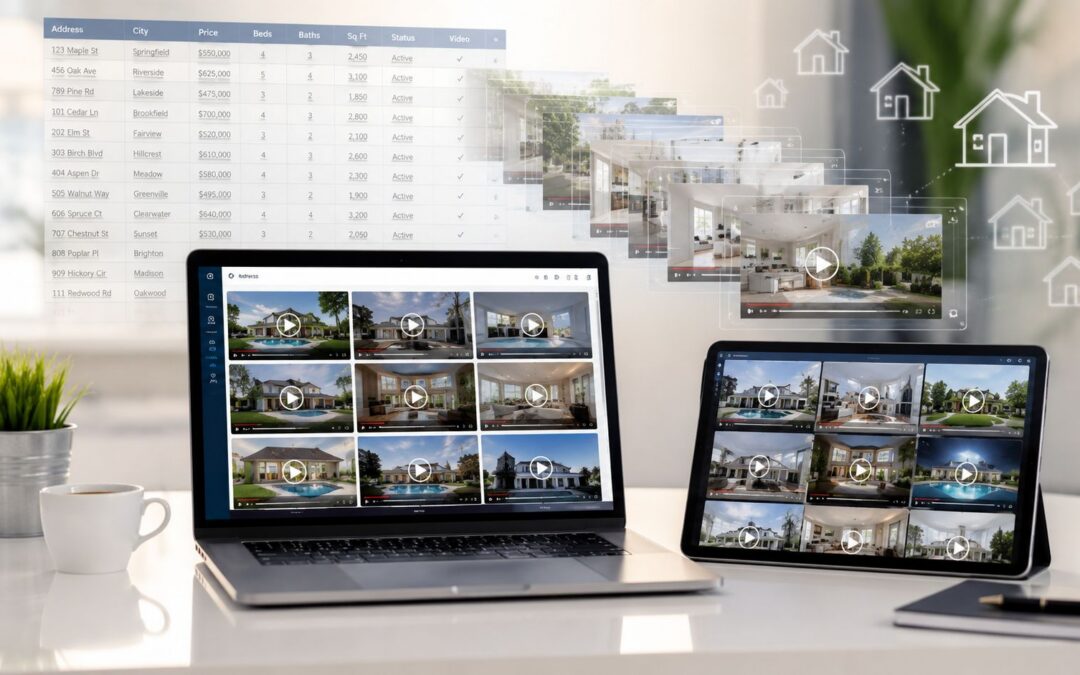
“A real estate marketing team with 200 active listings does not need some video content. It needs 200 videos. One for every property. One with the right address. The right price. The right photos. The right agent. The right branding. And it needs them by Friday.”
The production bottleneck is the problem, not the idea of using visual content. Teams can make one strong listing clip, then the queue fills up and the rest of the portfolio falls back to photos and a text description.
The Real Estate Video Production Problem
A listing with visual content gets treated differently by buyers because the home is easier to scan, remember, and compare. In industry research cited by the National Association of Realtors and Zillow, listings with visual content receive 403% more inquiries than listings without it, and some homes marketed with visual content can sell for an average of 6% more. That kind of gap makes the issue obvious, but it doesn’t solve the primary constraint inside the marketing team.
The constraint is time.
A manual property clip can take 30 to 60 minutes once you count gathering photos, writing the script, editing, exporting, and uploading. At 200 listings, that turns into 100 to 200 hours for one batch, and that’s before price changes, seasonal photo swaps, or new listings force the team to touch the asset again. If you want a broader framing of the production side, the modern marketing video workflow playbook is useful because it treats video as an operations problem, not a creative one.
What usually breaks first
The work doesn’t fail because agents lack taste or because the brand team can’t write a caption. It fails because one person becomes the bottleneck for every upload, every revision, and every export.
Practical rule: if a listing asset can’t be regenerated from data, it won’t stay current for long.
A better comparison is between teams that handcraft a few premium listings and teams that treat every listing as a repeatable asset. Wideo’s own case study on in-house production shows why that matters for throughput, because teams move from one-off creation to repeatable production systems (how tribes brought video marketing in house and increased productivity 21x). The version of that same problem is simpler. The issue isn’t creativity. It’s production throughput.
The Spreadsheet-to-Video Workflow
The cleanest model is boring in the best way. Start with property data, map it once, and let the system produce the finished asset without rebuilding it every time a listing changes.
The mechanics
A CSV export or Google Sheet from the MLS or CRM should carry the fields the team already maintains, such as address, price, bedrooms, bathrooms, square footage, photos, agent name, and description. That data becomes the source of truth, which matters because the marketing team stops retyping information into separate files.
| Data Field | Template Role | Example |
|---|---|---|
| Address | Main headline and opening scene | 14 Lakeview Drive |
| Price | On-screen pricing frame | $450,000 |
| Bedrooms | Feature callout | 4 bedrooms |
| Bathrooms | Feature callout | 3 bathrooms |
| Square Footage | Spec card | 2,400 sq ft |
| Photos | Visual scenes | Exterior, kitchen, primary suite |
| Agent Name | Contact end card | Priya Shah |
| Description | Supporting narration and text | Bright corner lot with updated finishes |
Build one master template with brand elements, scene order, music, legal copy, and transitions. Then map each spreadsheet column to its placeholder, such as {{address}}, {{price}}, and {{bedrooms}}. That turns a template into a reusable shell rather than a one-time design file.
A good internal reference for workflow design is Wideo’s note on automating video creation with Wideo’s Zapier integration, because the logic is the same even when the trigger comes from a different system. The point is not editing faster. The point is changing the unit of work from “make one listing clip” to “generate the listing clip from data.”
Generate every asset in a single batch, then send them where the market already looks, email, social, MLS, or a client portal.
What the workflow means in practice
When the team updates a field in the sheet, the output should follow that record, not a separate editing timeline. That’s how marketing, sales, and ops stay aligned without a fresh production request for every price tweak or agent change.
Three Use Cases Real Estate Teams Run on Autopilot
New listing alerts are the most obvious win. The moment a property hits the market, the system can create the visual content, route it to the agent, push it to the buyer list, and queue it for social distribution. That removes the usual lag between listing intake and market visibility, which is where many opportunities get lost.
Price change updates are just as important, because stale assets create confusion. When a listing price changes, the record updates, the recorded message refreshes, and the agent gets a current version without asking a designer to reopen the project. Teams that already segment audiences can connect this same logic to customer acquisition with videos by sending a revised version only to the people who need it.
Seasonal refreshes matter more than many brokers admit. Summer landscaping, winter exteriors, and updated interior photos all affect how a property feels, so the same structure can stay in place while new images roll through the template. That keeps the brand consistent while the visual asset remains current.
Practical rule: a listing clip should be treated like a living record, not a finished poster.
The best part is that each use case solves a different operational pain with the same underlying system. Marketing gets speed, agents get current assets, and the office stops treating every revision like a custom project.
How a Platform Like Wideo Runs This Workflow

For teams that need repeatable output, the platform question is really a workflow question. The software should take a CSV or Google Sheets connection, map property fields into a template, and render each row into a separate asset without manual editing. That same logic is what Wideo’s no-code video automation page describes in plain terms (no-code video automation).
A platform like Wideo runs this with template placeholders for address, price, photos, agent name, and listing details, then produces bulk renders from one approved layout. It also supports AI voiceover and text-to-speech, so the team doesn’t have to record narration every time a listing changes. Aspect ratio switching matters here too, because the same asset may need 9:16 for social, 16:9 for web, and 1:1 for a feed post.
The brand kit is the quiet win, because colors, logos, and fonts stay locked across every property without another review cycle.
For a team under pressure, that consistency is what keeps production from drifting. If the main problem is turning property data into a finished visual asset, Wideo’s real estate video platform is one practical example of how the workflow can be built without requiring technical staff to touch every file. The distribution step matters just as much, because the final asset should move straight to email, social platforms, or a client portal without extra handoffs.
How This Changes Real Estate Marketing Operations
Once the workflow is in place, the team stops acting like a studio and starts acting like an operations layer. Marketing managers spend their time maintaining templates and data sources instead of redoing each listing by hand, which changes the pace of the whole department.
Agents feel that difference immediately. They get a recorded message for every listing without waiting for a production queue, and they can send it to prospects while the property is still fresh in the market. For teams that want a broader view of content planning, the real estate video strategies guide is helpful because it reinforces the same operational truth, the asset has to move as fast as the listing does.
Brand control gets easier too. A locked template means one approved structure, one approved tone, and fewer surprises when dozens or hundreds of units need to go live. New hires ramp faster because they’re learning a process, not memorizing a pile of file-specific exceptions.
The shift is bigger than production speed. The team stops being the place where requests pile up, and starts becoming the engine that keeps every listing market-ready.
Measuring Whether the System Actually Works
The right way to judge the system is to track five things. Listing coverage shows what share of active listings now has visual content, which tells you whether the team is still favoring only premium properties. Speed to market tracks how quickly a new listing gets a finished asset from intake to delivery.
Time saved is the easiest internal win to document, because the old manual hours disappear from the queue. Inquiries should be compared between listings with visual content and listings without it, since industry data already shows how much engagement can change when the asset includes video. Agent satisfaction is the last check, and it matters because adoption fails if agents still feel like they’re waiting on marketing.
For teams building their reporting habit, how to measure the success of your marketing videos is a practical reference point. The core question is simpler than the dashboard. How much of your current inventory has a video attached to it?
Wideo gives real estate teams a way to turn listing data into repeatable visual content without rebuilding each asset by hand. If your portfolio keeps growing faster than your production queue, visit Wideo and see how a data-driven workflow can cover more listings with less manual work. Is your current listing video coverage keeping pace with your inventory?
Related posts:
 Virtual tour videos for hospitality automation
 Assembly and safety videos automated for manufacturing facilities
 Automated product assembly videos for manufacturing
 Legal service introductions via automated video solutions
 Video automation for personalized customer service in insurance
 Video Marketing for Small Businesses A Complete Guide


