
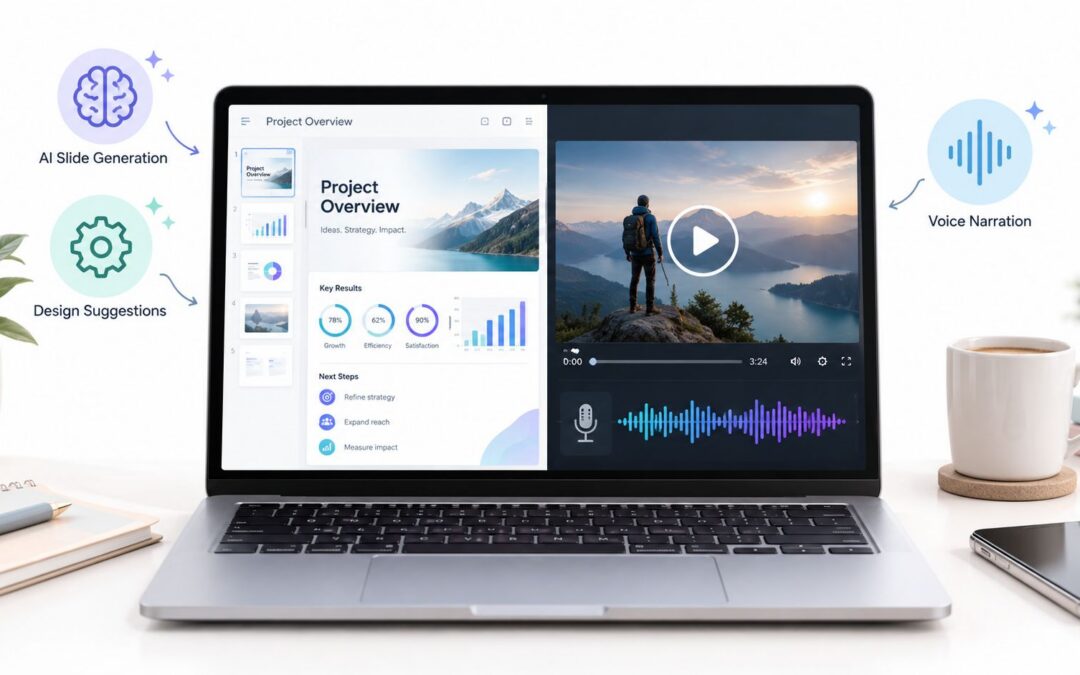
The quarterly deck is done, the room is empty, and the update still needs to reach five people who’ll never sit through the meeting. That’s where an AI presentation maker stops being a novelty and starts acting like a content engine, turning a slide deck into a narrated, paced, editable recorded message that can travel by email, internal post, or training portal.
For teams that already build presentations, this shift matters more than another pretty template. Sales leads, HR managers, and operations teams don’t need a static slideshow that waits for a live presenter, they need visual content that can be watched on demand, reused, and handed off without a round of manual cleanup.
When the Slide Deck Becomes a Recorded Message
The easiest way to understand the change is to picture a quarterly business review that never makes it to the conference room. The marketing lead finishes a 30-slide update, sees that half the attendees are remote, and sends a narrated version instead, because the message matters more than the room booking.
That’s the actual job of an AI presentation maker. It takes a deck that was built for live delivery and turns it into a dynamic asset people can watch when they’re available, which is why the old meeting-first habit is fading in hybrid teams. The deck stops acting like stage scenery and starts acting like source material.
Practical rule: if the audience can absorb the update faster on their own time, the deck should work as a recorded message first.
This is also why the best teams think beyond slides alone. They want the same content to support sales follow-up, onboarding, internal communication, and stakeholder updates, and that’s easier when the presentation is no longer trapped inside a calendar invite. For a broader view of how presentations can work with motion and narration, Wideo’s guide to improving presentations with video is a useful companion.
A slide deck is no longer just a thing you present. It’s the raw material for audiovisual piece that can be sent, watched, paused, replayed, and reused.
How a Deck Actually Turns Into a Narrated Video
Text becomes a spoken script
The conversion starts with the words already on the slide. An ai presentation maker reads the title, bullets, and notes, then rewrites them into something a human voice can say naturally without sounding like it’s reading a spreadsheet aloud. That matters because bullet text that looks fine on a slide often feels clunky in narration.
In a quarterly review, dense update bullets become a short spoken summary, not a word-for-word recital. The tool keeps the message, trims the clutter, and gives the presenter a script they can review before anything is recorded.
Timing follows the narration
Next comes pacing. The narration is generated and matched to each slide so the deck doesn’t race ahead or sit awkwardly in silence while the speaker catches up. A benchmark of AI presentation tools found the fastest system in its test produced a 10-slide PowerPoint in 22 seconds, while others ranged from 45 seconds to nearly 4 minutes when formatting and export were included, which shows that layout and file handling can matter as much as the text itself 2Slides benchmark.
Visual pacing replaces manual animation work
The last step is the visual rhythm. Transitions, emphasis, and slide dwell time are handled so the recording feels intentional rather than click-driven, which is why the finished asset feels closer to a narrated walkthrough than a static deck with a voice track layered on top. The slide order still matters, but the timing now belongs to the script.
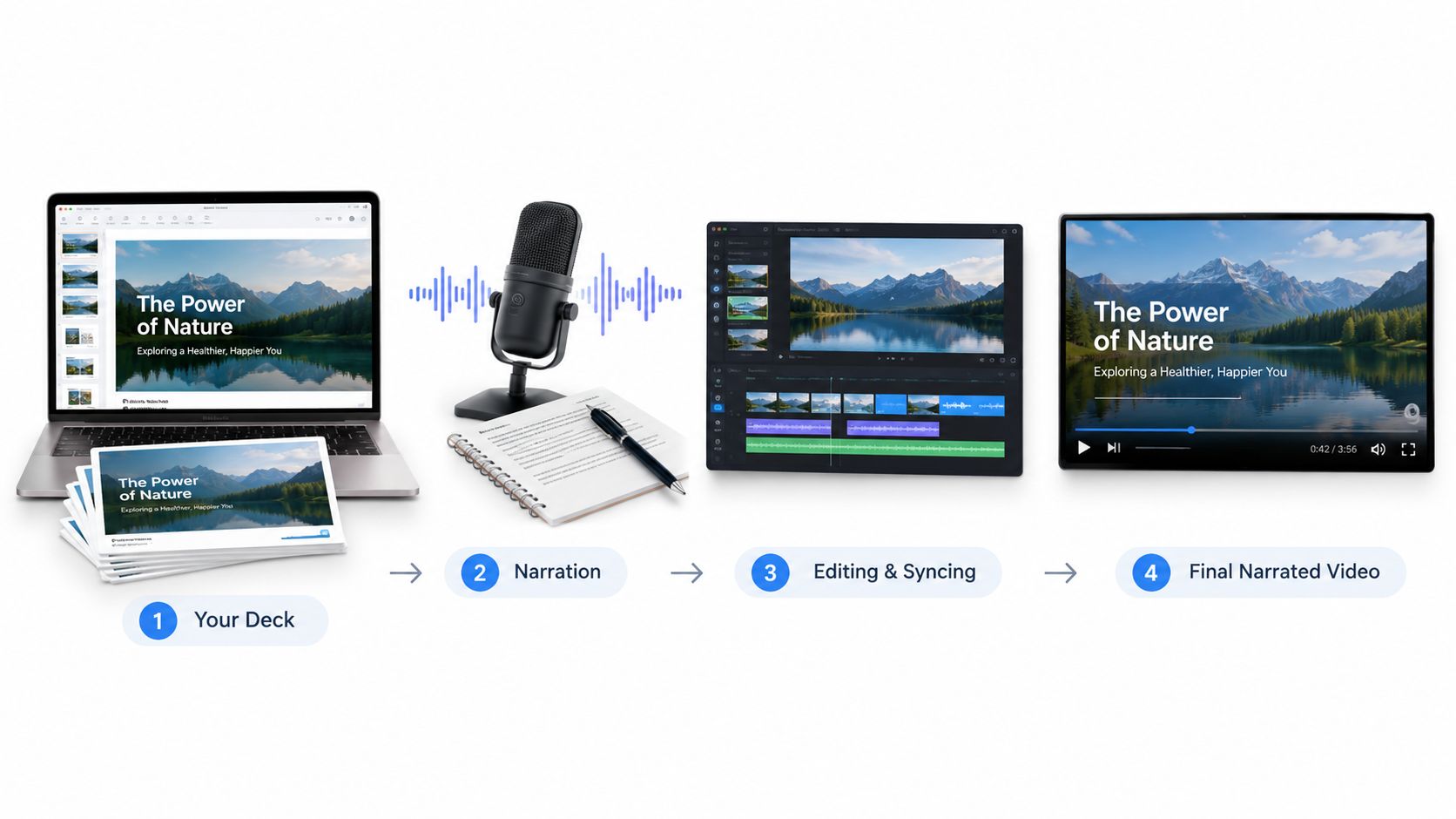
A good narrated deck feels paced, not rushed. If a slide needs five beats of explanation, the tool should give it five beats, not one click.
For teams that need editable narration inside a presentation workflow, Wideo’s text-to-speech page shows the kind of voice layer these tools can use without hand-editing every slide.
Who This Workflow Is Really Built For
The strongest fit is the team that already owns the source deck. Sales teams sending follow-ups, L&D leads shipping compliance training, and agency account managers recording campaign recaps all start with material that already exists in slides, so the conversion work is practical, not theoretical.
The weaker fit is the person who only consumes presentations. If your job is to watch the update, not build it, the value shows up indirectly through clearer communication and faster handoff. The core question is simple. Which team in your org owns the original slide file?
That question usually splits the use case cleanly.
- Sales and account teams: They turn pitch follow-ups into a watchable asset that prospects can revisit without booking another call.
- HR and training teams: They convert onboarding decks into repeatable, context-aware modules that new hires can watch on demand.
- Operations and finance teams: They send quarterly or monthly updates as recorded messages, which reduces meeting load and keeps the story consistent.
- Marketing and agency teams: They share campaign recaps, client updates, and internal summaries without rebuilding the same deck for every audience.
The tool is less useful for live keynote speakers who need on-stage energy, or for pitch competitions where the audience expects a performance. It’s also a weaker fit when the deck itself is the portfolio piece, because the presentation is the product in that case.
For teams that need to generate hundreds of onboarding videos using CRM or HR data, platforms like Wideo’s slides to video workflow fit the problem neatly without forcing manual editing.
What to Look For When You Evaluate the Tools
An AI presentation maker should be judged like a workflow tool, not just a design toy. The first thing to check is whether it can carry your existing brand without forcing a redesign, because the output has to survive review, approval, and handoff.
Then look at editability. Can your team change the script, swap a voice, adjust slide timing, and update fonts or colors without rebuilding the whole piece? If the answer is no, the tool is probably only useful for drafts.
Practical rule: if the output can’t be edited by the people who approve it, it won’t survive enterprise use.
Integration matters too. Google Slides now supports native editable, brand-matched decks from Drive content, Microsoft 365 Copilot can build and restructure decks in PowerPoint, and ChatGPT’s PowerPoint add-in still has incomplete template and font handling, so office-suite compatibility is becoming a real differentiator NextDocs update. That’s where the practical buyer asks whether the tool can fit into current review paths instead of creating a new one.
For broader generation and workflow automation, Wideo’s AI video generator page is worth a look because it sits closer to repeatable content production than one-off slide polishing. And if your team needs the content pipeline itself, not just the rendering step, Wideo’s video automation page shows how a deck can become part of a larger system.
A quick buyer checklist
- Brand control: Can you keep colors, fonts, and layouts consistent?
- Editable output: Can reviewers fix the deck without starting over?
- Export options: Can the result live in PowerPoint, email, or an LMS?
- Access controls: Can legal, HR, or finance approve before release?
- Workflow fit: Does it plug into how your team already works?
A Starter Workflow You Can Run This Week
Start with one deck that already matters, a quarterly update, a sales follow-up, or an onboarding presentation someone asked to see again. Duplicate it, strip out anything that only makes sense when spoken live, and feed the slide text into the script refiner.
Pick a voice that fits the audience, then let the narration set the pace for each slide. After that, use a pacing template that adds transitions and emphasis where the speaker would normally pause, because the timing should follow the story, not the mouse click.
Export the result in the format each audience expects, then watch what happens. Sales may want MP4, training may want captions, and some teams may want a clean audio version for reuse in another channel. Track which version gets finished and which one gets ignored, because that tells you where the next conversion should go.
For a hands-on workflow, Wideo’s how-to guide for making videos using AI gives you a practical path from source content to finished asset without starting from zero every time.
Where an AI Presentation Maker Fits in Your Stack
The cleanest way to think about this tool is as a rendering layer inside a larger communication system. Slides can originate in Google Slides, PowerPoint, or Figma, while structured data from a CRM, product catalog, or HRIS can trigger deck creation when a deal moves or a new hire appears.
From there, the tool handles the conversion, text to script, narration to timing, pacing to visuals. The finished recording then flows into places where business teams already work, like LMS platforms, sales enablement portals, email nurture sequences, and internal knowledge bases.
That handoff is where value shows up. Approval queues keep the message safe, brand libraries keep it consistent, and analytics tell you what people watched and where they dropped off. The result is not just a video file, it’s a repeatable, enterprise-ready content path.
For teams that need a conceptual starting point, Wideo’s video automation page makes the workflow easier to picture, because the input, template, trigger, and distribution steps all have to line up. If you’re choosing your first conversion target, start with the deck that already gets requested most often, then turn that one into a machine-driven asset your team can reuse. That’s the shift worth making.
Related posts:
 Your Guide to AI Video Generator Technology
 A Guide to AI Video Creation for Beginners
 AI Avatars: The New Face of Business Communication
 AI Avatars: The Secret Weapon for Business Growth and Efficiency
 AI Technology: The New Creative and Strategic Core of Business
 12 Powerful AI Tools for Video Creators in 2025


