
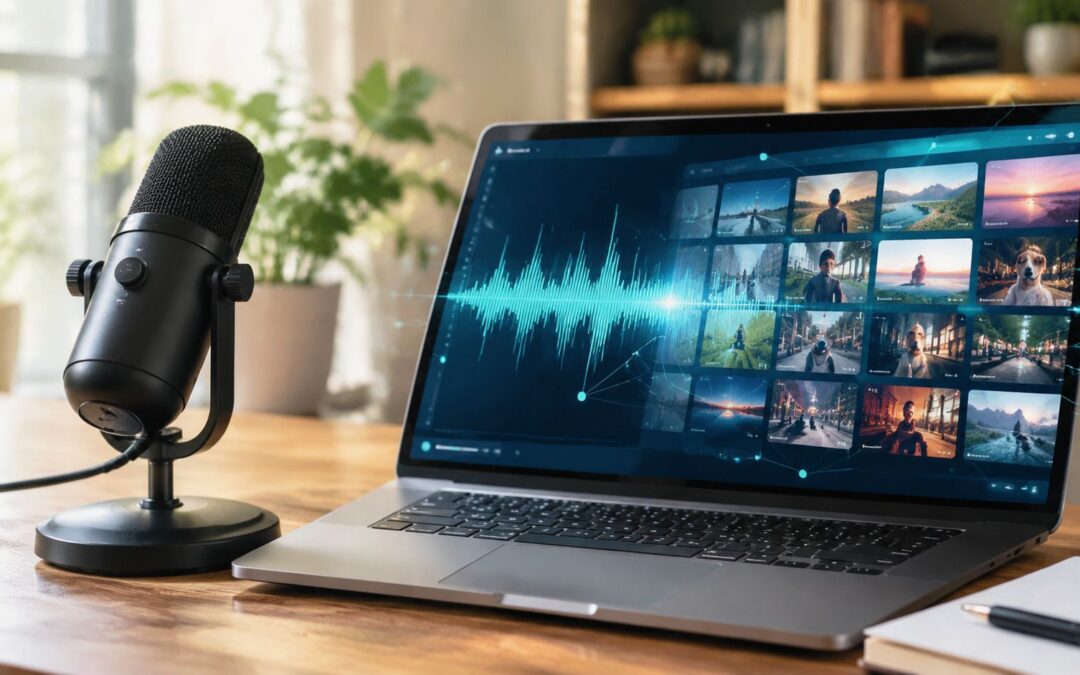
You’ve probably got one of those episodes sitting in a folder right now, full of smart lines, usable quotes, and moments worth sharing, while the only thing most of the team sees is an audio file nobody has time to cut up. That’s the core promise of podcast to video ai. It turns a long recording into a system for shipping clips, captions, and platform-ready assets without making someone scrub through an hour of audio by hand.
Podcast to video ai matters because the distribution problem is no longer the recording itself. The problem is turning one conversation into enough visual content to feed YouTube, Reels, Shorts, LinkedIn, internal comms, sales follow-up, and onboarding without adding more manual editing to the calendar.
Why Most Podcast Episodes Die in the Archive
The pattern is familiar. A team records a strong conversation, publishes the full episode, sends one newsletter, and moves on. The episode gets a burst of attention, then it disappears into the archive while the useful moments, the sharp quote, the customer story, the practical takeaway, never reach the channels where people discover content.

A better pattern looks different. One long recording becomes five short clips, each shaped for a specific use case, one for YouTube, one for LinkedIn, one for Instagram, one for sales enablement, one for an internal update. That shift is why podcast to video ai has moved from a convenience feature into a practical content system for marketing, sales, HR, and operations teams.
The value isn’t in publishing more material. It’s in getting the same conversation into the right format before the moment passes.
The market backdrop helps explain the shift. The AI video generation market is already measured in the hundreds of millions of dollars globally, with one widely cited 2026 estimate putting pure AI video generation at about USD 946.4 million in 2026, rising from USD 788.5 million in 2025 (Fortune Business Insights). That tells you this isn’t an experimental corner case anymore. It sits inside a growing automation stack built for repeatable production, not one-off editing.
For a media team, that means a podcast episode can become a clip library. For a SaaS team, it can become product education and customer proof. For a dealership, insurer, or airline, it can become a steady stream of recorded messages that explain changes, answer common questions, and keep service teams from repeating themselves.
The old model is linear. Record. Edit. Publish. Move on.
The new model is modular. Record once. Segment once. Publish many times.
That’s the difference between an episode that dies in the archive and an episode that keeps working for the business.
Why one video isn’t enough for your business
The Core Podcast to Video AI Pipeline
The actual workflow is more mechanical than most demos make it look. Raw audio goes in, transcription comes out, the transcript gets segmented, the best moments get scored, and only then does the system render clips with captions, waveforms, or branded backgrounds. The hard part is not making a file look polished. The hard part is deciding which moments deserve to become clips.

What the system needs before it can cut
A useful podcast to video ai workflow starts with a timestamped transcript. The transcript needs speaker turns, because quote extraction without diarization turns into guesswork fast. It then needs semantic segmentation, so the system can spot topic shifts, punchlines, and call-to-action moments instead of just slicing by arbitrary time intervals. That’s the key difference between a clip that feels native and one that feels random.
Research on repurposing treats highlight extraction as its own problem, not just a side effect of transcription, and benchmark datasets such as Repurpose-10K were built with more than 10,000 source videos and more than 120,000 annotated clips for clip selection and repurposing tasks (arXiv). That matters because podcast teams often assume the transcript is enough. It isn’t. A transcript can tell you what was said, but not always where the moment lands emotionally or structurally.
Where human review still earns its keep
A production team still needs to check the top-ranked moments. Auto-selection is useful, but it can miss context, especially when a guest’s best answer depends on the question just before it. It can also overvalue tidy-sounding lines that don’t help the audience. The best teams review clips in batches, approve the strongest ones, and leave the rest out.
For teams that want a structured rendering layer after the transcript work is done, Wideo’s AI video generator can fit into that pipeline as the output step. It’s most useful when the clip logic already exists and the job is to turn that logic into a consistent visual asset.
You can think of the pipeline this way. Ingestion first. Then transcription. Then clip scoring. Then visual assembly. Then review.
If any step tries to do the others’ job, the whole system gets noisy.
Audio Hygiene and Transcription Accuracy
Speech-to-text quality is the bottleneck that decides whether podcast to video ai feels reliable or sloppy. Clean single-speaker audio typically gives the highest accuracy, while noisy, multi-speaker, or crosstalk-heavy recordings degrade much faster. One 2026 benchmark summary reports roughly 94–99% accuracy for clear single-speaker English audio, 90–95% for multiple speakers with minimal noise, and 85–92% for noisy audio with music or crosstalk (AssemblyAI).
That spread matters because transcription errors do more than create bad subtitles. They distort speaker labels, weaken quote extraction, and send the clip picker toward the wrong moment. If a guest is interrupted often, if two people overlap, or if a room echo makes the tail ends of words muddy, the system can misread the conversation and surface a clip that sounds fine on paper but fails in playback.
Practical rule: fix audio before you ask software to fix the transcript.
The best production habits are boring, which is exactly why they work. Use separate microphones. Keep speaker turns disciplined. Verify speaker labels on a short sample. Reject clips with unresolved overlap. If you’re recording for repurposing, the podcast session is also the source file for your clip library, so quality control has to start before the episode is published.
Wideo’s subtitle tool can help once the transcript is clean, but captions are only as good as the audio and diarization underneath them. That’s why media teams should treat recording quality as part of distribution strategy, not just production hygiene.
A noisy recording doesn’t just sound rough. It raises the cost of every downstream clip.
Choosing Visual Formats by Platform and Use Case
Different formats solve different problems, and not every clip should look like a talking-head excerpt. Waveforms work well when the audience mainly needs a branded audio-first feel. Animated scenes make more sense when the message is instructional, abstract, or compliance-sensitive. Speaker portraits feel personal, but they’re not always the best fit for fast-scrolling social feeds.
| Visual Format | Best Platform | Primary Use Case |
|---|---|---|
| Waveform with captions | Reels, Shorts, LinkedIn | Fast quote clips and teaser moments |
| Speaker portrait clip | YouTube, LinkedIn | Thought leadership and expert commentary |
| Branded animated scene | Internal comms, insurance, SaaS | Explainers and policy or product summaries |
| Stock-backed montage | Social feeds, campaigns | Promo-style clips from longer episodes |
For creators looking at best tools for Shorts, the useful question isn’t which tool looks flashiest. It’s which format helps the clip survive where it’s posted. A vertical clip with bold captions and a tight opening usually belongs on Reels or Shorts. A horizontal clip with more breathing room can work better on YouTube. For distribution choices, Wideo’s social network guide is useful because it maps format to channel rather than treating every platform the same.
Auto-generated captions matter here because many viewers scroll with the sound off. If the subtitles are hard to read, the clip dies before the message lands. For teams that need repeatable subtitle overlays across many clips, Wideo’s AI captions generator is a practical reference point.
The choice is not cosmetic. It affects customer acquisition, sales enablement, and how watchable the clip is in the feed. A B2B team may prefer an animated explainer because it feels cleaner and more controlled. An education brand may want a speaker-led format because credibility comes from the person on screen.
If the platform is crowded, the safest clip is the one the viewer can understand in one glance.
Building a Repeatable Automation Workflow
The workflow that scales starts with a source file and ends with distribution triggers. A podcast host, cloud folder, or RSS feed sends the recording into a template-based system. The system applies a transcript, selects a preset visual style, generates captions, exports vertical and horizontal versions, and routes the clips to the right channel. That’s how teams move from manual editing to a repeatable production line.
For a company with recurring episodes, the simplest architecture is data source, template, trigger, distribution. The source can be a new MP3 upload or an episode entry in a CMS. The template defines the frame, caption style, and branded background. The trigger fires when a new episode lands. The distribution step pushes the ready-made clips into the posting workflow.
Wideo’s no-code video automation fits that kind of setup when teams want to connect a recurring content source to a repeatable output format. For a fuller repurposing mindset, Viral.new’s repurposing playbook is a useful companion read because it treats one long recording as a source of many assets, not one finished piece.
The most useful operational habit is batch thinking. Old episodes shouldn’t sit untouched just because they’re not new. A back catalog can be queued, scored, and turned into a release calendar that supports social posting, sales follow-up, and internal updates without a fresh edit for each asset.
For teams that need to generate hundreds of promo clips from recurring audio, platforms like Wideo can fit the workflow without manual re-editing each time. See a focused workflow here: Wideo’s AI podcast promo tool.
Measuring Repurposing Impact Across Business Functions
The value of podcast to video ai shows up when the clips do real work outside the content team. For customer acquisition, short clips give marketing something to distribute on social channels without waiting for the next recording session. For sales enablement, the best quotes become a library reps can send after calls. For onboarding, clips can explain features or expectations in a way that feels more immediate than a long PDF.
Internal communications is where the business case gets especially clear. Research on internal video communications reports that employees are 75% more likely to watch a video than to read emails, documents, or web articles, and that a single video can serve 5 to 500 people (Brightcove). That makes repurposed clips useful for HR updates, training reminders, reporting, and stakeholder briefings.
The other overlooked issue is governance. Accessibility, multilingual delivery, and approval workflows matter when a brand publishes across regions or regulated sectors. Captions, visual overlays, and voice treatment need to be controlled, not improvised. Teams in insurance, finance, and enterprise operations can’t treat a clip library like casual social content.
A useful frame comes from the repurposing playbooks that creators already use, but enterprises need tighter review gates and clearer ownership. ViewsMax’s actionable repurposing tips are helpful because they reinforce the idea that one source can power many outputs, as long as the workflow is disciplined.
The business question isn’t whether a podcast can become a clip. It’s whether the archive is already full of assets that no one has turned into distribution. How many past episodes are sitting in your archive right now that could still be repurposed into clips today?
Wideo gives teams a way to turn recorded conversations into structured, ready-to-publish visual content without rebuilding every clip from scratch. If your podcast library is already full of useful moments, Wideo can help you turn that back catalog into a repeatable content system instead of another pile of untouched files.
Related posts:
 Your Guide to AI Video Generator Technology
 A Guide to AI Video Creation for Beginners
 AI Avatars: The New Face of Business Communication
 AI Avatars: The Secret Weapon for Business Growth and Efficiency
 AI Technology: The New Creative and Strategic Core of Business
 12 Powerful AI Tools for Video Creators in 2025


