
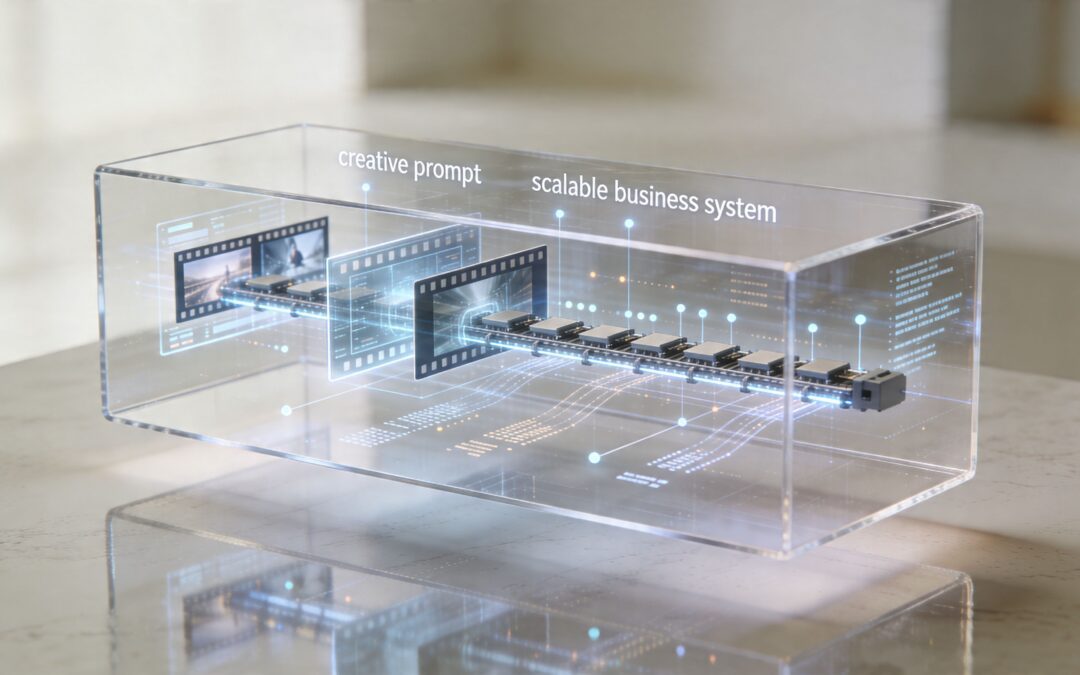
Many groups are already using AI video like a black box. They paste in a prompt, wait a minute, and judge the result by instinct. If the clip looks good, they call it useful. If it looks strange, they try another prompt.
That works for experimentation. It doesn’t work for operations.
Inside video ai becomes far more valuable when you stop treating it like a novelty generator and start treating it like a business system. The primary question isn’t whether a tool can make one decent video from a prompt. The main concern is whether your team can use that system repeatedly for onboarding, sales follow-up, training, reporting, internal updates, and customer communication without rebuilding the process every time.
Beyond the Magic Black Box of AI Video

Most professionals don’t need to understand model architectures. They do need to understand why one AI video workflow produces repeatable business content and another produces random creative output.
That’s the practical difference between curiosity and scale.
Why the black box matters to business teams
A marketer sees a prompt become a product teaser. An HR manager sees a script become a training clip. A sales team sees a draft vehicle walkthrough appear without booking a shoot. All of that feels fast. What often stays hidden is the operating logic underneath: what inputs the system uses, where consistency breaks, what can be templated, and what still needs review.
If you don’t know that, you can’t build a dependable workflow. You can only keep generating one-offs.
The market signals are hard to ignore. The global AI video generator market reached $614.8 million in 2024 and is projected to reach $2,562.9 million by 2032, with a 20.0% CAGR, according to Quantumrun’s AI video market statistics. That growth matters because it reflects a broader shift in how companies produce communication assets. Video is moving closer to everyday business infrastructure.
Practical rule: If a video process depends on perfect prompting from one skilled person, it isn’t a system yet.
From novelty to operating model
A business doesn’t benefit most from AI video when it creates one impressive clip. It benefits when the same setup can produce many videos with consistent structure, brand logic, and message control.
That changes how you evaluate tools. Instead of asking, “Can this make a cool video?” ask questions like:
- Can this repeat the format for every new product, customer segment, or internal announcement?
- Can this handle structured inputs such as spreadsheet fields, image libraries, or approved scripts?
- Can different teams use it without depending on a specialist editor?
- Can it support a workflow that people will maintain?
Consequently, platforms built for operational use become more relevant than prompt-only experimentation. A company exploring AI video generation workflows should be looking for repeatability first, not just visual flair.
Inside video ai is worth understanding for one reason. Once you know what happens under the hood, you stop chasing magic prompts and start designing processes that scale.
The AI Video Assembly Line Explained

The easiest way to understand inside video ai is to think of it as an assembly line, not a single action. The final video looks like one output, but the system is really passing work through several stages.
According to this breakdown of AI video generation frameworks, AI video generation uses a modular architecture with an Input Processing Module, a Content Planning Engine, a Frame Generation Core, and a Temporal Consistency Layer. For business users, those terms matter less as engineering concepts and more as workflow checkpoints.
Stage one and stage two
The first stage is intake. The system receives something to work from: a text prompt, a script, a product image, a voice track, a brand kit, or structured business data. It normalizes those inputs so the tool can interpret them in a shared format.
Then comes planning. This is the stage people often miss because it operates behind the scenes. The tool decides what the video is trying to say and how to sequence that message. It breaks a broad request into scenes, pacing, visual moments, and transitions.
If you already work with editorial or campaign operations, this part will feel familiar. It’s not that different from how how AI powered content creation works across text, design, and publishing systems. Strong outputs usually come from structured inputs and clear production logic, not from random inspiration.
Stage three and stage four
Once the plan exists, the system starts generating visuals. In this process, images, scenes, motion, and style are created or assembled. But a useful business video needs more than isolated good-looking frames.
It needs continuity.
The temporal consistency layer handles that continuity. In practical terms, this is the system’s memory from one moment to the next. It helps the person in frame look like the same person, keeps objects from changing shape unexpectedly, and reduces visual jumps that make a video feel unreliable.
A good AI video system doesn’t just generate scenes. It preserves identity, order, and message across scenes.
What this means for operators
For a business team, the value of this assembly line is simple. It separates video creation into manageable parts that can be controlled.
That lets teams make better decisions about where automation belongs:
- Inputs: approved scripts, inventory feeds, CRM fields, or training materials
- Planning: predefined scene order, message hierarchy, required compliance language
- Generation: visuals, voiceover, captions, stock footage, animated graphics
- Consistency: branding, recurring characters, approved layouts, stable tone
A platform built for video automation in repeatable business workflows handles much of this complexity in the cloud so teams don’t need to manage the technical pipeline themselves. What matters is knowing the pipeline exists.
When people say AI video feels unpredictable, they’re often reacting to weak control at one of those stages. The solution usually isn’t “better prompting.” It’s better system design.
From One-Off Prompts to Scalable Video Systems
A basic AI video tool is useful when you need one clip quickly. A scalable system is useful when the business needs video every day.
That distinction changes everything.
An end-to-end system such as Invideo v4 can create up to 30 minutes of video from a single prompt, while NVIDIA’s VSS blueprint can analyze hundreds of concurrent video streams on a single H100 GPU, as described in NVIDIA’s overview of video search and summarization workflows. Those examples point to the bigger shift. AI video is no longer just about generating content. It’s about handling content operations.
The real divide
Prompt-based tools are often judged on creativity. Scalable systems should be judged on control.
A retail team launching one social clip can tolerate some unpredictability. An insurance team sending policy update videos can’t. A training department updating modules for different regions needs approved structure, not improvisation. A dealership generating inventory videos needs the same format applied over and over, with different vehicle data dropped into the same framework.
Here’s the cleanest way to compare them:
| Capability | Basic AI Video Tool | Scalable Video System |
|---|---|---|
| Primary input | Freeform prompt | Prompt plus templates, assets, and business data |
| Best use case | One-off social clip | Repeatable communication across teams |
| Control over message | Limited and variable | Structured and reviewable |
| Brand consistency | Often manual | Built into templates and workflow rules |
| Volume handling | Better for small batches | Better for recurring production |
| Cross-functional use | Usually creator-led | Designed for marketing, sales, HR, ops, and training |
| Maintenance | Prompt-by-prompt | System-based and easier to repeat |
What scalable looks like in practice
A scalable video system usually combines four ingredients:
- Text inputs such as scripts, product descriptions, article summaries, or policy updates
- Image and video assets such as product shots, logos, spokesperson clips, and stock media
- Templates that lock the structure, scene order, branding, and mandatory messaging
- Automation rules that decide what data fills each field and when the video gets produced
That’s how a business moves from “make me a video” to “generate this class of videos whenever new data appears.”
Operating principle: The strongest AI video workflows don’t start with creativity. They start with repeatable structure.
A SaaS company might build a renewal reminder format once, then feed customer-specific details into that template every month. A travel brand might generate route updates or destination content from the same visual system. A finance team might turn recurring stakeholder updates into branded video summaries instead of static slides.
For teams designing repeatable formats, a library of video ideas for recurring business use cases can help identify which communications are structured enough to automate well. The best candidates are repetitive, high-frequency, and already driven by known data fields.
One-off prompts are a starting point. Systems are what create operational advantage.
Putting AI Video to Work Across Your Business

The most useful inside video ai applications don’t live in a creative lab. They live in everyday workflows that already exist and already consume time.
Sales and revenue teams
A car dealership is a good example because the use case is concrete. Inventory changes constantly. Sales reps need fresh walkarounds, finance promos, and follow-up content. Shooting each video manually creates delays and inconsistency.
A structured AI video workflow changes that. The dealership creates a master format for vehicle highlights, special financing messages, and rep introductions. Then the system fills in model name, trim, price language, images, and location details from approved records. Reps spend their time reviewing message fit, not rebuilding the asset.
In B2B sales, the pattern is similar. A rep can send customized recap videos after discovery calls, using the same framework each time: client name, problem summary, recommended solution, next steps. That doesn’t remove the rep’s judgment. It removes repeated production work.
HR, onboarding, and training
HR teams often struggle with the same problem under a different label. The material is important, but the format is repetitive.
A new hire needs a welcome video, a benefits overview, a manager intro, a compliance reminder, and role-based training. Most of that doesn’t need custom production from scratch. It needs a stable template with a few personalized fields, updated visuals, and occasional human review.
That creates a better operating model for:
- Onboarding sequences tied to start date, department, and location
- Training updates when policies change or systems are replaced
- Internal announcements that need a more engaging format than a long email
- Manager communications that should feel personal without becoming a production project
When video becomes templated and data-aware, teams can communicate consistently without sounding robotic.
Customer success, operations, and stakeholder communication
Customer success teams can use the same approach for milestone videos, rollout explainers, and account review recaps. Instead of asking an editor for every update, they work from a system that already knows the sequence: customer name, progress summary, next milestone, support path.
Operations teams can translate recurring reports into short video updates for leadership or distributed staff. A nonprofit can turn program highlights into weekly donor briefings. An education team can create explainers from lesson materials. A travel company can prepare clear service communications when routes, offers, or procedures change.
The point isn’t that every message should become a video. The point is that many recurring messages become more useful when teams can produce them quickly, consistently, and without waiting in a creative queue.
The Human Element in an Automated World
Automation doesn’t remove judgment. It raises the value of judgment.
One of the clearest examples is character consistency. A common pain point in AI video is that faces or visual identities can warp between shots. As noted in this discussion of consistency issues in AI-generated video, emerging tools are improving, but human review is still essential when immersion-breaking flaws appear.
Where people still need to step in
The first human job is strategic. Someone has to decide which messages are appropriate for automation and which ones require a live, deliberate touch. A renewal reminder can be templated. A crisis response usually shouldn’t be.
The second job is editorial. AI can draft voiceover, scene order, and visuals, but people still need to verify tone, sequencing, and factual accuracy. This matters in customer communication, internal updates, and compliance-heavy content.
The third job is quality control:
- Check visual continuity so a spokesperson, customer avatar, or product doesn’t shift strangely between scenes
- Review data mapping to make sure names, dates, and content blocks are pulled into the correct places
- Inspect message fit so the automation still sounds like your company and not like a generic generator
- Approve edge cases where a template doesn’t account for unusual context
Where governance matters most
The more sensitive the use case, the less “set it and forget it” makes sense. Finance, insurance, healthcare-adjacent communications, legal marketing, and regulated customer messaging all require stronger oversight.
That includes privacy review, approval workflows, and controls around personalization. Teams considering personalized video programs for customer-facing communication should think beyond creative output and focus on data handling, permissions, and review standards.
Human oversight isn’t the cost of AI video. It’s the reason AI video can be trusted in the first place.
The right operating model is assisted production. Let the system handle repetition. Let people handle judgment, exceptions, and accountability.
How to Build Your First Automated Video Workflow

The first automated workflow shouldn’t be your biggest or most creative project. It should be a communication task your team already repeats and already understands.
For regulated industries, the setup matters as much as the output. Enterprise use cases in areas such as airlines or finance need attention to audit trails, SOC2 compliance, and handling sensitive customer data, as highlighted in this discussion of enterprise considerations around AI video workflows. If those controls aren’t part of the design, the workflow won’t scale safely.
A practical starting sequence
Start with one repeatable use case. Good candidates include customer welcome videos, weekly internal updates, account recap videos, onboarding sequences, training refreshers, or product announcement formats.
Then define the moving parts:
-
Choose one repeatable message
Pick something high-frequency and stable. If the structure changes every week, save it for later.
-
List the variables
Names, dates, product details, location, role, account status, manager name, call summary, approved images, or headline metrics. If a field isn’t reliable, don’t automate it yet.
-
Build one master template
Lock the branding, scene order, typography, voice style, and required legal or internal language. Leave placeholders only where variation is useful.
-
Connect production to a trigger
A spreadsheet update, CRM change, form submission, or workflow event can tell the system when to generate the next video.
Keep the workflow boring on purpose
Teams often overcomplicate the first rollout. They add too many branches, too many custom conditions, and too many creative choices. That usually makes the workflow fragile.
A better first system is narrow and dependable. If you want a useful mental model for structuring these handoffs, this practical guide to AI workflows is worth reading for the process mindset, even outside video-specific use cases.
You also need a clean handoff between your data source and your video platform. For teams building that first connection, automating video creation with workflow triggers shows the kind of implementation path that makes recurring production manageable without turning every request into a manual job.
Start with one workflow you can govern, review, and repeat. Expansion is much easier after the first process is stable.
The companies getting the most from inside video ai aren’t the ones generating the wildest clips. They’re the ones building dependable communication systems that other teams can use.
If your team is ready to turn repeatable messages into repeatable video production, Wideo is a practical place to start. It fits best when you need templates, automation, and accessible production for real business workflows such as onboarding, training, sales follow-up, campaign assets, and recurring updates.
Related posts:
 From Manual Tasks to Self-Running Systems: The Power of Autonomous AI Agents in Video
 Why Multimodal AI’s True Power is Unlocked Through Video
 Text to Video AI: The Ultimate Guide to Scalable Content Creation
 Large Language Models: The Brain Behind Scalable Video Creation
 Beyond Automation: Why Video is the Future of AI Marketing Tools
 AI Integration: The Bridge Between Your Data and Scalable Video Creation


