
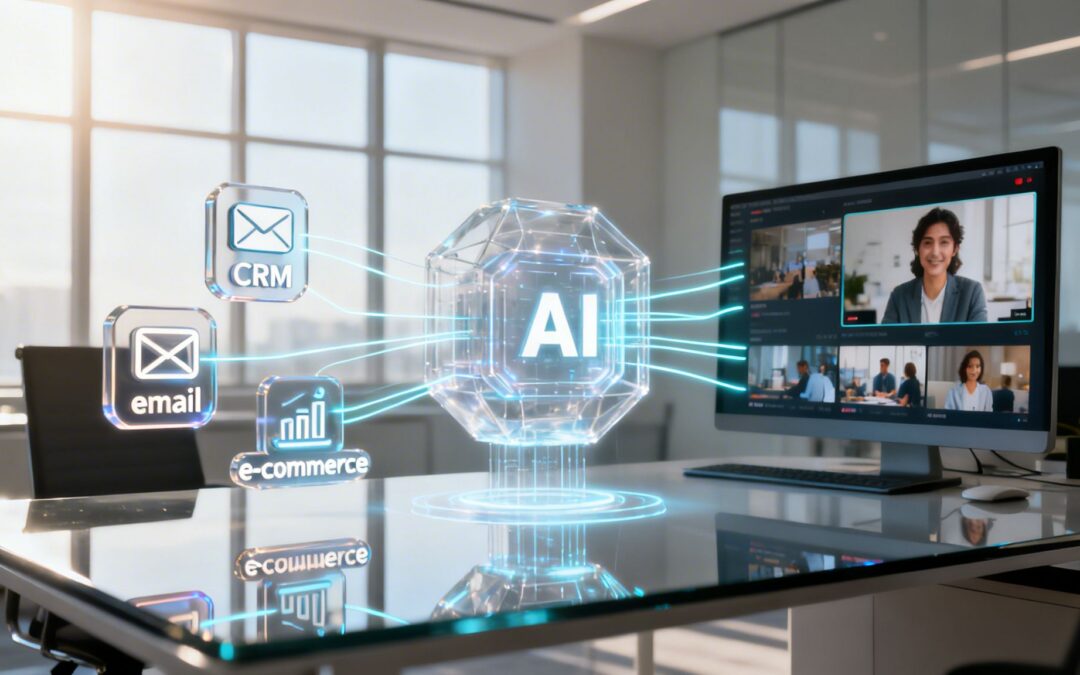
At its heart, AI integration is about connecting the business tools you already use to an intelligent engine that can automate powerful workflows. Forget the complex jargon. Think of it as building bridges between your data islands—like your CRM, marketing platform, and internal databases—to automatically generate personalized videos.
The goal isn’t just to connect systems; it’s to turn static data into dynamic, engaging video communication. It’s how you enable video to become a system-driven, automated layer of your marketing, sales, and communication strategy.
From Data Silos to Dynamic Video Communication

Most businesses treat video creation like a manual, one-off project. A team spends weeks scripting, shooting, and editing a single piece of content. AI integration flips this model on its head.
It reframes video not as a standalone project but as an automated communication layer that responds instantly to business events. This connection lets you move from occasional productions to a continuous stream of relevant, personalized videos. The process is no longer about your team manually creating content; it’s about your systems automatically generating it.
How AI Integration Powers Video Workflows
The magic happens when you connect three things: your data, a trigger, and an AI video engine. A trigger is simply a business event—a new customer signs up, a shopping cart is abandoned, or a support ticket gets closed. The integration pulls data tied to that trigger and plugs it into a pre-designed video template.
This creates a seamless flow that works without you lifting a finger:
- A new lead signs up: Your CRM data (like their name and company) instantly generates a personalized welcome video.
- A customer makes a purchase: Your e-commerce platform triggers a thank-you video that includes their specific order details.
- An employee hits a milestone: Your HR system kicks off an anniversary video celebrating their contribution.
By connecting these systems, video becomes a proactive, automated part of your communication strategy, not a reactive, manual chore. It’s about making every piece of data a potential storytelling element. For a real-world example of AI integration within a specialized industry, you can look into the solutions offered by Autoprov.ai solutions.
To make this more concrete, let’s look at how everyday business data can be transformed into compelling video content through integration.
From Business Data to Dynamic Video
This table illustrates how AI integration turns everyday business inputs and actions into automated, personalized video outputs.
| Business Input | Integration Function | Automated Video Output |
|---|---|---|
| New lead in CRM | Pulls name and company data | Generates a personalized welcome video. |
| Product purchase on Shopify | Uses order details | Creates a thank-you video with a product guide. |
| Support ticket closed | Pulls customer name and issue | Sends a follow-up video with tips. |
| Monthly sales data | Aggregates team performance | Delivers an internal video update. |
This shows that almost any data point or action can become the starting point for a timely, relevant video. The possibilities are only limited by the data you have.
Shifting from Projects to Pipelines
Ultimately, AI integration lets you build a video creation pipeline instead of just managing individual projects. This pipeline runs 24/7 in the background, turning routine business operations into engaging visual communication.
This approach finally allows your video output to keep pace with your business, delivering the right message to the right person at exactly the right moment. The result is a scalable, consistent, and deeply personal communication strategy powered by the systems you already use every day.
Turn Your Systems Into Automated Video Factories

Your business is already sitting on a goldmine of data and triggers. Every new lead, customer purchase, and internal update is a potential story waiting to be told. The real trick is turning these everyday events into engaging video content, quickly and without manual effort.
This is where AI integration for video really shines. It’s not about overhauling your tech stack; it’s about making the tools you already use smarter. By connecting your systems to an AI video engine, you transform passive data into active, personalized video content that gets created on its own.
Just imagine turning every business action into a brand new video without anyone on your team needing to hit “render.”
Connecting Data, Triggers, and Video
The core idea is straightforward: use your existing business systems as the command center for a video production pipeline. Instead of treating video as a separate, manual chore, you’re embedding it right into your daily workflows.
Think about the platforms you already rely on:
- Customer Relationship Management (CRM): Your CRM is a treasure trove of lead and customer info. Hook it up to an AI video platform, and you can automatically generate personalized welcome videos, follow-ups after a sales call, or even happy birthday messages.
- E-commerce Platforms: When a customer buys something, the integration can trigger a thank-you video that includes their name, the product they purchased, and a quick tutorial on how to get the most out of it.
- Marketing Automation Tools: A user’s behavior—like downloading a whitepaper or visiting a pricing page—can trigger a custom video that nurtures them down the funnel with content tailored to their specific interests.
This approach ensures every video is timely, relevant, and consistent because it’s driven by real-time data from sources you already trust.
From Manual Effort to System-Driven Communication
The business world is quickly moving past treating AI as just an experiment. A recent McKinsey report shows that AI adoption has jumped to 72% as companies weave it into their core strategies. This shift is a perfect match for video, where integrated AI features let teams create powerful, personalized campaigns that were once impossible to scale. You can find more insights in these AI stats every business must know.
This level of AI integration turns video into a dynamic communication layer. It stops being a static asset and becomes a responsive part of your customer’s journey.
The goal of AI integration is to make video an automatic response to a business event, not a delayed reaction from your marketing team. It’s about building a system that communicates visually, instantly, and at scale.
For instance, when a new lead enters your CRM, a workflow can kick in. The system grabs the lead’s name, company, and industry, then drops that data into a pre-designed video template. Within minutes, a personalized welcome video is on its way, creating a memorable first impression without any manual work.
Practical Scenarios for Integrated Video
Let’s break down how this works across different departments:
- For Marketing: A user abandons their shopping cart. An integration with your e-commerce platform triggers a video reminding them of the items left behind, maybe even featuring a short-term discount code to nudge them toward completing the purchase.
- For Sales: A sales rep updates a deal stage to “Demo Completed” in Salesforce. That simple action automatically generates a video for the prospect, summarizing the key discussion points and outlining what’s next.
- For Customer Success: A customer’s one-year anniversary is coming up. Your internal database triggers a celebratory video that highlights their usage milestones and thanks them for being a loyal customer.
By setting up these automated workflows, you can build deeper relationships and drive business outcomes around the clock. You’re simply turning the data you already have into a powerful and continuous video communication strategy.
Real-World Examples of Trigger-Based Video Automation

The theory behind AI integration is one thing, but seeing it work in the real world is where the magic really happens. Let’s move past technical diagrams and look at tangible scenarios where connecting your business systems to an AI engine automatically generates valuable video content.
The easiest way to think about it is with a simple formula: Trigger > Data > Video. A business event happens (the trigger), the system grabs the right information (the data), and a personalized video is created on the spot.
This completely flips the script on video. Instead of being a reactive asset you create after the fact, it becomes a proactive tool that engages customers at the perfect moment.
For Marketing Automation and Personalized Nurturing
Picture this: a potential customer lands on your website and fills out a form to download your latest ebook. That single action is the perfect trigger to kick off an automated video workflow.
- Trigger: A new lead submits a form on your website.
- Data: The integration pulls the lead’s name, their company, and the title of the ebook they just downloaded straight from your marketing platform, like HubSpot or Marketo.
- Video: A video is instantly generated, starting with a personal greeting: “Hi Sarah, thanks for your interest in our guide to project management.” It might then summarize a few key points from the ebook and suggest signing up for a related webinar.
Instead of the usual, boring “thank you for your download” email, the lead gets a dynamic video that feels like a one-to-one conversation. It’s a high-touch experience that’s completely automated, making a powerful first impression.
For Sales Engagement and Post-Demo Follow-Ups
We all know that the window of opportunity after a product demo is short and crucial. An AI video integration ensures your follow-up is immediate, personal, and impactful.
- Trigger: A sales rep updates a deal in their CRM (like Salesforce) from “Demo Scheduled” to “Demo Completed.”
- Data: The system grabs the prospect’s name, company, and maybe even specific features the rep noted down during the call.
- Video: A follow-up video is automatically created and sent from the sales rep’s email. It could have the rep’s pre-recorded intro and outro, but with dynamic text overlays summarizing the key points: “John, it was great showing you how our reporting dashboard can help [Prospect’s Company Name] track ROI.”
This immediate, personalized follow-up keeps the conversation warm and reinforces the demo’s value, helping to shorten the sales cycle. The sales team just has to update their CRM like they always do.
For the Customer Lifecycle and Onboarding
AI integration is also a powerhouse for improving customer satisfaction and retention throughout their entire journey.
The real benefit of trigger-based video is turning customer milestones and interactions into opportunities for meaningful, automated communication. It ensures no customer feels like just another number in a database.
Think about these situations:
- User Onboarding: A new user signs up for your ‘Pro’ plan. This triggers a series of short, personalized tutorial videos. The system uses their plan details to show them only the features they have access to, reducing confusion and accelerating adoption.
- Customer Milestones: Your system flags a customer’s one-year anniversary. The integration pulls their name and sign-up date to generate a quick celebratory video. It’s a small, completely automated gesture that builds loyalty and makes customers feel seen.
- Support Follow-Up: A customer’s support ticket is marked as “Resolved.” The system can trigger a quick video confirming the fix, thanking them for their patience, and linking to a relevant help article to prevent future issues.
In every case, AI integration is the invisible engine connecting your business tools to a video creation platform. It lets you deliver timely, relevant, and consistent video messages at scale—without piling more work onto your team. These automated workflows are becoming easier than ever to set up, especially with tools that connect your favorite apps. You can learn more about how to automate video creation with Wideo’s Zapier integration.
By turning your existing data and processes into a steady stream of video communication, you can build much stronger relationships across marketing, sales, and customer success.
The Four Pillars of AI-Powered Video Success

So, why does AI integration matter so much when it enables video at scale? When you connect your business systems to an AI video engine, you’re not just making things faster. You’re building a competitive advantage on four pillars that can completely reshape your video strategy: Automation, Personalization, Consistency, and Speed.
These pillars work together to pull video out of the “one-off project” bucket and turn it into a scalable, efficient, and incredibly effective part of your daily operations. Let’s break down what each one looks like in practice.
1. Automation That Eliminates Bottlenecks
Traditional video production is a minefield of manual, repetitive tasks that create massive bottlenecks. Think about all the time spent adjusting text overlays, swapping out images, or rendering different versions for various audience segments.
AI integration completely automates these tedious processes. By linking your data sources directly to a video creation engine, you can generate hundreds—or even thousands—of video variations without a single click. Your team is freed from low-value production grunt work to focus on what really matters: big-picture strategy, creative concepts, and performance analytics.
2. True Personalization at Scale
For years, “personalization” in marketing often meant just dropping a first name into an email. AI-powered video integration takes this to a new level, making true one-to-one communication possible on a massive scale.
By pulling data directly from your CRM or e-commerce platform, you can create videos that are uniquely relevant to every single viewer.
- For a new customer: Generate a welcome video that not only uses their name but also shows the specific product they just bought.
- For a sales prospect: Create a follow-up video that dynamically pulls in their company logo and recaps key features from a demo.
- For an employee: Send an anniversary video that celebrates their tenure and mentions key team milestones from the past year.
This kind of detail turns a mass communication into something that feels like a personal conversation, moving beyond simple tokens to deep, data-driven relevance.
3. Unbreakable Brand Consistency
When multiple people create videos manually, keeping your brand consistent is a constant battle. A slightly different hex code, an off-brand font, or an old logo can dilute your brand identity.
AI integration solves this. You create a master video template where all your brand guidelines are locked in—logos, fonts, colors, and music are pre-approved. The AI engine then uses that exact template for every video it generates. The result is perfect brand consistency across all automated content, no matter how many versions you create.
4. Speed from Trigger to Delivery
In a fast-moving market, speed is everything. The traditional video production timeline, which can stretch over weeks, is too slow to act on timely opportunities. AI integration collapses that timeline from weeks down to minutes.
Because the workflows are automated, a business event can trigger the creation and delivery of a relevant video almost instantly. A new lead signs up, and a personalized welcome video lands in their inbox within five minutes. This agility lets your team be proactive and responsive, turning business events into communication opportunities in near real-time. This is exactly why worldwide AI spending is predicted to hit $3.3 trillion by 2029, as businesses use integrated AI to drive fast, scalable results. You can explore more on these AI trends and see how AI is reshaping entire industries.
Together, these four pillars—powered by integrated AI-powered video workflows like those offered by Wideo’s Video Automation platform—transform video into an indispensable part of your business.
How to Build Your AI Video Integration Strategy
Jumping into AI integration for video doesn’t require a software engineering degree. For marketing, growth, and product teams, the work is strategic, not technical. It starts with your business goals and involves drawing a straight line from those goals to an automated video workflow.
This roadmap breaks it down into four practical steps—a blueprint for connecting your systems to a video generation engine, built for teams who care about results, not code.
Step 1: Identify Your Most Impactful Business Triggers
Before touching any tools, answer one question: “What are the key moments in our customer’s journey that a timely, personal video could make ten times better?” These are your triggers. A good trigger is a specific, measurable event that signals the perfect time to send a video.
Focus on the moments that really matter:
- Customer Milestones: A user finishes onboarding, hits a new loyalty tier, or celebrates their one-year anniversary.
- Sales Funnel Progression: A lead downloads a high-value whitepaper, attends a webinar, or completes a product demo.
- E-commerce Actions: A customer makes their first purchase, abandons a full shopping cart, or repeatedly views the same product.
- Internal Communications: A new hire joins the team, a sales rep hits their quota, or a project reaches a major deadline.
List five to ten of these high-impact moments. These triggers are the bedrock of your AI video integration strategy.
Step 2: Map Your Data Sources
You’ve got your “when.” Now it’s time for the “what.” What information is needed to make the video feel personal? This is your data mapping step. You’re simply figuring out where the right info lives.
Chances are, this data is already sitting in the tools you use every day. Your job is to connect the trigger event to the data source.
The magic of AI integration is mixing a specific event with the right data. A trigger without data gives you a generic video. A trigger with data creates a personal, one-to-one experience.
Here’s what that looks like:
- If the trigger is a new lead, you’ll need their name and company from your CRM.
- If the trigger is an abandoned cart, you’ll want the product names and images from your e-commerce platform.
- If the trigger is a customer anniversary, you need their sign-up date from your billing system or database.
Make a simple chart matching each trigger to the data points it needs and which system holds that data.
Step 3: Define the Video’s Purpose and Destination
With your triggers and data sorted, think about the video itself. For each trigger, what is this video supposed to do, and where does it need to go? What’s the message, and what action should the viewer take next?
Get specific about the video’s job:
- Welcome Video: The purpose is to make a great first impression. It should land in the lead’s inbox, sent from your marketing automation tool.
- Follow-Up Video: Its job is to reinforce key value points from a demo. It needs to come directly from the sales rep’s email.
- Onboarding Tutorial: The goal is to drive feature adoption. It should appear inside your product dashboard.
Defining the purpose and destination ensures your automated videos are delivered where they can make a real impact.
Step 4: Choose the Right Automation Platform
The final step is to bring it all together with the right tech. This is where you pick a platform that can act as the engine in the middle, connecting your triggers and data to a video creation system.
You’ll want a solution built for business users, not just developers. The platform should handle the complicated plumbing behind the scenes, letting you stay focused on strategy. Look for tools with no-code or low-code interfaces that easily hook into popular systems like CRMs and marketing platforms.
This is exactly where a tool like Wideo’s Video Automation platform shines. It acts as the central hub that links your systems, grabs the data it needs, and automatically cranks out thousands of personalized videos from your templates. It’s an approach that lets your team build and run powerful video workflows without writing a line of code, turning your strategy into a scalable reality.
Your AI Integration Questions Answered
Even with a clear strategy, adopting new technology brings up questions. When it comes to AI integration for video, teams often wonder about the resources needed, how it differs from current tools, and what it takes to get started.
Let’s tackle the most common questions from marketing, growth, and product teams to show just how valuable an automated approach to video can be.
Do I Need an Engineering Team to Integrate AI Video?
Not anymore. While building a custom AI video solution from scratch would require serious technical expertise, modern platforms offering AI-powered video workflows are built for business users with no-code or low-code interfaces.
These tools come with pre-built connectors that plug right into systems you already use, like your CRM or marketing platform. This setup puts marketing and sales teams in the driver’s seat, allowing them to design and manage their own video workflows without writing a single line of code. You get to focus on the strategy—which triggers to use, what data to pull, and what the creative should be.
How Is This Different from a Regular Video Editor?
This is a crucial distinction. A standard video editor is a manual tool for making one video at a time. It’s a craft where someone has to piece together assets, add text, and hit “render” for every project.
An AI integration isn’t a tool; it’s a system. The goal isn’t to make one great video. It’s to build an intelligent engine that can automatically generate thousands of unique, personalized videos based on your business data and triggers.
Instead of a one-off creative task, video becomes an active part of your business processes. It connects directly to your sales funnel and customer journey, making video an automated response instead of a manual effort. It’s the difference between hand-carving one boat and building a factory that produces an entire fleet.
What Kind of Data Is Required for Personalization?
You can start with the simple, straightforward data you already have. The power of AI integration is its ability to pull from any connected source and drop that information right into a video template. You don’t need a massive, perfectly clean database to make an impact.
Start with data points that make a video feel instantly relevant:
- Customer Names: The easiest and most effective personal touch.
- Company Details: Using a prospect’s company name or logo.
- Recent Purchases: Referencing the exact product or service someone just bought.
- Loyalty Status: Acknowledging a customer’s membership tier.
The key is using information that shows you’re paying attention. Whether that data comes from a CRM, a marketing platform, or a simple spreadsheet, it’s what transforms a generic broadcast into a one-to-one conversation.
Can We Maintain Brand Consistency with Automated Videos?
Absolutely. In fact, an integrated AI system often improves brand consistency. The process is built around a master template system that acts as a brand bodyguard.
You work with your creative team to design a master video template with your official logos, brand fonts, color palette, and music locked down. Once approved, it becomes the unchangeable foundation for every video the system creates.
The AI engine simply drops personalized data (like a name or product image) into the approved template—it can’t alter the core brand elements. This sidesteps the risk of human error or off-brand styles, guaranteeing a professional and uniform experience at any scale.
Ready to turn your business systems into a video creation powerhouse? Wideo provides powerful, integrated AI-powered video workflows that connect your data to an automated video engine. Explore the Wideo Video Automation platform to see how you can start delivering personalized video at scale.
Related posts:
 The New Face of Conversational AI: Why Video is the Voice of the Future
 How AI Assistants Accelerate Team Video Creation
 Unlocking Your Business With Key AI Capabilities
 12 Practical AI Use Cases for Video Automation in 2025
 Conquer ai challenges: Practical strategies to overcome common hurdles
 Video Marketing Automation: Turn Your Videos Into a Growth Engine


