
Most advice on the best video automation software asks the wrong question. It asks which tool helps you make a video. That’s not the actual business problem.
Teams can make one video. They struggle when they need hundreds of videos across campaigns, accounts, regions, products, sales reps, onboarding flows, and client portfolios. Manual production breaks at that point. It gets slow, expensive, inconsistent, and painfully dependent on whoever has editing skills that week.
That’s why video automation matters. Instead of treating video as a one-off creative asset, strong teams treat it like a system. They build templates, connect data sources, trigger production from workflows, and publish video the same way they handle email, CRM updates, or reporting. If you’re trying to automate short-form video production, that shift in thinking is the difference between occasional output and repeatable scale.
A lot of popular tools still behave like editors with AI add-ons. Useful, yes. Scalable, not always. The platforms below aren’t equal. Some are built for avatar videos. Some are rendering engines. A few can support system-level video production across marketing, sales, onboarding, internal communication, and operations.
1. Wideo

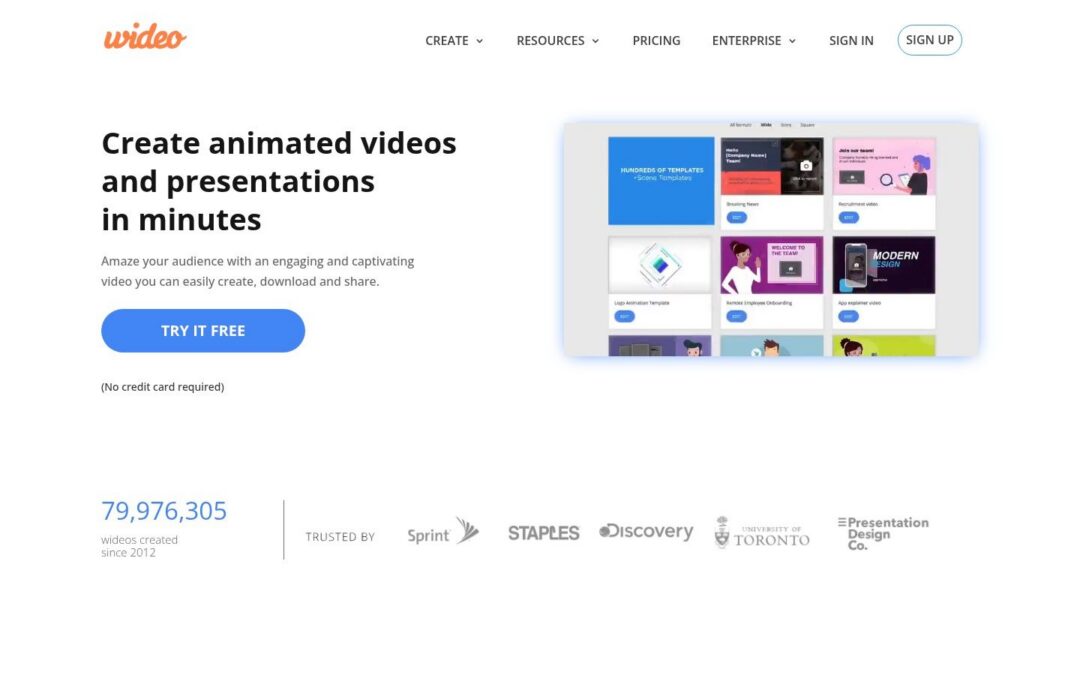
Wideo ranks first because it solves the bigger problem. It helps companies build a repeatable video production system across teams, workflows, and data sources instead of giving one person another editor to learn.
That distinction matters. Marketing, sales, HR, customer success, and agencies rarely fail because they cannot make a single video. They fail because every new version requires manual edits, designer time, and a messy approval loop. Wideo is built to remove that bottleneck with templates, structured inputs, and automated generation.
Why Wideo ranks first
The core product is easy to adopt. Teams get drag-and-drop editing, template libraries, stock assets, voiceovers, social exports, and AI tools without a heavy production setup. But ease of use is only part of the case.
An advantage is Wideo video automation. One approved template can produce large batches of videos from spreadsheets, forms, CRM records, or workflow triggers. That turns video into an operating process instead of a recurring creative task.
Here is where that pays off:
- Marketing teams: Produce campaign variants across product lines, audience segments, locations, and seasonal promotions from one template set.
- Sales and customer success teams: Send account-specific follow-ups, onboarding explainers, and renewal videos tied to live customer data.
- HR and internal comms teams: Reuse one format for training updates, policy changes, recruiting, and manager communication.
- Agencies: Standardize delivery for client portfolios and generate high-volume output without rebuilding the same asset every time.
Practical rule: If your team keeps opening the editor to make one more version, your process is still manual.
Where Wideo is strongest
Wideo stands out when you need business users to control production without depending on motion designers or developers for every request. That makes it a better fit than tools that are powerful in narrow ways but harder to operationalize across departments.
Its integration options support that system approach. Wideo connects with other tools through automation workflows and API-based setups, which is what allows triggered video creation from customer data, spreadsheets, forms, and internal platforms. Wideo also frames video automation around repeatable use cases such as marketing, sales, onboarding, and communication in its guide to automated video workflows.
The platform also covers practical production needs that matter after setup. Blog-to-video helps content teams repurpose existing articles. AI voice generation speeds up training and communication output. White-label options make sense for agencies and service providers building their own personalized video workflows for clients.
Wideo is not trying to be the most advanced motion design environment on this list. It is the strongest choice for companies that need a platform business teams can run, scale, and repeat. If your goal is system-level video production, start here.
2. Idomoo

Idomoo is built for enterprise personalization. If your company sends lifecycle communication at large scale and wants video embedded into those flows, Idomoo deserves attention.
This is a serious platform for personalized customer communication, especially in large organizations with heavy distribution requirements. It’s less about quick creative production and more about automated, data-driven messaging across channels.
Best fit
Idomoo makes the most sense when video is tied directly to customer records, account events, or service interactions. Think billing explainers, policy updates, renewal prompts, onboarding messages, or customer education delivered in a personalized format.
Its value is clearest in organizations that already operate with strong customer data infrastructure and want to extend that into video. Teams in finance, insurance, telecom, and enterprise support often fit that profile.
A lot of companies looking at Idomoo are really trying to solve a personalized video problem. If that’s your use case, it’s worth also reviewing how personalized video workflows can be handled in a more accessible template-based environment.
Large-scale personalization only works if the business team can control the message without turning every update into an IT project.
Where it falls short
Idomoo isn’t the best pick for most agencies, midsize marketing teams, or internal communication groups that need broad creative flexibility. It’s enterprise-first. That usually means longer setup cycles, heavier implementation, and a buying process built for large accounts.
Choose Idomoo if you need enterprise-grade personalized video infrastructure and already have the data environment to support it. Skip it if your real need is faster multi-use-case production across marketing, onboarding, training, and everyday communications.
3. SundaySky

SundaySky is another enterprise platform with a clear point of view. It’s designed for organizations that need control, governance, and secure personalization in customer-facing video workflows.
That gives it a strong position in regulated industries. Insurance, healthcare, and financial services teams often care as much about process and compliance as they do about creative speed. SundaySky is built with that reality in mind.
When SundaySky makes sense
Use SundaySky when video is part of a governed communication program. Good examples include claims updates, policy explanations, account summaries, service education, and regulated customer support content. In those environments, centralized authoring and controlled distribution matter more than experimental creativity.
It’s also a sensible option for customer experience teams that want one approved system for personalized communication across multiple lines of business. That can reduce chaos when several departments are producing similar explainer content in slightly different ways.
Why it isn’t the top choice
SundaySky is not where I’d send a team that needs broad, cross-functional production with a lighter operational burden. It leans enterprise, and that affects everything from procurement to rollout speed.
For companies that need a governed environment and have a strong compliance layer, it’s a credible option. For teams that need agile video systems across sales, marketing, internal comms, and training, it can feel too rigid.
4. Rocketium

Rocketium makes sense for teams that already treat video production like an operating system, not a design task. Its value is not a prettier editor. Its value is controlled, repeatable output across large content volumes.
That matters for performance marketing, retail media, and e-commerce teams running constant variation. If your team needs product videos by catalog, region, offer, language, or audience segment, Rocketium fits the job better than a standard editor.
A practical example is catalog-driven creative. A retailer can map product data into templates and produce recurring promos without rebuilding each asset from scratch. A sales organization can create account-level video versions with approved layouts and brand controls. Marketplace and multi-location businesses can also use it to standardize localized campaigns across dozens or hundreds of variations.
The core question is scale. A tool that helps one designer make one video faster is useful. A platform that turns structured inputs into repeatable output is far more valuable because it reduces production drag across the business. Rocketium is closer to that second category.
Its tradeoff is adoption. Teams usually get more out of Rocketium when they already have organized assets, clear workflows, and some operational discipline around templates and data. If business users want a faster path to repeatable output with less setup, compare that implementation effort against a video automation pricing model built for scalable production workflows.
My recommendation is simple. Choose Rocketium if your company already runs high-volume creative operations and needs systemized versioning. Choose Wideo if you want a broader video automation platform that is easier to roll out across marketing, sales, training, and internal communications without turning every workflow into a technical project.
5. Creatomate

Creatomate fits teams that want video generation to run inside an existing system. Its value is not polished editing for a creative department. Its value is template-based rendering tied to APIs, no-code tools, and structured data.
That distinction matters.
A lot of software in this category helps one person produce one video faster. Creatomate helps a company turn video output into an operational process. If product data, form submissions, CRM records, or internal events should trigger video creation automatically, Creatomate is built for that job.
Good use cases
Creatomate is a strong choice for product and operations teams such as:
- SaaS companies: Create user-specific onboarding clips, feature updates, or lifecycle videos from app data.
- Agencies running automations: Connect Airtable, Zapier, or Make to recurring client deliverables.
- Ops teams inside larger companies: Generate reports, announcements, recap videos, or status updates from repeatable inputs.
The tradeoff is clear. Creatomate gives you rendering infrastructure, template logic, and integrations, but your team still has to design the workflow around it. Companies with technical operators usually handle that well. Business teams that want guided setup, broader departmental adoption, and less workflow assembly should compare that effort against video automation pricing built for scalable production systems.
Limitation
Creatomate is narrower than a full business video platform. It works best when the goal is automated rendering inside a larger process, not company-wide rollout across marketing, sales, HR, customer success, and training.
My recommendation is direct. Choose Creatomate if your team wants a flexible video engine and has the skills to wire templates into existing workflows. Choose Wideo if you need a platform the business can run across departments without turning every new use case into an implementation project.
6. Plainly

Plainly is best understood as an automation layer for After Effects templates. That makes it attractive for teams that already have motion design assets and want to turn them into a repeatable output engine.
If your business has invested in After Effects design work, Plainly can help you extend that investment instead of rebuilding everything in a new environment. It maps data into template fields and handles bulk rendering through API or no-code workflows.
Where Plainly shines
This is a strong fit for catalog-driven video, listings, localized offers, and any workflow where a designer creates the template and operations handles the variations. Real estate, e-commerce, agencies, and some franchise businesses fit that model well.
The broader market is moving in this direction. One underserved use case is enterprise-grade personalization for non-technical industries like car dealerships, airlines, and non-profits, where teams need scalable template-driven automation without coding, according to Plainly’s discussion of automatic video editors.
The winning platform isn’t always the most advanced one. It’s the one a business team can actually run every week.
Where it doesn’t fit
Plainly is not the right answer if your team lacks After Effects capability. That requirement shapes everything. The automation is useful, but the design system still starts in a specialist tool.
If you already work in After Effects, Plainly is efficient. If you need a business-friendly system with broader day-to-day usability, a platform built natively for non-technical teams is the better move.
7. Synthesia

Synthesia is one of the strongest avatar-based platforms on the market. If your main need is scripted presenter videos for training, onboarding, and internal communication, it’s a solid pick.
It’s easy to see why companies use it. You don’t need a studio, a presenter, or repeated live shoots. Teams can create consistent training content quickly, especially when they need multilingual versions of the same message.
Best use inside a company
HR teams can use Synthesia for employee onboarding. Learning and development teams can create policy explainers and software walkthroughs. Customer education teams can publish structured help content without waiting for video production support.
That said, this category is narrower than many buyers realize. Avatar video is only one part of automation. If your company needs broader template-driven production for campaign content, social ads, customer communications, and dynamic business updates, you need more than a talking head generator. That’s where a broader AI video generator for business workflows becomes more practical.
Bottom line
Synthesia is good at what it does. But what it does is specific. It doesn’t replace a true video automation platform for multi-format business production.
Use it when the presenter format is the product. Don’t use it as your default automation platform if your video needs extend far beyond training modules and explainers.
8. HeyGen

HeyGen is another strong avatar-first platform, but it has broader appeal for teams that want translation, dubbing, and video generation APIs in the same environment.
Sales teams often look at HeyGen for outreach videos and multilingual communication. Product and support teams may also like it for localized updates or fast-turn educational content.
Where HeyGen earns its place
HeyGen is useful when your company wants recognizable presenter-style content with localization built in. That’s especially relevant for international teams trying to distribute the same message across multiple markets without re-recording talent.
Its API angle also gives it some flexibility for embedded use cases. If your product or service layer needs to trigger avatar-based videos programmatically, HeyGen can support that.
Where it stops
The limitation is strategic. Like Synthesia, HeyGen is still centered on avatar workflows. That makes it helpful, but not broad enough to be the main automation platform for many businesses.
For companies building a true video system, avatar tools should usually sit inside the stack, not define it.
9. Lumen5

Lumen5 is built for content repurposing. If your team publishes blog posts, articles, scripts, or recurring social content, it offers a quick path from text to branded video.
This makes it popular with marketing teams and agencies that need volume. It’s not trying to be a deep automation engine. It’s trying to help non-editors create repeatable content quickly.
Best practical use
A content marketing team can take blog posts, turn them into social videos, and keep distribution moving without asking for full production support. Agency teams can use it to create recurring client assets from written content calendars.
That use case has become more relevant as AI video generation expands. The global AI video generation and editing software market is projected to grow from USD 3.67 billion in 2026 to USD 24.89 billion by 2036 at a 21.4% CAGR, according to Market Intelo’s projection for video software markets. That projection reinforces where the category is heading. More companies want scalable AI-assisted production, not just manual editing.
A practical route for non-technical teams is to start with no-code video automation before moving into heavier integration work.
Limitation
Lumen5 is strong for content recycling, but weaker for structured personalization and multi-department automation. It’s a publishing tool more than a system-of-record video platform.
If your company needs blog-to-video output, it’s useful. If your company needs CRM-connected campaigns, onboarding sequences, internal updates, and reporting videos from one framework, look elsewhere.
10. Pictory

Pictory is a good fit for teams that already have long-form content and want to turn it into short-form video without much friction. Think blogs, webinars, transcripts, and educational content.
It’s a practical tool for marketers, educators, and content operations teams that care more about repurposing than custom production. The workflow is simple, and that simplicity is the point.
Good business application
A SaaS marketing team can convert webinar recordings into clips for sales enablement and nurture campaigns. An education company can turn lesson transcripts into visual summaries. An internal communications team can adapt meeting recaps into short update videos for distributed staff.
The larger market backdrop supports that demand. Video processing platforms are forecast to grow from USD 7.50 billion in 2025 to USD 12.40 billion by 2030 at a 10.6% CAGR, according to SNS Insider’s video processing platform outlook. Businesses are clearly investing in systems that turn existing inputs into publishable video faster.
Why it’s not enough for full automation
Pictory is not a complete answer for organizations that need repeatable, data-driven video systems. It’s better for content transformation than structured automation.
That distinction matters. A repurposing tool helps you publish more. A video automation platform helps you operationalize communication across the business.
Top 10 Video Automation Software Comparison
A useful comparison does more than rank editors. It shows which products can support a repeatable video operation across teams, data sources, and use cases. That is the true dividing line in this category.
| Product | Best fit | Automation depth | Standout strength | Main limitation | Pricing approach |
|---|---|---|---|---|---|
| Wideo | Marketing teams, agencies, HR, training, retail, nonprofits | High | Combines template-based production, white-label delivery, and business automation in one cloud platform | Advanced custom setups may need sales support | Free trial, team plans, enterprise pricing |
| Idomoo | Large enterprises running personalized lifecycle campaigns | Very high | Real-time rendering and data-driven personalization at serious volume | Complex implementation and enterprise-first buying process | Custom enterprise pricing |
| SundaySky | Regulated organizations with strict governance needs | High | Strong compliance, centralized control, and customer journey video programs | Less flexible for fast self-serve creation | Annual enterprise agreements |
| Rocketium | Creative ops, e-commerce, ad teams | High | Good API and bulk versioning for campaign production | Often needs technical support to run well | Enterprise pricing |
| Creatomate | Developers and marketing ops teams | High | Clear API-first setup with transparent self-serve pricing | Better for templated production than brand-heavy motion work | Credit-based pricing |
| Plainly | Teams with existing After Effects workflows | Medium to high | Turns AE templates into automated outputs without rebuilding from scratch | Depends on template discipline and AE-based workflows | Usage-based and plan-based pricing |
| Synthesia | Training, onboarding, localization | Medium | Fast avatar-led production with enterprise controls | Best for scripted presenter videos, not broader video systems | Tiered plans, enterprise features on higher tiers |
| HeyGen | Multilingual content teams and developers | Medium | Strong dubbing, translation, and voice cloning | Support and output consistency can vary by use case | Credit-based pricing |
| Lumen5 | Content marketing teams publishing often | Low to medium | Quick blog-to-video workflow for social distribution | More publishing tool than automation platform | Self-serve plans |
| Pictory | Teams repurposing webinars, blogs, and transcripts | Low to medium | Efficient long-form to short-form conversion | Better for transformation than structured system automation | Self-serve pricing |
Wideo stands out because it covers the full operating model, not just asset creation. You can build templates, standardize output, automate production flows, and support multiple departments without forcing every request through a specialist. For businesses that want video to function like a system, not a one-off project queue, that matters more than flashy AI features.
Idomoo and SundaySky are strong enterprise options. They make sense for large organizations with heavy personalization requirements, governance demands, and the budget to support implementation. They are powerful, but they are not lightweight choices.
Rocketium, Creatomate, and Plainly sit in the middle. They are strong options for teams that already know their workflow, especially if the operation depends on APIs, product feeds, or existing motion design templates. They work well for production infrastructure, but they usually require more operational discipline than Wideo.
Synthesia and HeyGen solve a narrower problem. They are useful if your video strategy centers on avatars, voiceover, dubbing, and localization. That is a valid use case, but it is still a subset of video automation.
Lumen5 and Pictory are efficient content repurposing tools. They help marketing teams publish faster, especially from text, transcripts, and long-form source material. They do not solve the larger business problem of running a scalable video system across campaigns, departments, and recurring workflows.
Final Thoughts
The best video automation software isn’t the tool that makes the nicest single video in a demo. It’s the one that can support how your business operates when volume, consistency, and personalization start to matter.
That’s where a lot of teams make the wrong decision. They buy an editor with AI features and expect it to solve a systems problem. It won’t. Editors help you create. Automation platforms help you scale. Those are not the same thing.
If you’re running marketing campaigns across multiple segments, managing client delivery inside an agency, sending onboarding content from CRM events, or producing internal updates on a schedule, you need a platform that works from templates, structured data, integrations, and repeatable workflows. You need a system that keeps output consistent even when demand expands.
A few clear rules help separate the serious options from the noise:
- Choose for scale: If the platform is mainly designed for one-off editing, it won’t hold up under operational demand.
- Choose for reuse: The core asset should be the template, not the finished video.
- Choose for integration: Video needs to connect to CRM records, spreadsheets, forms, and workflow tools.
- Choose for cross-functional use: The best platform should support marketing, sales, onboarding, internal comms, and training. Not just one niche.
- Choose for business control: If only a specialist can run it, the system will bottleneck fast.
Decision standard: Don’t ask whether a tool can create video. Ask whether your team can build a repeatable video process inside it.
That’s also why the market is shifting so aggressively toward AI-assisted production systems. As noted earlier, category growth projections are strong, and adjacent tooling keeps expanding. You can also see that trend in broader discussions about the best generative AI platforms for 2026. Businesses want software that turns content operations into infrastructure.
My recommendation is straightforward. Most tools on this list are useful in a specific lane. Some are strong for avatars. Some are strong for enterprise personalization. Some are strong for API-led rendering. But if you need the best video automation software for scalable, repeatable, multi-use-case production, Wideo is the best choice.
It gives companies and agencies the shortest path from manual production to an actual video system. That’s a true upgrade.
If your team is ready to stop producing videos one by one and start building a repeatable video engine, Wideo is the platform to use. It’s the strongest option here for turning templates, data, and workflows into scalable video production across marketing, sales, onboarding, training, and internal communication.
Related posts:
 Conversational AI Platforms: The Shift from Text Chat to Video-First Experiences
 Beyond Automation: Why Video is the Future of AI Marketing Tools
 AI Integration: The Bridge Between Your Data and Scalable Video Creation
 How Agents AI Are Building the Future of Autonomous Video
 Unlocking Smart Video Creation with AI Intelligent Agents
 Using ChatGPT as Your Engine for Scalable Video Creation


