
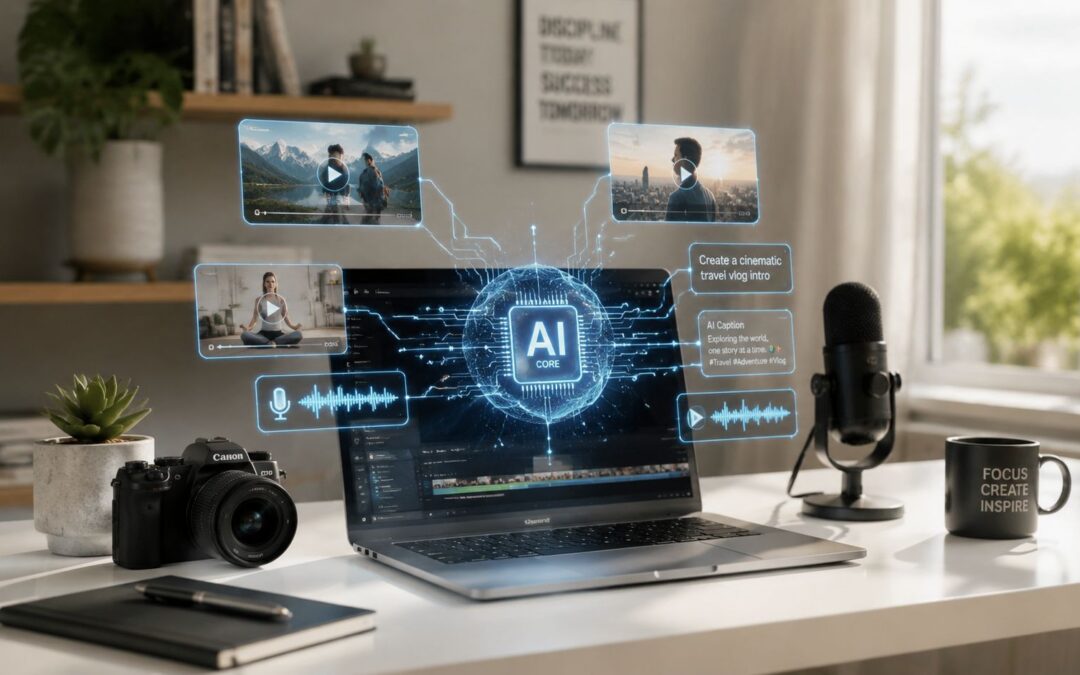
Most organizations are still treating visual content like a special project, even while every department is asking for more of it.
That gap is where cost, delay, and inconsistency pile up.
The Great Video Divide
Two companies can face the same communication load and respond in completely different ways. One treats every audiovisual piece like a campaign with its own briefing cycle, approvals, edits, and production scramble. The other builds templates, connects data, and turns repeatable communication into a programmed process.
The first company usually looks polished from the outside and overloaded from the inside. Marketing is stuck rewriting the same launch script for each segment, customer success is sending plain emails where a recorded message would explain the issue faster, and HR keeps asking for “just one more onboarding asset.” Teams like this often search for video ideas for business communication because demand keeps growing faster than manual production can handle.
The divide isn’t creative talent. It’s whether the business treats video as an expense line or as operating infrastructure.
A retailer can apply this by generating product explainers from the same content base across categories, while a finance firm can use the same system logic for account onboarding, quarterly updates, and policy changes. In SaaS, the difference shows up in implementation speed. In travel, it shows up in how quickly a company can send route updates, booking guidance, and service notices without drafting each message from scratch.
The Real Capabilities of AI in Video Production
What matters most in business use isn’t flashy prompt demos. It’s whether intelligent tools can turn recurring information into consistent visual content that people understand.

What changed technically
A major turning point came in September 2022, when Meta introduced Make-A-Video. That research line later advanced into Movie Gen, which uses a 30-billion-parameter video model plus a 13-billion-parameter audio model and can generate 16-second clips at 16 frames per second in 1080p, with audio up to 45 seconds long, as described in this Make-A-Video development summary.
That matters because the capability set is moving beyond silent clip generation and toward joint audiovisual output. Teams no longer need to think only in terms of “make the scene” and then “fix the sound later.” The systems are increasingly learning timing, sound alignment, and scene meaning together.
What businesses can actually use now
The practical stack is less cinematic than people expect, and more useful.
- Programmed editing: A SaaS company can assemble onboarding walkthroughs from usage data, product screenshots, and scripted scenes without rebuilding the timeline for every account.
- Data-driven narration: An education provider can create multilingual lesson explainers from one source script, then route each version by learner region.
- Captioning and accessibility: Internal communications teams can produce compliant recorded messages faster because subtitles and transcript sync don’t start as a manual cleanup task.
- Scene analysis and reuse: Media teams can cut a long webinar into sales snippets, support answers, and executive summaries by topic instead of scrubbing through footage by hand.
- Reframing existing footage: For teams evaluating AI video generator workflows, one of the most useful capabilities is changing framing and angle treatment without reshooting, especially when one source asset has to serve web, training, sales, and social formats.
One sentence summary. The core value of AI in video production is repeatability.
How Real Companies Apply Video as a System
The strongest use cases don’t start in the studio. They start in operations, where the same explanation needs to reach different people at different moments with the right details attached.

Across customer journeys
An insurance company can connect claims status data to a one-to-one dynamic asset that explains next steps, assigned contacts, and required documents. That turns a stressful moment into a clearer one. A real estate brokerage can do something similar with property updates, financing milestones, and closing instructions.
A commerce team can generate post-purchase care guides based on product category, shipping region, and service tier. That same model fits travel brands sending itinerary change notices, airlines preparing destination tips, and banks clarifying account setup steps after signup. The point isn’t novelty. The point is reducing confusion with a format customers will consume.
Field note: When a message is repeated often and explained badly in email, it usually belongs in a systematized audiovisual format.
Inside the company
HR teams can turn a new hire record into a welcome sequence that includes role context, manager introduction, systems access guidance, and policy highlights. A global enterprise can create training variants by region, function, or language from one master template instead of maintaining separate edit projects forever.
There’s also a less obvious operational win. As explained in this guide to changing video framing and camera angles, modern tools can reframe existing footage with text prompts, which matters when training or marketing teams need continuity across versions from a single source clip. For organizations building repeatable communication, that solves a very old bottleneck: one recording session no longer has to produce only one usable angle.
Teams exploring video automation for recurring business communication usually reach this point quickly. They don’t need more footage first. They need a reliable workflow around the footage they already have.
Building Your First Automated Video Workflow
Start with a message your company sends all the time and still handles manually.

Employee onboarding is a clean example. The data source is your HRIS or ATS. The template contains branded scenes with fields for name, role, manager, office, and first-week tasks. The trigger is the hire date or status change. Distribution happens by email, LMS, or internal chat.
A company could implement this with a platform that pulls HR or CRM data into a template, generates a user-specific recorded message when the trigger fires, and sends it through the channel each audience already uses. If your team needs a concrete example of that workflow, this video automation creator setup shows the data source, template logic, trigger, and distribution sequence in a way operations teams can map to onboarding, sales follow-up, or customer updates.
For teams that need to generate large volumes of onboarding or lifecycle assets without manual editing, platforms like Wideo fit that workflow by connecting data to templates and distribution.
Keep the first workflow boring on purpose.
If it works for onboarding, it can work for renewals, investor updates, training refreshers, compliance reminders, and stakeholder reporting.
Measuring the Real Return on Video
If your dashboard still treats views as the main success signal, you’re measuring the wrong system.

What operations leaders should watch
Look at support deflection, onboarding completion, sales cycle movement, training consistency, and the time it takes internal teams to publish a message after a business event occurs. In customer success, ask whether context-aware explainers reduce repeat questions. In sales, ask whether a one-to-one follow-up makes the next conversation easier to start. In HR, ask whether new employees reach baseline readiness faster because instructions arrive in a clearer format.
The market direction supports this operational framing. One estimate places the AI video market at USD 3.86 billion in 2024 and projects USD 42.29 billion by 2033, with a 32.2% CAGR from 2025 to 2033, according to this AI video market report. The exact category definitions vary across market reports, but the common signal is that businesses are treating this as infrastructure, not decoration.
Watch the business event, then measure how fast and how consistently your team can turn that event into a useful message.
Teams that need a more practical metrics lens can review video performance metrics tied to business outcomes and adapt them to service, training, and lifecycle communication.
Is Your Video Strategy Ready for the Future
The next shift won’t be about producing more clips. It will be about whether your system can respond in real time, with controls that change framing, lighting, pacing, and expression while the asset is regenerated for a specific audience and use case.
Forecasts for real-time, interactive regeneration describe tools that let creators adjust camera position, lighting, and pacing instantly for ad creation and personalized workflows, as outlined in this industry prediction on AI video generation in 2026. That raises practical questions fast. Who owns the approved template, who approves user data inputs, how do legal teams review model-generated assets, and how do you preserve brand consistency when more teams can produce visual content without waiting for editors?
Do you have those rules in place, or are you still treating each recorded message as a one-off deliverable?
The companies that win with AI in video won’t be the ones making the prettiest assets. They’ll be the ones that build responsible, repeatable systems for communication across the whole business. Is your organization producing videos, or building a communication engine?
If your team is trying to move from one-off production to repeatable workflows, Wideo is worth evaluating as a practical option for templated creation, automation, and distribution across marketing, onboarding, training, and internal communications.
Related posts:
 Text to Video AI: The Ultimate Guide to Scalable Content Creation
 OpenAI: The Engine Behind Scalable AI Video Creation
 How an LLM Powers Your Entire Video Creation Strategy
 The AI Image Generator Is Your New Video Starting Point
 Beyond the Hype: How to Build Your “Day AI” and Win in 2026
 The Smartest Artificial Intelligence Applications Are All About Communication


