
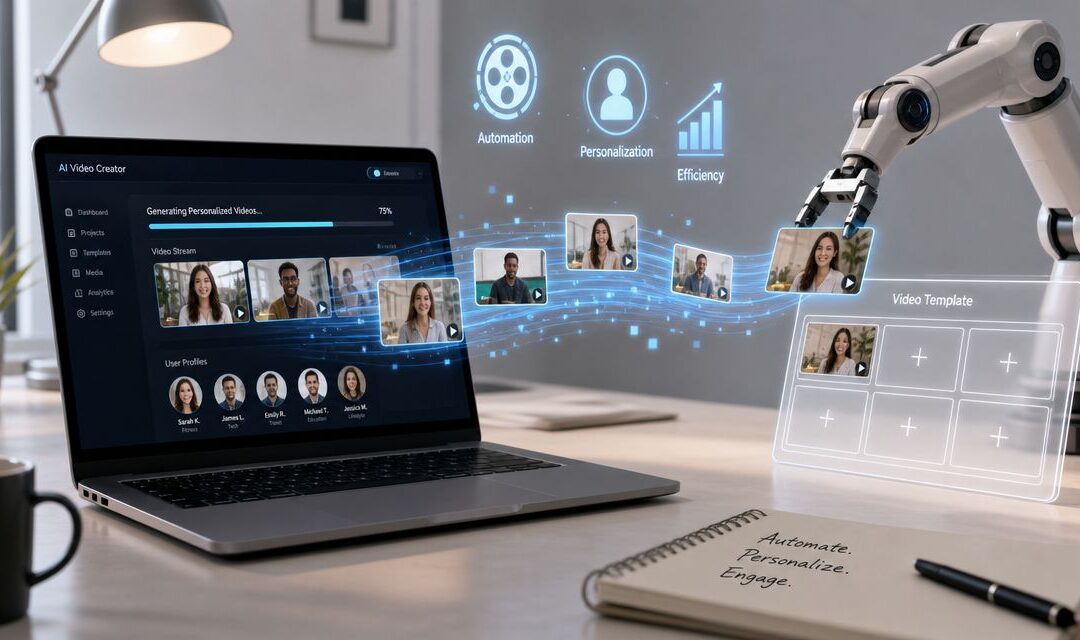
A request lands at 4:30 p.m. Sales needs follow-up clips for a live deal cycle, customer success wants onboarding walkthroughs by morning, HR needs training updates before the next shift starts, and marketing still has a campaign launch waiting in the edit queue.
That’s where manual production breaks.
When every recorded message is treated like a custom project, teams don’t just move slowly. They build a communication system that can’t keep up with the business.
The Manual Video Production Bottleneck
A marketing ops manager usually notices the problem before anyone else. The ask sounds simple enough: make dozens of slightly different assets for different accounts, products, reps, or customer stages. Then the work starts. Open the editor, swap text, change a logo, re-export, rename files, send approvals, repeat.

That process fails in ecommerce and SaaS, but it also fails in insurance renewals, real estate updates, travel notifications, internal comms, and employee training. The issue isn’t creativity. The issue is that variation still depends on human hands touching every file.
A retail team can’t send abandoned cart visual content one by one. A customer success team can’t manually rebuild the same onboarding sequence for each segment. An enterprise operations team can’t create weekly stakeholder summaries if every audiovisual piece starts from a blank timeline.
Manual editing is fine for flagship campaigns. It collapses when the business needs repeatable communication.
You can see the operational side of that shift in stories about teams moving production in-house, like this productivity-focused example from Wideo’s blog, where the main lesson isn’t style. It’s control over volume, speed, and consistency.
Shifting to a Video Production System
Automated video creation works when you stop thinking like an editor and start thinking like a systems designer.

The practical model is simple. Build one master template, define the fields that change, and feed those fields from structured data. Industry guidance describes the core mechanism this way: automated video creation becomes technically repeatable when template rendering is paired with data-driven population, where CSV or CRM fields map into prebuilt scenes instead of forcing frame-by-frame editing in tools built for one-off production as outlined here.
Think of it as a mail merge for dynamic assets.
A bank can generate customer explainers with the right branch name, product terms, and account manager. A university can send user-specific enrollment reminders in multiple languages. A real estate group can create listing updates from a feed instead of assigning editors to duplicate the same structure all week.
Practical rule: if the message structure stays mostly the same and the data changes, the work belongs in a programmed workflow, not on an editing timeline.
The shift matters because the bottleneck moves. Instead of asking who can edit faster, teams ask who owns the template, where the data comes from, and what event should trigger the output.
The Mechanics of Programmed Video
Once a team accepts that automated video creation is a production system, the next question is mechanical: what has to exist for it to run without constant intervention?

For most business teams, the answer isn’t a stack of separate editing tools. It’s a platform that connects templates, data sources, rendering, and delivery. For teams that need to generate hundreds of one-to-one recorded messages using spreadsheets or CRM records, Wideo’s video automation workflow is built around that model, including CSV uploads, CRM connections such as HubSpot and Salesforce, API access, white-label delivery, and bulk rendering. If your team also works with sound-heavy creative, it’s useful to discover AI beat makers separately, because audio production often becomes a parallel workflow once visual automation is in place.
What the system needs
- Template logic that defines which scenes stay fixed and which fields change by customer, region, product, or rep.
- Data input from CSV files, CRM records, databases, or forms that populate names, offers, dates, policy details, SKUs, or account status.
- Automation trigger such as a batch upload, a CRM event, or an API call from another business system.
- Distribution path into email, sales outreach, onboarding flows, support communication, or internal portals.
- Brand control so the dynamic asset still follows approved visuals, language, and compliance rules.
Wideo’s Automation Capabilities
| Feature | Business Application |
|---|---|
| CSV upload | Generate ecommerce cart reminder visual content from product and customer data in batches |
| HubSpot and Salesforce integration | Send sales follow-ups or onboarding assets based on lifecycle stage changes |
| API access | Trigger audiovisual pieces from internal systems, portals, or transaction events |
| White-label delivery | Support agencies and enterprise teams that need client-facing or branded distribution |
| Bulk rendering | Produce repeatable campaign, training, or service-update assets at volume |
A few examples make this concrete. An ecommerce brand can create cart-recovery assets that pull in the product image, item name, and shopper details. A SaaS company can send a sales rep’s follow-up after a demo, with the prospect’s company name and use case woven into the same approved structure. An insurance team can generate policy-summary explainers using customer and coverage fields pulled from a source system.
Teams exploring adjacent model-generated workflows often look at tools like this AI video generator overview from Wideo to understand where template automation ends and generative support begins.
Measuring the Impact on Operations
The value of automated video creation isn’t just that it feels faster. It changes what a business can ship.

Industry summaries in 2025 report that AI video tools can turn a single demonstrated process into a finished how-to piece in minutes instead of weeks, while 75% of video marketers reportedly use AI tools to meet demand for faster production, according to this industry roundup on automated how-to creation. That’s the same shift operations teams feel when a task that once took hours per asset becomes minutes per batch.
The operational win is consistency. Sales gets the same structure across reps. HR gets the same training format across locations. Customer success gets the same onboarding logic across segments. Stakeholder reporting gets the same branded shell every cycle, with fresh data dropped in.
If production quality depends on which person edited the file that day, the process isn’t stable enough for scale.
That also changes measurement. Instead of only asking whether a piece got views, teams can ask whether onboarding completion improved, whether support explanations became easier to deliver, and whether approvals moved faster because every dynamic asset started from the same approved frame. For a measurement framework tied to business outcomes, this guide to marketing video success metrics is a useful reference.
A Practical Workflow for Implementation
Start with one repeatable communication stream, not ten. Pull data from a spreadsheet, CRM, or form; map those fields into a master template; choose the trigger that should create the asset; then send the finished output into email, a sales sequence, a customer portal, or an internal channel. A customer onboarding team might use CRM stage changes as the trigger, while HR might run a scheduled batch from a sheet of new hires. If you want a simple example of connecting triggers to production, this Zapier-based automation workflow shows how these systems can fit into day-to-day operations without rebuilding your stack.
Navigating Your Path to Automation
The hard part isn’t making more visual content. The hard part is making more of it without introducing brand errors, data mistakes, or legal exposure.
A key issue is rights and compliance. The U.S. Copyright Office stated in 2024 that purely AI-generated material isn’t copyrightable, while the EU AI Act introduced transparency obligations for certain deepfake content, which makes source tracking and rights management part of the production workflow, not an afterthought, as discussed in this overview of legal considerations in AI-created video. That matters for finance, insurance, education, travel, and enterprise communications where every public-facing recorded message may need review history and clear provenance.
How will you ensure your visual content remains brand-safe and legally compliant as you scale?
Teams sorting through their broader stack often review collections of essential AI tools for marketers, but the selection criteria should stay grounded. Can the platform connect to your systems, preserve templates, support approvals, and keep the process controlled as volume rises? You can assess those requirements against the actual product workflow on Wideo’s automation page.
The companies that treat automated video creation as infrastructure will communicate at a speed manual teams can’t match.
If you’re trying to replace one-off editing with a repeatable production workflow, Wideo is the platform to evaluate for template-based, data-driven video automation across marketing, sales, onboarding, training, and operations.
Related posts:
 Travel booking confirmation videos through automation
 Automated video presentations for tech product launches
 Automated custom thank-you videos for non-profit donors
 Automating user-generated content for e-commerce brands
 Patient safety education through automated video content
 Personalized video ads for marketing and advertising agencies


