
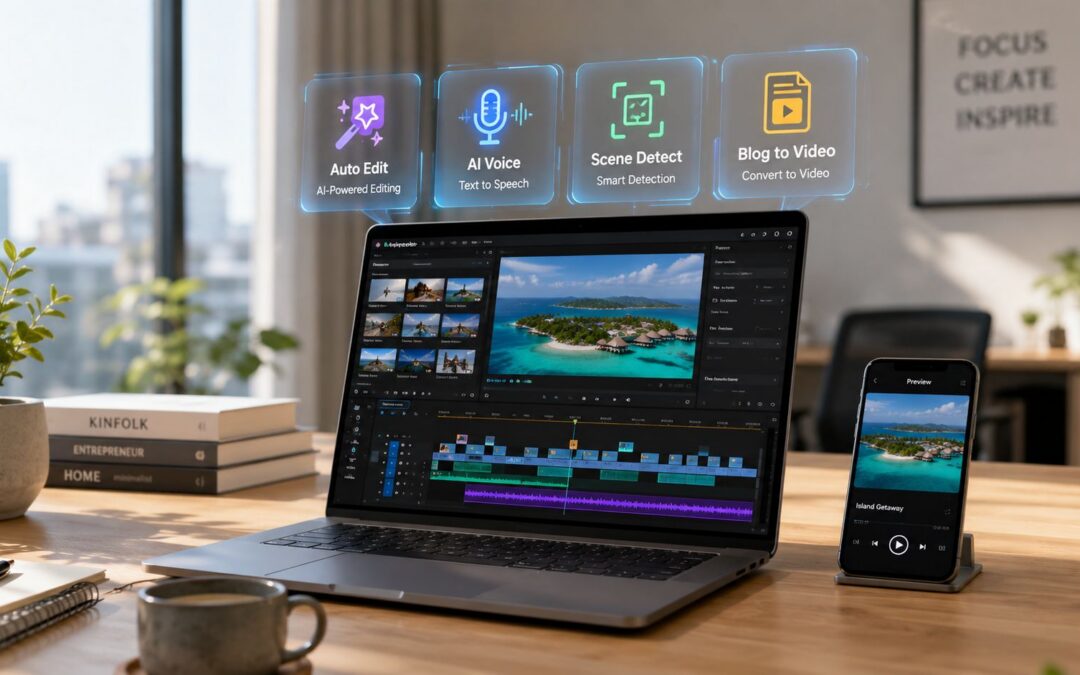
The market signal is easy to miss because people talk about AI visuals like a novelty, but the money says something more practical. The global AI video market was valued at USD 11.2 billion in 2024 and is projected to reach USD 246.03 billion by 2034 at a 36.2% CAGR, which tells you this category is moving into core business operations, not sitting on the edge of creative experimentation.
That shift matters because many teams still run visual content like a custom project shop.
Sales wants one-to-one follow-ups, customer success wants onboarding clips, HR wants training updates, internal comms wants leadership messages, and marketing wants campaign assets. Then everyone waits on the same bottleneck. If you’re evaluating video marketing AI solutions, the key question isn’t which app has the flashiest demo. It’s which system fits the way your company operates.
1. Wideo

Wideo fits companies that need a repeatable video production process across departments. The priority here is throughput, consistency, and safe delegation, not editorial finesse.
That makes it useful for dealership groups, insurance agencies, education networks, franchised businesses, and mid-market SaaS teams. These organizations often need sales follow-ups, onboarding clips, policy updates, product explainers, and internal announcements produced on schedule by people who are not trained editors.
Where it fits in a business system
Wideo sits closer to operations than post-production. Its template-based workflow, stock media, AI voice features, avatars, and blog-to-video tools help teams standardize output without turning every request into a custom editing job. This approach is valuable in e-commerce, SaaS, and travel, where content demand shows up as ongoing operational volume rather than a few high-stakes brand films.
A key advantage is workflow control. A small team can set approved templates, lock messaging structure, and let coordinators or account managers produce new versions without breaking brand rules. That changes the cost structure of video. Instead of queuing requests through one editor, teams can distribute production to the people who already own the message.
A SaaS company, for example, can create one onboarding template, pull customer-specific text from its CRM, trigger a personalized video after contract signature, and send it through email or a help center. A regional real estate brokerage can publish market updates by office. A nonprofit can reuse the same fundraising framework each month instead of rebuilding creative from scratch.
Operational test: If HR, sales, customer success, or field teams need to publish videos themselves, a browser-based template system usually performs better than a desktop editor built for specialists.
For companies building a higher-volume content operation, Wideo’s no-code video automation workflow is useful for connecting templates, business data, and distribution. The trade-off is clear. Teams that need frame-level edits, complex narrative pacing, or detailed finishing control will outgrow it faster than teams focused on scale and consistency.
2. Adobe Premiere Pro

Adobe Premiere Pro is still the right answer when the work needs finishing discipline. Brand campaigns, executive interviews, product launches, and customer stories often start rough and end with legal review, stakeholder comments, and heavy revision cycles. That’s where Premiere holds its ground.
Best for teams with existing creative infrastructure
Text-based editing, captions, audio cleanup, and Frame.io review make it easier to move from transcript to approved deliverable, but the bigger advantage is workflow continuity. Enterprise teams already using Photoshop, After Effects, and Adobe storage don’t need another production island. They need a system that creative directors, freelancers, and in-house editors all understand.
The trade-off is obvious. This isn’t where a sales team should build daily prospecting clips, and it isn’t friendly for an HR manager who just wants a policy update live by noon. It also expects capable hardware and someone who knows how editorial decisions cascade through exports, revisions, and brand standards.
Adobe works best when AI assists the editor. It works poorly when the company expects AI to replace editorial judgment.
For finance, insurance, and healthcare-adjacent messaging, that distinction matters because review discipline is often more important than raw speed. The product site is Adobe Premiere Pro.
3. Descript

Descript changed the mental model.
Edit the transcript, not the timeline
If your business creates explainers, interviews, webinars, podcasts, training modules, or founder updates, Descript is often the fastest route from raw recording to usable dynamic asset. Teams cut words instead of clips. They remove filler language, repair phrasing, polish speech, and turn a long conversation into shorter assets without asking someone to become a traditional editor.
That makes it strong for customer education in SaaS, faculty communication in education, and thought-leadership repurposing in media. A customer success team can record a renewal webinar, clean the language, create chapters, cut role-specific excerpts, and circulate them across lifecycle campaigns. A sales enablement team can turn call reviews into short coaching clips with less editing overhead.
The limit is equally clear. If your work depends on layered motion, detailed shot timing, or polished finishing, text-first editing can feel restrictive. It’s strongest when spoken content is the primary asset. If your team also needs synthetic narration in some workflows, Wideo’s text-to-speech video workflow is relevant as a related approach, but Descript itself is the stronger fit for transcript-led editing. The platform is Descript.
4. Runway

Runway belongs in a different bucket from most ai-powered video editing tools on this list. It’s less about routine business messaging and more about concept generation, stylized motion, synthetic B-roll, and visual experimentation.
Where Runway earns its seat
Media teams, ad agencies, and in-house brand groups use it when a campaign needs options fast. A travel brand can prototype destination scenes before a shoot. A SaaS company can create abstract product backdrops for launch visuals. A publisher can test multiple visual directions for a short promo without booking full production.
That speed comes with a governance issue. Generative output is good for exploration and rough production support, but it isn’t where I’d put compliance-sensitive communication. The category itself is splitting across fast clipping, assistive editing, and generative creation, and industry coverage on AI video editing workflow trade-offs keeps pointing back to the same question: where does human review still need to stay in the loop? With Runway, the answer is often “later than you think.” Use it for ideation and asset creation. Review everything before it reaches a regulated audience. The site is Runway.
5. VEED
VEED is for teams that need hands-off speed inside the browser.
Fast publishing for non-editors
Subtitles, translation, dubbing, avatars, eye-contact correction, and templates make it useful for social publishing, internal updates, and lightweight training distribution. A recruiting team can record hiring manager intros and turn them into captioned clips for LinkedIn. A customer support team can publish short walkthroughs for common issues. A travel company can localize short promotional audiovisual pieces without dragging the work into a full post-production chain.
Its weakness shows up when projects get long, layered, or review-heavy. Browser-first tools are great until you need serious finishing control. Still, for business units that care about turnaround more than post craft, VEED is practical and easy to adopt. The platform is VEED.
6. CapCut

CapCut wins when the output is social-first and the team works across devices.
Short-form velocity over finishing depth
Marketing teams in e-commerce, entertainment, and consumer services like CapCut because it makes clipping, reframing, captioning, and publishing simple. You can move from raw footage to a campaign-ready short piece fast, and the template ecosystem helps junior marketers ship content without waiting on design or post-production resources.
That same strength can become a constraint in enterprise settings. Governance, brand consistency, and approval workflows often need more structure than social teams do. For subtitle-heavy publishing, Wideo also offers a related video subtitle workflow, but CapCut is the better fit when short-form editing speed is the top priority. The website is CapCut.
7. Synthesia

Synthesia isn’t really about editing. It’s about replacing presenter production with a machine-driven workflow.
Best for training and internal communication
That makes it useful in onboarding, compliance, product education, multilingual support, and internal comms. An insurance company can roll out policy training in several languages without filming each version. A global SaaS business can create user-specific feature walkthroughs for regional teams. HR can publish consistent policy briefings without scheduling studio time or executive appearances.
The aesthetic won’t work for every brand. Some companies still need a human presenter, especially in customer acquisition or trust-sensitive messaging. But for training systems, consistency often matters more than warmth. If your team is comparing avatar-led production models, Wideo’s AI video generator approach is another path worth considering. Synthesia itself is at Synthesia.
8. Pictory

Pictory is a repurposing engine more than an editor.
Best when the raw material already exists
If your business already publishes blogs, webinars, podcasts, analyst calls, or training sessions, Pictory helps turn that long-form source into shorter branded outputs. Media companies use it to clip interviews. Education teams can convert lectures into study summaries. Customer marketing teams can turn webinars into post-event nurture assets.
The downside is sameness. Without manual adjustment, outputs can feel templated and generic. That’s not fatal for internal distribution or support libraries, but it can be a problem in acquisition campaigns where brand voice needs more texture. For teams exploring adjacent methods, Wideo also covers AI-assisted video creation from existing content. Pictory is at Pictory.
9. Kapwing

Kapwing sits in the middle.
Useful balance for collaborative teams
It gives marketing, content, and internal comms teams transcript editing, captions, dubbing, cleanup, stock search, and browser collaboration without the weight of a professional NLE. That makes it attractive for distributed teams that need quick iteration and shared access. A real estate company can create neighborhood clips, review them across marketing and local agents, and publish without moving project files around. An enterprise operations team can turn stakeholder updates into accessible recorded messages with captions and branded layouts.
It won’t replace high-end finishing, but it often doesn’t need to. Kapwing works best when approval, speed, and collaboration matter more than editorial sophistication. The site is Kapwing.
10. Wondershare Filmora

Filmora is the bridge tool.
When a company outgrows browser editors
Some teams start with browser apps, then hit a ceiling. They want offline editing, multi-track control, 4K export, and more manual authority, but they aren’t ready for the complexity of Premiere. Filmora fits that middle layer well. Training teams, small in-house marketing departments, and regional offices often land here.
Its AI helpers are useful, but the value isn’t novelty. It’s control without a hard learning curve. A franchise business can let local operators create approved visual content with more flexibility than template-only tools, while central marketing still keeps standards in view. The website is Wondershare Filmora.
Top 10 AI-Powered Video Editing Tools Comparison
| Tool | Key features | UX / Quality | Best for | Unique selling point | Pricing |
|---|---|---|---|---|---|
| Wideo | Cloud templates, drag‑drop editor, stock library, AI voice/avatars, blog‑to‑video, personalized campaigns, white‑label API | Fast, template‑first, ChromeOS‑optimized | Marketers, teams, dealerships, training & nonprofits | Template-driven scale + enterprise automation & white‑label | Free trial; individual, team & enterprise tiers (contact for custom quotes) |
| Adobe Premiere Pro | Professional NLE, text‑based edits, Speech‑to‑Text, Frame.io integration | High fidelity; steep learning curve; hardware‑dependent | Film/TV, post teams, power users | Industry‑standard workflows + deep Creative Cloud integration | Subscription (Creative Cloud); enterprise licensing |
| Descript | Transcript‑centric editing, auto‑transcribe, voice cloning, Studio Sound, remote recording | Very fast for talk‑heavy content; intuitive for non‑editors | Podcasters, teachers, explainers, interview editors | Edit audio/video by text + powerful voice tools | Freemium with limits; paid tiers with credits |
| Runway | Text/image‑to‑video gen, inpainting, upscaling, element removal, performance capture | Rapid iteration; model updates; browser‑based | Concept artists, motion designers, B‑roll creators | Cutting‑edge generative video models & in‑editor AI apps | Credit‑based rendering + subscription tiers |
| VEED | Auto‑subtitles, translation/dubbing, eye‑contact, avatars, templates | Extremely approachable; browser‑first; quick social outputs | Social teams, marketers, creators needing speed | End‑to‑end browser workflow with practical AI tools | Freemium; paid plans and credits for advanced AI |
| CapCut | Cross‑platform editor, auto captions, smart cuts, background removal, templates, cloud sync | Very fast mobile & web; low barrier to entry | Short‑form creators, social marketers, mobile users | Rich social templates + wide free feature set | Mostly free; some paid features vary by region/platform |
| Synthesia | Script‑to‑talking‑head, 120+ languages, customizable avatars, API, templates | Consistent output; quick turnaround; polished presenter videos | Training, onboarding, internal comms, multilingual content | Scalable AI avatar speakers with multi‑language TTS | Credit/minute model; enterprise plans (contact sales) |
| Pictory | Script‑to‑video, highlights extraction, auto‑captions, stock & brand presets | Template‑first; fast repurposing; caption‑focused | Repurposing blogs, webinars, podcasts into clips | Automated long‑form→short‑form repurposing workflow | Subscription with video‑minute / credit usage |
| Kapwing | Browser editor, auto‑transcribe, dubbing, audio cleanup, Brand Kit, collaboration | Easy, collaborative, no installs; clear plan limits | Social publishers, small teams, educators | Balanced AI tools + real‑time collaboration & brand kits | Freemium (watermark on free); paid plans for full features |
| Wondershare Filmora | Desktop timeline, AI background removal, auto‑reframe, AI Mate, effects library, 4K export | Familiar timeline; offline; gentle learning curve | Entry→intermediate editors wanting offline control | Desktop timeline ease-of-use with helpful AI assistants | One‑time or annual subscriptions; some features/credits gated |
Final Thoughts
AI video editing has already moved past the “creative tool” category. For many teams, it now belongs in the operating system of the business.
The market signals support that shift. The global AI-powered video editing software market was estimated at USD 623.7 million in 2022 and is projected to reach USD 1,032.0 million by 2032 at a 6.3% CAGR. The broader video editing software segment is also growing, with AI automation increasingly tied to scene detection, object tracking, color correction, and audio enhancement.
In practice, companies are no longer buying just an editor. They are buying lower post-production effort, shorter turnaround times, and a way for sales, HR, support, and operations teams to produce approved video without routing every request through a specialist.
The selection question is operational, not aesthetic.
Choose based on the constraint inside the workflow:
- High-volume business communication: Wideo, VEED, and Kapwing suit teams producing recurring onboarding, sales enablement, customer education, and internal updates.
- Transcript-led spoken content: Descript fits webinar teams, podcast operators, interview-based marketers, and training teams that need text-first editing.
- Creative finishing and formal review: Adobe Premiere Pro is still the safer system for campaign production, detailed brand control, and stakeholder-heavy approval cycles.
- Generative concept development: Runway fits creative departments testing visual directions, synthetic footage, and early campaign concepts.
- Avatar-based training and multilingual delivery: Synthesia works well for policy communication, onboarding, and internal education that needs consistency across regions.
The more useful frame is department by department. Sales teams need repeatable prospecting videos, follow-up explainers, and account-specific walkthroughs. HR needs onboarding modules, policy updates, and manager training. Operations teams need standard work instructions, process change announcements, and support content tied to specific triggers inside a CRM, LMS, help desk, spreadsheet, or CMS.
That is where tool choice becomes system design.
A workable setup usually follows a simple chain. Structured information lives in a business system. A template converts that information into a branded video asset. A trigger publishes or sends it after a hire, renewal, support event, course enrollment, or stage change. Distribution then runs through the channels the team already uses, such as email, a learning portal, outbound sales sequences, the help center, or internal chat.
Atlassian says Loom’s AI add-on speeds up video creation, editing, and sharing by 60%. A gain at that level goes beyond convenience. It shows why companies are starting to treat video as a routine business output instead of a one-off production task. Summaries, chapters, subtitles, and cleanup work no longer need manual handling every time.
The trade-off is straightforward. As automation rises, flexibility usually narrows. Template-first systems are faster, easier to delegate, and better for scale. Traditional editors still give more control, but they also keep production dependent on skilled operators, longer review cycles, and more handoffs. That is a reasonable trade in campaign work. It is usually a poor trade in onboarding, support, training, and recurring internal communication.
A simple decision matrix helps:
Pick for control if brand nuance, layered edits, and approval complexity drive the project.
Pick for speed if the content is recurring, process-driven, and tied to business events.
Pick for distribution if the main challenge is getting the right video to the right audience at the right stage.
Pick for governance if multiple departments need shared templates, permissions, and consistent outputs.
So the right closing question is not, “Which editor has the most AI features?” It is, “Which system fits the way this company creates, approves, and distributes repeatable video?”
Teams that answer that question well will publish more often, with less effort, and with fewer operational bottlenecks.
If your team needs to turn recurring sales messages, onboarding flows, training modules, or lifecycle updates into repeatable visual content without building every asset by hand, Wideo is still a reasonable option, as noted earlier. It fits the operational model this category is moving toward: templates, automated production steps, and output that does not depend on a full editing bench.
Related posts:
 Large Language Models: The Brain Behind Scalable Video Creation
 The AI Image Generator Is Your New Video Starting Point
 Beyond the Hype: How to Build Your “Day AI” and Win in 2026
 The Smartest Artificial Intelligence Applications Are All About Communication
 What is Artificial Intelligence? A Guide for Businesses Who Want to Move Faster
 Types of Artificial Intelligence: Your Guide to Business Impact in 2026


