
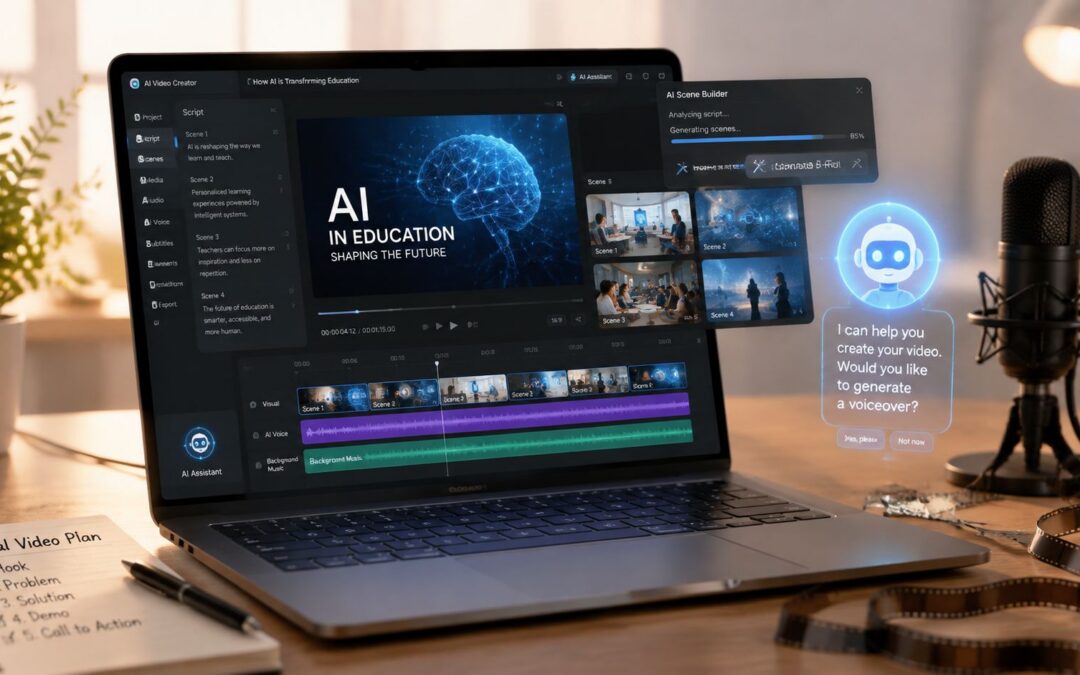
Your support team has a help-center article with accurate steps, screenshots from an older interface, and a screen recording nobody wants to rewatch. Meanwhile, product changes keep arriving. An AI tutorial video maker turns that fragile documentation into a repeatable system, converting written processes into narrated, visual guidance that teams can revise without restarting production.
That shift matters beyond content production. Video now sits inside acquisition, sales enablement, onboarding, retention, internal communication, training, reporting, and operational efficiency. The AI video generator market reached an estimated USD 788.5 million in 2025 and is projected to reach USD 3,441.6 million by 2033, with a 20.3% CAGR from 2026 to 2033, according to Grand View Research market data. The question for operations leaders isn’t whether teams will use audiovisual content, but whether they’ll manage it as a dependable business system.
The Problem With Static Documentation
A SaaS support manager doesn’t need another writing project. She needs a billing workflow that reflects the current product, answers the customer’s question quickly, and gives agents a consistent explanation they can share. Yet one changed button can make a screenshot obsolete, while a recorded walkthrough may require a subject-matter expert, a screen capture, narration, editing, approvals, and redistribution.
HR faces the same problem with onboarding. A new employee might receive a PDF explaining expense claims, a policy page for security training, and a separate recording for the internal tools used on day one. Each asset may be correct when published, but ownership becomes unclear as policies and interfaces change. A new hire sees several formats, several tones, and sometimes several versions of the truth.
Practical rule: If a process changes often, its teaching format must be easy to change too.
A systematic tutorial workflow starts with the source process rather than a blank editing timeline. Product documentation, a help-center article, or an operations procedure becomes the controlled input. The system then creates a script, assigns scenes, adds narration, and applies a standard visual format. A reviewer checks the details, but nobody has to rebuild every frame for every update.
That approach also gives teams a clearer reason to produce tutorials. A product group can explain a new feature, customer success can guide activation, and finance can show an expense process using the same production logic. Teams moving from static guides to visual instruction can use this practical explanation of why company tutorials matter to frame the change around comprehension and business use, not aesthetics.
Turning Written Processes Into Scripts Automatically
The quality of the finished tutorial depends on the quality of its source. Start with one approved process from a help center, Notion page, sales playbook, or standard operating procedure. Remove background commentary, identify the intended audience, and make each action explicit before sending the text into an AI tutorial video maker.
Give the system a process it can follow
A useful source document normally contains:
- A clear outcome: State what the viewer should complete, such as submitting a claim or configuring a workspace.
- Ordered actions: Put clicks, decisions, and checks in the sequence users follow.
- Decision points: Identify what changes for a manager, customer, agent, region, or account type.
- Callouts: Mark warnings, required fields, permissions, and common errors.
- Ownership: Name the team responsible for reviewing the process after a product or policy change.
The generator looks for action verbs, step sequences, conditions, and explanatory context. It can turn “Open the policy dashboard, select the relevant region, review the effective date, and publish” into scenes with an instruction, a visual cue, and narration. The reviewer still needs to confirm terminology, permissions, compliance language, and edge cases. A fluent script can be operationally wrong if the source document is wrong.
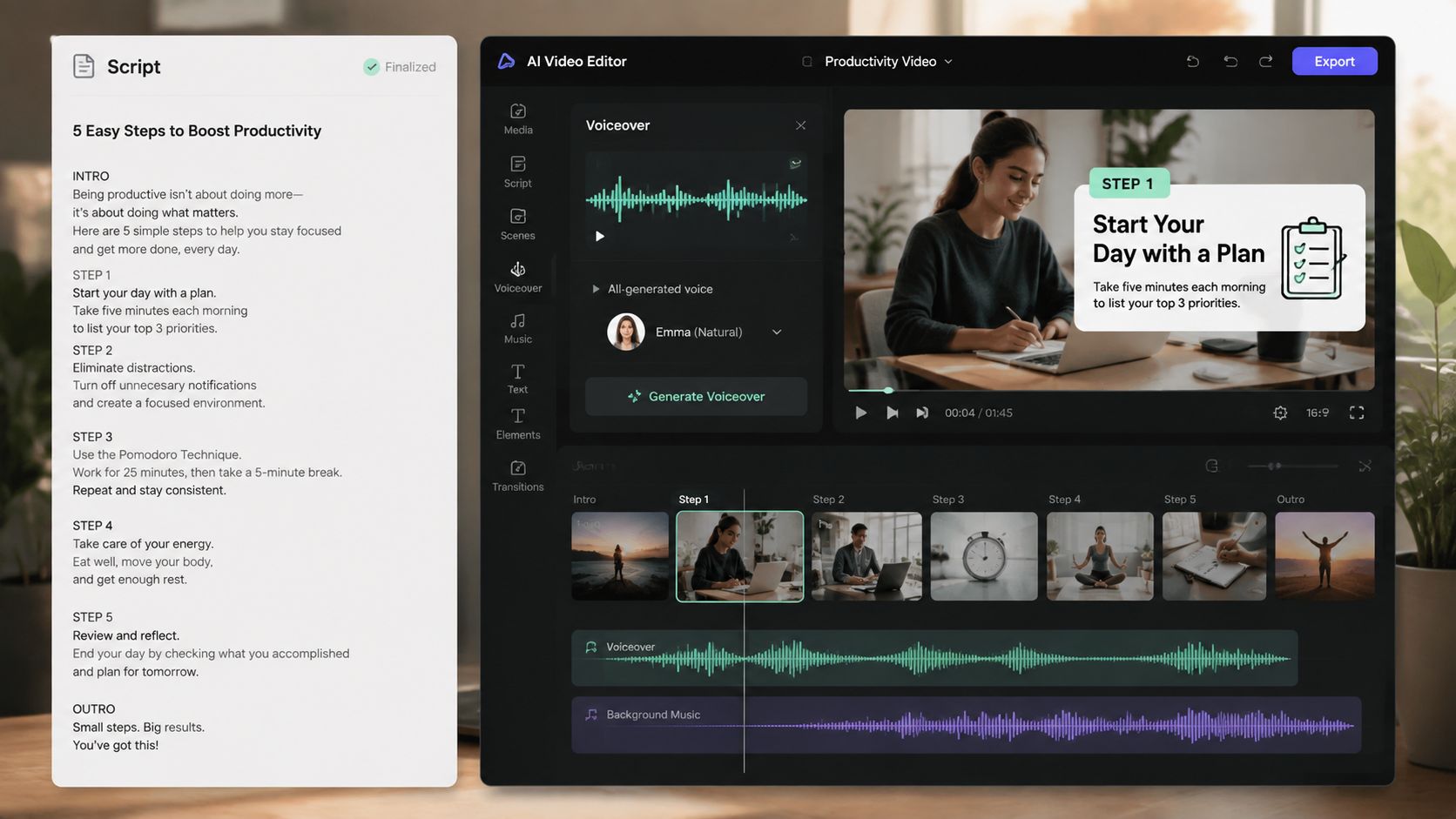
A script-first review prevents an expensive mistake: polishing scenes before the process owner agrees with the sequence. Teams comparing platforms should also examine features pricing and avatar quality alongside source handling, editing control, voice options, and brand governance. The right choice depends on whether the tutorial needs a screen walkthrough, animated callouts, a presenter, or a combination.
A product operations team can use an AI script generator to create the first draft from an approved explanation, then assign the process owner a focused review. That is different from asking a product manager to write narration from scratch. The machine handles structure, while the human protects accuracy and audience relevance.
The practical workflow is simple: prepare the source, generate the draft, inspect every action, revise the script, and only then render the scenes. More guidance on the broader process of making videos with AI can help teams define review responsibilities before production spreads across departments.
Pairing Scripts With Narration and Automated Scenes
Once the script is approved, the tutorial needs a voice and a visual grammar. An algorithm-driven workflow can create narration from the script, then pair each segment with a product screen, UI mockup, stock visual, or animated callout. The aim isn’t to replace judgment. It’s to ensure that every tutorial follows the same teaching pattern.
Build a repeatable scene language
For a finance training asset, the narration might explain why a field matters while a highlighted interface shows where to enter it. For an insurance workflow, a callout can identify the document an agent must attach. For travel operations, a map or itinerary visual can support an explanation of a rebooking rule. The visual should answer the question raised by the narration, not merely fill empty space.
Text-to-speech removes the need to schedule a recording session every time a policy changes. Teams can choose a consistent voice, pace, and language, then review pronunciation for product names, legal terms, and regional language. Wideo’s text-to-speech workflow is one practical route for turning approved narration into an audio track without recording each update manually.
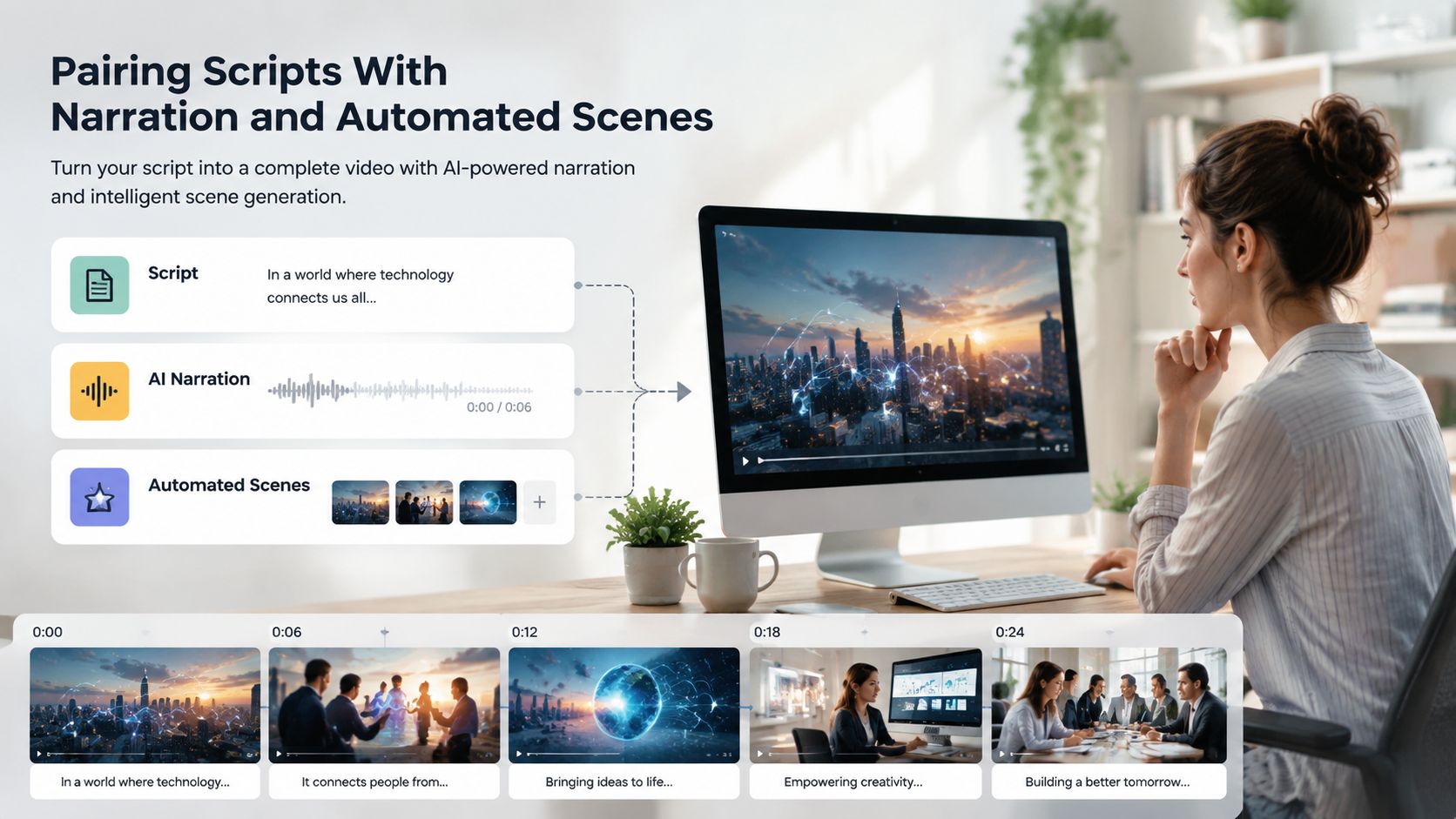
Consistency matters when a company produces dozens of tutorials. A new sales representative should receive the same pacing and callout conventions as a new engineer, even when their topics differ. Standard scene durations, captions, transitions, and terminology reduce cognitive friction, while human review catches awkward emphasis, misleading visuals, or narration that moves faster than the screen.
Keep each asset focused on one workflow whenever possible. Published benchmarks reported 70% to 80% median completion for single-workflow tutorials in the 60 to 90 second range, compared with 50% to 65% for 2 to 3 minute onboarding walkthroughs and 35% to 50% for 3 to 5 minute advanced tutorials, as documented by Arcade’s software tutorial benchmarks. Those figures support a practical editorial choice: split complex instruction into a sequence rather than forcing every task into one long recording.
Editing and Branding With Templates
A tutorial library scales when viewers recognize its structure before they process the subject. Templates provide that operating standard through shared colors, fonts, captions, lower thirds, intro and outro scenes, title placement, and visual treatment for warnings or required actions.
Treat the template as an operating standard
A marketing team may use a brief branded opening for acquisition content, while HR needs a quieter format for policy training. Both can share the same type scale, caption treatment, and accessibility rules. Product can maintain a screen-led format, while customer success uses a presenter or animated explainer style. The teams keep one production system while adapting presentation to the audience.
The template should handle stable elements while preserving room for editorial decisions about audience, content, and presentation. The source process supplies the steps, screenshots, examples, and audience-specific language. The template governs how those elements appear. A training coordinator can then update a tutorial without asking a designer to inspect every frame.
Human review still protects quality. Check logo placement, contrast, caption timing, pronunciation, screen accuracy, and brand tone in the first outputs. Document those checks, then route routine tutorials through a lighter approval path. The team is maintaining a governed content system rather than treating every tutorial as a separate production project.
A master template also supports data-driven variants. An ecommerce business can change product details by audience, a real estate group can produce region-specific property guidance, and an enterprise team can tailor security instruction for employees, contractors, or managers. The visual shell remains stable while approved data changes.
Teams setting up this workflow can use how to edit a company video template in minutes to decide which elements stay fixed and which remain editable. The operational test is simple: can a qualified employee update the source and publish a correct revision without waiting for a production queue?
Real-World Applications Across Business Functions
A tutorial becomes a business asset when its viewer completes something valuable afterward. A SaaS company can replace a dense PDF with a searchable feature walkthrough that helps customers configure a workspace. A fintech team can explain identity checks with clear callouts. An education provider can create course orientation clips, while a media company can train contributors on publishing standards.
Customer acquisition teams can use context-aware product explainers for ecommerce, travel, and insurance landing experiences. A 2026 MIT Initiative on the Digital Economy summary of a study involving 21,000 consumers reported that AI-generated personalized video ads produced a click-through rate 9.4% higher than personalized image ads and 6.5% higher than generic video ads, according to the MIT summary. Tutorial content can support that journey by showing prospects what happens after they sign up or request a quote.
Sales enablement teams can convert battle cards into short refreshers before a product launch. Customer success can deliver onboarding sequences based on account type. HR can create welcome messages and tool instructions for remote hires. Internal communications can turn policy announcements into recorded messages with a clearly stated next action.
| Department | Primary Metric | Secondary Metric |
|---|---|---|
| Acquisition | Qualified pipeline or completed applications | Checkout completion |
| Onboarding | Activation milestone | Time to first value |
| Retention | Renewal or repeat purchase | Support deflection |
| Training | Setup completion | Assessment or task completion |
| Internal communications | Acknowledgement | Policy acceptance |
The metric should match the job. The enterprise video personalization roadmap recommends tracking qualified pipeline, completed applications, booked demos, activation milestones, renewal, acknowledgement, form completion, and the next required action according to the use case. A tutorial library should not be judged by views alone.
Support teams can also use viewer feedback as product input. Comments attached to walkthroughs may reveal confusion, missing features, or repeated requests, and tools that spot user requests in video comments can help route those signals to product teams. That creates a loop from explanation to adoption to improvement.
Updating Tutorials When Processes Change
The test arrives when the interface changes on a Friday afternoon. With a one-off screen recording, someone must find the original project, recreate the environment, capture the new flow, replace narration, check captions, obtain approval, and update every destination. A systematic tutorial keeps the approved script, template, voice settings, and distribution record connected.
Design for revision before publishing
When a product owner changes a step, update the source documentation first. Generate a revised script, compare the affected scenes, replace only the changed visuals, and send the new version through the same accuracy review. Then update the help center, learning management system, customer email, or internal knowledge base where the previous asset appears.
A quality-control suite can make this process more disciplined. One published workflow recommends testing 5 to 20 prompts or shots, generating at least three variants per prompt, and scoring temporal consistency, motion naturalness, aesthetic quality, and prompt alignment on a 1 to 5 scale, using AI-generated video quality benchmark guidance. For tutorials, also check flickering backgrounds, warped faces, inconsistent lighting, reference drift, incorrect UI states, and misleading callouts.
The broader category is already moving into operational scale. Wyzowl-referenced 2026 data reported that 63% of video marketers use AI tools to help make or edit videos, up from 51% one year earlier, according to Adwave’s AI video statistics. Teams producing regular product updates, onboarding content, or internal training are the clearest candidates for an AI tutorial video maker because they feel the cost of every outdated asset.
A company can apply the workflow by connecting a help center, knowledge base, or document repository as the data source. The approved text feeds a template, a change in the source triggers a review or regeneration, and the new asset goes to the help center, LMS, email, or internal portal. A platform should support that chain without requiring an editor to rebuild every scene, as described in no-code video automation.
Which internal process is still explained with an outdated screenshot instead of a living tutorial?
Wideo offers a practical way to turn written product explanations, onboarding guides, and training content into finished tutorial assets, then revise them when the source process changes. Visit Wideo to identify one process, convert it into a repeatable template workflow, and give your team a current visual explanation instead of another static document.
Related posts:
 Your Guide to AI Video Generator Technology
 A Guide to AI Video Creation for Beginners
 AI Avatars: The New Face of Business Communication
 AI Avatars: The Secret Weapon for Business Growth and Efficiency
 AI Technology: The New Creative and Strategic Core of Business
 12 Powerful AI Tools for Video Creators in 2025


