

Your editor just finished this week’s cut in CapCut AI, dropped the file in chat, and started the next caption pass before lunch. That speed is real for one person, and it frays once a second reviewer and a brand manager share the same Thursday deadline.
CapCut AI suits a solo creator who owns the look, the claims, and the export.
A brand account that ships a weekly series needs a different kind of control.
Why CapCut Works for One Creator but Strains a Team
A social team publishes a weekly series from CapCut. One editor builds each cut, a second person checks captions, and a manager signs off in chat. Alone, that path stays quick because nobody else has to match fonts, disclaimers, or a locked claim.
By August 2023, CapCut had reached roughly 490 million users across iOS and Android, about 25% of TikTok’s then-estimated 2.1 billion global users, and it was available in 170 countries outside China, according to data.ai’s read on CapCut’s reach. That spread is why so many brand teams already live in the app.
Shared projects are where the speed hides friction. Several people, one set of brand assets, and a fixed deadline turn a fast edit into waiting, re-exports, and mismatched versions. Teams that brought production in house see the same split: the editor is fast, the handoff is not.
What CapCut AI Does Well for Short Vertical Video
CapCut AI earns its place on short vertical work because the repetitive passes are quicker.
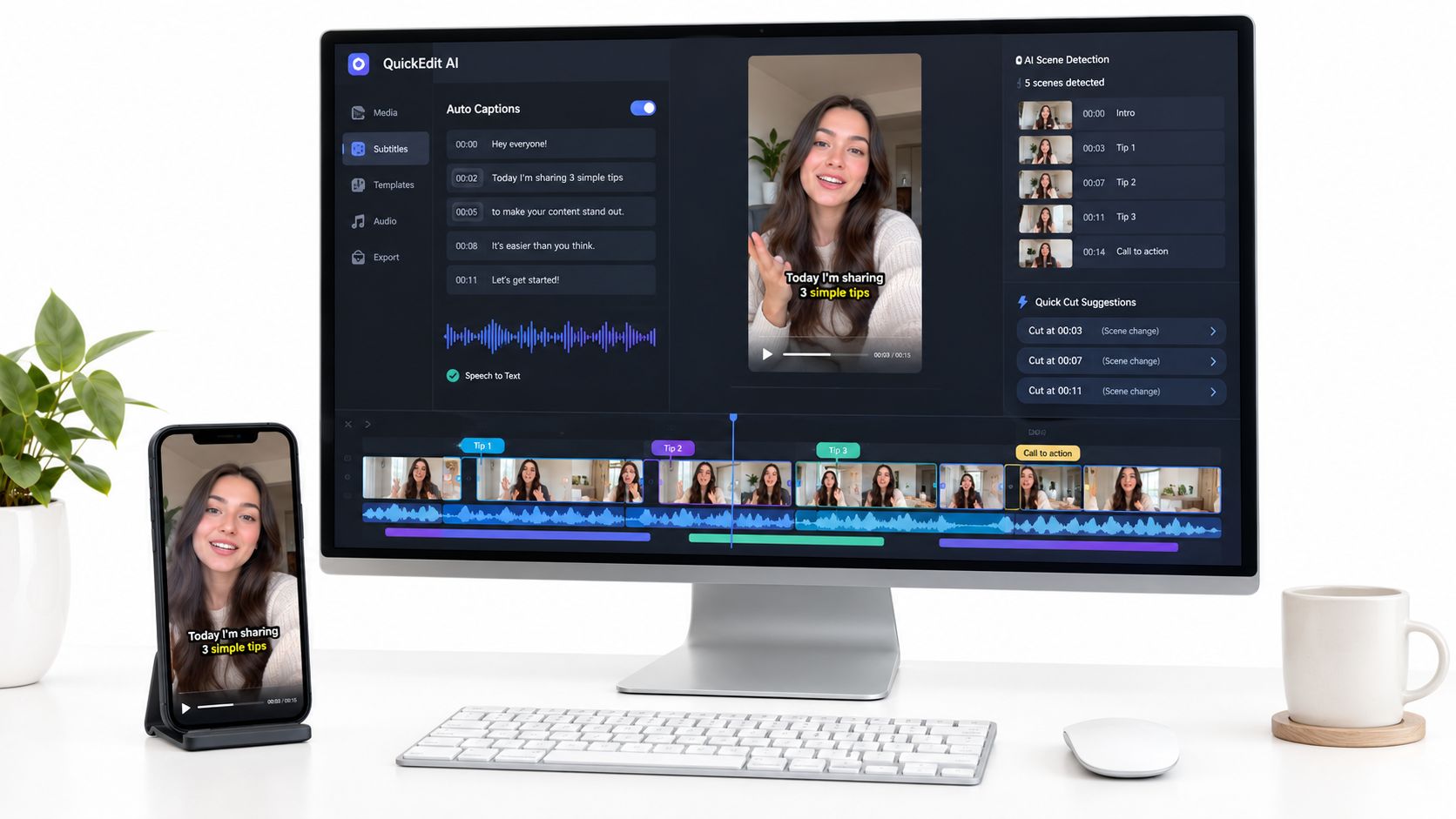
Auto-captions run a clear pipeline. The app recognizes speech, converts it to text, splits that text into caption blocks, aligns each block to the timeline, and styles it before export, which is how CapCut describes auto subtitles versus manual captions. A social editor adjusts a first pass in minutes instead of typing a transcript. Names, acronyms, numbers, and fast speech still need a human pass, so treat the transcript as a draft, not a finished legal line.
The long-to-short path is more than a trim. It reads speech density, audio energy, and visual cues, then proposes excerpts and reframes 16:9 footage into 9:16 with subject tracking. A 40-minute dealership interview can become a set of vertical cuts for fares-style offers, product pages, and retargeting. AI voice and template styling help you try hooks without booking a new record. Those same cuts feed direct-response video ads for customer acquisition when the offer and the next step stay intact.
A clean caption pass saves the hour. It does not clear a product claim.
Where CapCut AI Hits Limits on Brand Control and Approvals
A creator editor does not lock approved logos, colors, claims, disclaimers, or fonts for every person who opens the project. Each editor can restyle a lower third and still export something that looks finished.
Approvals make that gap expensive. A manager reviews on a phone, leaves notes in chat, and the editor re-exports. Version names pile up, and nobody can point to the file legal reviewed.
Data handling is the sharper limit. Independent coverage reports that many advanced CapCut AI functions, including speech generation, translation, and generative editing, run on ByteDance servers, while some captioning and background removal can run locally, and that uploaded content and prompts may fall under the privacy policy, as PCMag’s CapCut privacy analysis describes. A dealership uploading a customer’s voice, or an airline uploading passenger-facing footage, should ask what leaves the device, how long it may be kept, and whether legal has signed that flow. A watermark-free export also does not prove a model-generated voice, music bed, or template is licensed for paid social, training, and partner channels, which is the point of CapCut’s own note on watermark tools and rights.
Ask these before you scale:
- What leaves the building: Which features stay on the device, and which send files or prompts to a server?
- Who may appear: Do you have consent for each face, voice, and employee recording?
- What the export may say: Are claims, disclaimers, and fonts locked, or only suggested?
- What you can prove: Can you show a license for every track, template, and likeness in that territory and channel?
- Who signed the cut: Is there one approval record, or a trail of chat messages?
A written video brief gives reviewers one place to check claims before anyone opens the editor. An influencer marketing workflow for 2026 runs into the same consent and asset questions when outside creators supply footage.
Where Volume and Consistency Start to Break Down
The weekly series starts as one hero piece. It becomes a dozen channel-specific cuts, each needing the same intro, lower third, caption style, and call to action.
CapCut’s long-to-short workflow combines transcript and speech-density analysis, audio-energy signals, and visual cues such as motion and scene changes to propose candidate clips, which cuts review time and still needs a person to check context, disclaimers, and framing. Manual selection becomes the bottleneck because an emotionally loud moment can drop a disclaimer or crop a product out of frame.
Consistency drifts next. One editor tightens captions. Another swaps a font. By week five the brand looks like five brands. Lay the last five exports side by side and the drift is obvious. A social media scheduler will publish that drift on time, which makes the mismatch more visible, not less. Fresh video ideas do not fix a look that changes every export.
That slowdown is the signal. If clip checks and restyling eat the week, a locked layout is worth testing.
Choosing Between a Creator Editor and a Template System
Place your team on five tests: team size, approval load, weekly volume, data sensitivity, and how often the brand look changes.
CapCut AI Versus a Template-Based Process for Business Teams
| Criterion | CapCut AI for creators | Template-based video system |
|---|---|---|
| Team size | One editor, light handoff | Several editors and approvers |
| Approvals | Chat notes and re-exports | One locked layout and a recorded sign-off |
| Volume | A handful of pieces a month | Dozens of channel or account variants |
| Data sensitivity | Public footage you can upload | Customer voice, claims, or unreleased campaigns kept in a governed flow |
| Brand look | Flexible, editor by editor | Fonts, colors, and disclaimers fixed |
Small teams with a few public pieces a month, light approval, and no sensitive customer audio can stay in CapCut and keep the speed. Teams with several approvers, regulated lines, or dozens of monthly variants need a template process that locks brand elements and fills layouts from data. Video automation is the fit when the repeatable cut, not the experiment, is what you publish.
Neither choice wins for every team. Match the tool to the constraint that slows you.
Combining CapCut AI With a Template-Based Workflow
Keep CapCut AI for exploration. Move the repeatable output into a locked template once the look and the claims are agreed.

HubSpot’s 2025 marketing data identifies short-form as the highest-ROI content format, and 30% of both B2B and B2C marketers report using it. That supports modular clips you can reuse across acquisition, onboarding, and retention, rather than one hero cut per campaign.
A CRM list, product feed, or weekly calendar is the data source. A locked template holds fonts, colors, disclaimers, and caption styling, including branded layouts your reviewers already accepted. A new row or a weekly schedule is the trigger. Distribution sends each version to the right social channel, sales follow-up, or internal training page.
For teams that must turn one approved layout into many account-specific or channel-specific versions without reopening every timeline, platforms like Wideo can generate those versions from the template instead of a fresh manual edit.
An insurer can pull policy fields from a spreadsheet, drop them into that locked template, fire the render when a row is marked approved, and send the recorded message to the agent and the customer page. The creative test still happens in CapCut. The production run does not.
Your Next Step With CapCut AI for Business Video
Export the last five pieces this week. Log how long each took, how many review rounds it needed, and whether logos, fonts, and disclaimers matched.
Leave creative tests, caption drafts, and reframes in CapCut AI. Move anything that must look identical, carry a regulated line, or ship as many variants into a locked template.
Which step in your current process takes the longest each week?
Wideo turns an approved template into many account-specific and channel-specific versions from a data source, so your social team can keep CapCut AI for creative tests without rebuilding every cut by hand. If approval loops and brand drift are the main costs of your weekly series, see how a governed template flow works at Wideo.
The article is already complete through the final section, the call to action, and the checklist, so there is no remaining markdown to add.
Related posts:
 Your Guide to AI Video Generator Technology
 A Guide to AI Video Creation for Beginners
 AI Avatars: The New Face of Business Communication
 AI Avatars: The Secret Weapon for Business Growth and Efficiency
 AI Technology: The New Creative and Strategic Core of Business
 12 Powerful AI Tools for Video Creators in 2025


