
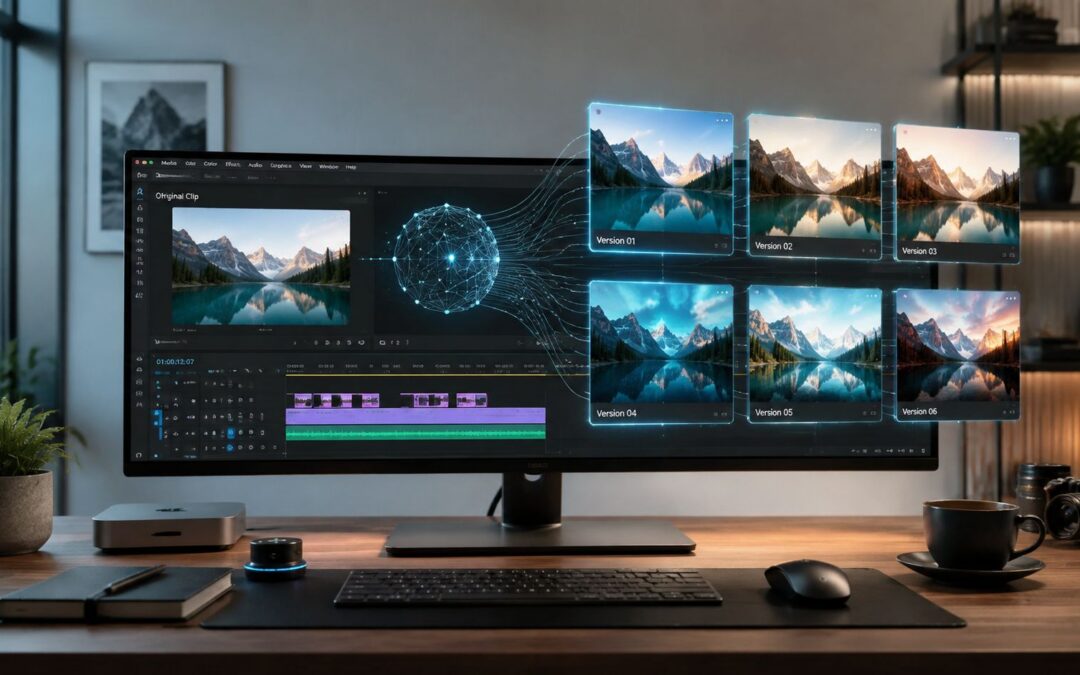
Most companies still treat ai video to video like a flashy filter when it’s starting to behave more like production infrastructure.
A 2026 market projection puts the broader AI video generation market at $18.6 billion by the end of 2026, with a 34% CAGR, and says model-generated audiovisual pieces can cut average production cost by 91%, from about $4,500 per minute to roughly $400 per minute according to this 2026 AI video statistics roundup.
That shift matters less for cinematic experiments than for the daily work of sales follow-ups, onboarding sequences, renewal reminders, training modules, and internal updates.
From Edit to Asset Why Video Is Now a Core System
Many organizations still budget for recorded messages the old way. They plan a campaign, write a script, book editing time, wait for approvals, and ship one polished asset. That made sense when visual content was rare and expensive. It breaks when every customer segment, language, product line, and lifecycle stage needs its own version.

The business shift is operational
Think about two insurance companies. One produces a single brand film for the quarter. The other builds a repeatable library of dynamic assets: claim-explanation visuals for new policyholders, renewal reminders by segment, broker updates, and internal training clips adapted by region. The second company isn’t just making more content. It’s building a communication system.
That’s why ai video to video matters. It turns an existing clip into a reusable base layer that teams can adapt for new audiences without restarting from zero. Marketing can localize ads. Customer success can tailor onboarding. HR can issue role-specific training. Operations can keep the same structure and change the context.
Practical rule: The asset is not the finished clip. The asset is the system that keeps producing new versions.
A useful way to frame this is to compare visual content with CRM data. A contact record only becomes valuable when teams can trigger messages from it. Video is moving in the same direction. Instead of asking, “How do we make one great piece?” smart teams ask, “How do we generate the next hundred versions when the product changes, the customer changes, or the market changes?”
For teams building that kind of one-to-one outreach, personalized video workflows show what happens when customer data and reusable templates start working together.
What this looks like in practice
In ecommerce, a retailer can turn one product demo into region-specific promotions with different offers and language overlays. In SaaS, a sales team can adapt the same product walkthrough for healthcare, finance, and education buyers. In travel, one cabin explainer can become a welcome sequence by destination, loyalty tier, or trip type.
This is why video stops being a campaign deliverable and starts acting like a core business system.
How AI Remakes Existing Visual Content
Ai video to video is easier to understand if you stop thinking about creation and start thinking about remodeling.

The source clip is the blueprint
The dominant technical pattern is simple in concept. You feed the model an existing clip, and that clip acts as a structural guide for prompt-driven transformation. That preserves timing and camera movement, which makes edits more controllable for style transfer and scene redesign, as described in this overview of text-to-video and video-conditioned models.
If that sounds abstract, picture a real estate team with a clean walk-through of an apartment. They don’t want a brand-new scene. They want the same path through the apartment, the same pacing, and the same camera motion, but with different staging, seasonal mood, text overlays, or design style for different buyer profiles. Video-to-video is built for that kind of job.
Why this is different from text-to-video
Text-to-video starts with a blank page. That can be useful for concepting, but it also introduces more uncertainty. Business teams usually don’t want uncertainty. They want control.
A dealership, for example, might already have a usable shot of a vehicle turning into the lot. With ai video to video, the team can keep that motion and timing while changing visual treatment for a local ad, a luxury-focused version, or a financing-focused variant. The structure remains stable. The presentation changes.
Keep the movement. Change the context. That’s the core mental model.
Many readers often find this concept confusing. They assume “AI generation” means replacing the original footage entirely. In practice, the most useful workflows often do the opposite. They preserve the expensive part, real motion, real framing, real pacing, and transform the parts that usually slow teams down in post-production.
That’s why the method fits business work. It doesn’t ask teams to trust pure invention. It gives them a controlled way to repurpose what they already have.
The Intelligent Models Behind Motion and Style
The technical story matters only if it explains a business result.
From short clips to business-grade output
The field moved quickly after Meta introduced Make-A-Video in September 2022. Later reporting says Meta’s newer Movie Gen uses a 30 billion-parameter system and can generate 16-second HD clips with 45-second audio capabilities, while an industry summary also cites the AI video generator market at $614.8 million in 2024 with projected growth to $2,562.9 million by 2032 in this Make-A-Video statistics summary. For business users, the key point is simpler: systems moved from short, silent experiments to longer, higher-fidelity output with audio, and that’s what makes enterprise use realistic.
A SaaS onboarding team can now think beyond silent motion graphics. A training team can adapt a process demo with narration. Internal communications can repurpose leadership updates into multiple department-specific formats.
What the models actually do for a company
Diffusion-based and transformer-based systems learn motion, lighting, and scene changes from large video datasets. They’re also more demanding than image systems, and acceptable local performance commonly calls for at least 16 GB of VRAM, as explained in this technical breakdown of AI video generation frameworks. That matters because frame-to-frame consistency is part of the job.
Here’s the business translation:
| Capability | Business use |
|---|---|
| Motion preservation | Reuse a product demo for sales, support, and training without reshooting |
| Style transfer | Turn one brand clip into different looks for media, education, or campaign testing |
| Scene adaptation | Localize the same asset for regions, offers, or audience segments |
| Audio-enabled output | Create onboarding or internal explainers that don’t depend on separate voice workflows |
If you want a plain-language refresher on how neural networks work before diving deeper into model behavior, this Python guide for neural networks is a useful primer.
For teams experimenting with model-generated workflows inside day-to-day production, an AI video generator is one example of how these capabilities get packaged into practical content operations.
Putting AI Video Synthesis into Practice
A real company doesn’t buy ai video to video because it wants prettier effects. It buys time, consistency, and versioning capacity.

One source clip, many business outcomes
A car dealership films one strong drive-by shot of a new model. The marketing team then creates regional variants with different weather mood, promotional framing, financing text, and audience-specific offers. Sales reps use a related version in follow-up emails after a test drive. The service department later reuses the same visual structure for maintenance reminders tied to the owner’s vehicle.
A travel brand starts with a general cabin or destination visual. From there, it produces user-specific welcome assets for a family traveler, a business traveler, or a loyalty member headed to a specific city. The motion and base structure stay familiar. The surrounding message changes.
A nonprofit records a field update once. Development teams then turn it into several donor appeals with different onscreen context, campaign emphasis, and calls to action. The organization avoids repeating the most expensive part of production while still sending different messages to monthly donors, major-gift prospects, and event attendees.
Departments that benefit fastest
The fastest wins usually come from repetitive communication that already has a template logic behind it.
- Customer acquisition: Ecommerce and real estate teams can produce audience-specific ad variants from a single visual base.
- Sales enablement: SaaS and fintech reps can send one-to-one explainers based on deal stage, vertical, or product mix.
- Onboarding and retention: Insurance, telecom, and education teams can reuse core explainers while changing the next step, policy detail, or support path.
- Internal communication: Operations leaders can adapt one executive update for managers, frontline staff, and regional teams.
- Training: HR and enablement teams can keep one training structure and modify examples by role or department.
The practical value isn’t endless creativity. It’s controlled repetition without manual re-editing every time.
A short implementation pattern
A company can start with a CRM, spreadsheet, or customer database as the data source. That data feeds a master template that includes fixed scenes, editable text, brand elements, and approved visual transformation rules. A trigger such as purchase completion, lead status change, or employee start date starts the render, and distribution happens through email, sales outreach, a customer portal, or an LMS.
When teams need to generate large sets of onboarding or follow-up assets from CRM fields without editing every variant by hand, platforms like Wideo’s guide to making videos using AI show the workflow pattern clearly.
Navigating the Realities of Implementation
This is the point where hype usually collides with operations.
Continuity still breaks
One underserved question is whether ai video to video preserves identity and scene continuity across multiple shots, not just within one clip. Current practitioner guidance shows people still use extra reference images and manual prompting to reduce drift, especially when they need the same person, product, or background to stay consistent across angle changes, as noted in this discussion of camera control and continuity workflows.
A retail brand may get a great single transformed shot of a model holding a product. Then the second shot shifts facial details, product shape, or background logic. For a social test, that might be acceptable. For a full product launch, it becomes a review problem.
Regulated teams need a stricter filter
The bigger risk appears in compliance-sensitive work. A dealership can’t casually alter a vehicle feature. A fintech ad can’t blur the line between approved disclosure and stylized fiction. An insurance team can’t publish a claims explainer that visually suggests coverage the policy doesn’t provide. Practitioner discussion around product shots, ads, and storyboard prep points to a useful conclusion in this look at AI angle editing workflows: for many teams, this is still best treated as rapid pre-visualization or controlled versioning with human review.
Use a quality gate before anything goes live:
- Check continuity: Compare faces, products, logos, and backgrounds across all shots, not just the opening scene.
- Verify claims: Review every label, disclaimer, feature depiction, and safety instruction against approved source material.
- Limit high-risk edits: Use human-shot footage for regulated statements and let the model handle style, pacing, or background variation.
- Keep references fixed: Use approved reference images when subject consistency matters across a sequence.
- Route final approval: Put legal, brand, or operations reviewers after generation and before distribution.
For teams building repeatable review paths around this process, video automation workflows are useful only when governance is built into the handoff, not bolted on later.
Building Your First Programmed Video System
Start small enough that the process can survive contact with real teams.
Build the machine, not the single asset
Pick one communication flow that repeats every week. New customer onboarding in SaaS works well. So do policy renewal reminders in insurance, listing updates in real estate, employee welcome sequences in HR, and course progress nudges in education. If the message follows a pattern, it can become a system.
The core setup is simple. Use a structured data source such as a CRM, support platform, HRIS, or spreadsheet. Pair it with a master template that defines the fixed scenes and approved variable fields. Set an event trigger, then send the finished asset through email, a portal, or a messaging sequence.
A no-code stack usually gets companies moving faster than a custom build. Tools built around no-code video automation fit this model because the workflow is what matters: data in, template applied, trigger fired, asset distributed.
What is the first repeatable communication in your business that still depends on manual editing?
If your team wants to turn repeatable communication into a system instead of another editing backlog, Wideo is one option for connecting templates, automation, and distribution in a single workflow. The companies that win with AI video to video won’t be the ones making the fanciest clip. They’ll be the ones building the most reliable visual content machine.
Related posts:
 Conversational AI Platforms: The Shift from Text Chat to Video-First Experiences
 Beyond Automation: Why Video is the Future of AI Marketing Tools
 AI Integration: The Bridge Between Your Data and Scalable Video Creation
 How Agents AI Are Building the Future of Autonomous Video
 Unlocking Smart Video Creation with AI Intelligent Agents
 Using ChatGPT as Your Engine for Scalable Video Creation


