
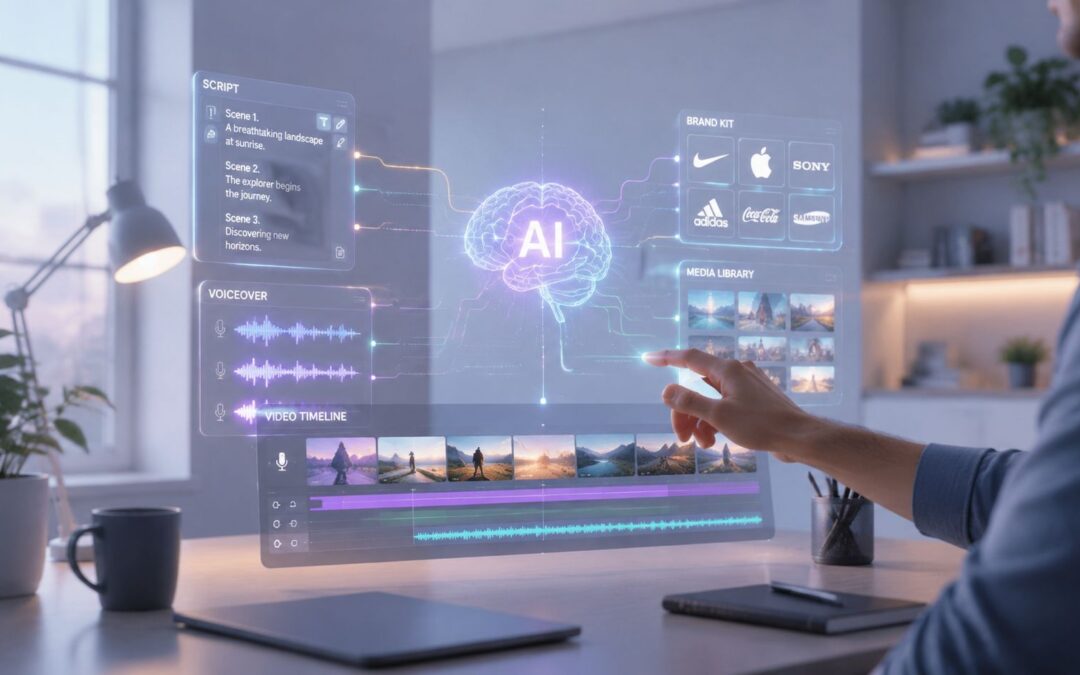
Video with AI is still often treated like a nicer ad format when it should be regarded as payroll, CRM, or support routing: a system that runs business communication at scale.
That mindset gap is why one company spends weeks producing a polished brand film while another sends thousands of timely, data-driven recorded messages across sales, onboarding, renewals, and internal training.
The market is moving in favor of the second company. The global AI video market is projected to grow from USD 11.2 billion in 2024 to USD 246.03 billion by 2034, according to Market.us research on the AI video market.
Beyond the Marketing Department
Two insurance companies can buy the same software and still get opposite results.
Company A puts visual content inside marketing, treats it as a campaign deliverable, and debates scripts for a generic brand piece. Company B treats visual content as an operating layer. Policy reminders, broker updates, claims explanations, agent onboarding, renewal education, and compliance notices all become repeatable communication flows. Same medium. Different operating model.
Where the real shift happens
In practice, the teams getting the most value aren’t chasing cinematic perfection. They’re building repeatable communication systems. A finance team can send quarterly stakeholder summaries as dynamic assets instead of static slide decks. A SaaS customer success team can turn feature-release notes into short onboarding clips for different account tiers. A real estate group can publish a user-specific audiovisual piece whenever a listing status changes.
Operational test: If the same message needs to be sent more than once, it shouldn’t be rebuilt from scratch.
This changes who owns the work. Marketing still matters, but HR, sales enablement, operations, support, internal communications, and training teams now have direct reasons to use video with AI. An HR lead doesn’t need a mini production studio to explain benefits enrollment. An airline operations team doesn’t need a designer every time a passenger update changes. An education provider doesn’t need to recut the same lesson for each cohort manually.
The old model made every new request feel exceptional.
The newer model treats each recorded message as a variation of a governed template connected to business data.
Planning and Scripting for Automation
The manual process begins with a blank page. The systematic process begins with a data source.

Start from recurring questions
A SaaS company should begin with support logs, onboarding tickets, call transcripts, and product release notes. An HR team should begin with policy documents, recurring manager questions, and training gaps. A travel brand should begin with passenger notifications, itinerary changes, and loyalty lifecycle messages.
That’s why good scripting for video with AI looks less like copywriting and more like system design. You aren’t just writing one audiovisual piece. You’re creating a script structure that can accept variable fields, audience conditions, and channel-specific versions.
If your team needs a broader look at tooling options, Moonb’s overview of AI-powered video creation platforms is useful because it frames these tools around workflow, not novelty. For script structure itself, this guide on writing an explainer video script is a practical reference for turning complex topics into a format that can be reused.
Build script templates, not masterpieces
In ecommerce, a template might include product name, price context, use case, and shipping note. In insurance, it might include policy type, renewal date, coverage reminder, and next step. In higher education, it might include program name, intake date, application status, and advisor contact details.
A strong template leaves room for variation but keeps the message architecture fixed.
That matters because script quality breaks when teams ask an intelligent tool to create everything from scratch every time. Results get inconsistent, compliance language drifts, and business owners lose trust. Better results come from controlled prompts, approved blocks of copy, and role-based variants such as prospect, new customer, power user, employee, or partner.
The script becomes infrastructure.
Sourcing and Generating Visual Assets
The asset problem usually shows up before the scripting problem is fully solved.

Most companies already have a scattered library of product photos, webinars, screen recordings, event clips, sales decks, brand elements, and customer footage. The issue isn’t absence. It’s retrieval. Teams can’t find the right dynamic asset quickly enough, so they default to stock or start over.
The hybrid library that actually works
The practical answer is a hybrid model. Reuse owned media wherever accuracy matters, then fill gaps with model-generated visuals where abstraction is acceptable. Ecommerce teams can reuse product shots and short demos. A fintech team can create simple background motion for market updates. An internal communications lead can pair real executive footage with generated supporting scenes instead of commissioning every frame.
The industry pivot became visible when text-to-video entered public discussion. The public debut of systems like Meta’s Make-A-Video in September 2022 marked the move from editing existing footage to generating new visual elements directly from prompts, as described in this Make-A-Video milestone summary.
A searchable source pool still matters more than raw generation. For teams that need a ready library as part of that mix, browsing stock videos for business use is often more useful than prompting a model for every scene. Generated clips are best used where realism isn’t the core requirement.
What works and what doesn’t
What works is using generated visuals for concept shots, transitions, background loops, and simple explainers.
What doesn’t work is asking model-generated scenes to carry heavy continuity, legal precision, or product-detail accuracy without review.
A real estate team can safely generate neighborhood mood scenes. It shouldn’t generate the house details. A software company can generate abstract cyber-risk visuals for a webinar intro. It shouldn’t generate a fake product interface when a real screen capture is available.
Using the Core AI Creation Toolkit
Once the script format and asset library are in place, production stops being an artisanal process and starts acting like assembly.

The toolkit that removes repetitive work
A nonprofit team is a good example. It often has a small staff, urgent campaign windows, and too many audiences to serve with one generic recorded message. With an intelligent workflow, the team can create donor appeals, volunteer onboarding, event reminders, grant updates, and board summaries without rebuilding each piece by hand.
If you’re comparing practical assembly tools, PostSyncer has a helpful look at an AI tool for video marketing that reflects the broader category well. For a direct example of a no-code builder in this category, an AI video generator shows how teams move from script to finished output without traditional editing software.
- Voice generation: Turn approved scripts into natural-sounding narration for multiple audiences, regions, or languages without booking voice talent each time.
- Scene assembly: Convert articles, knowledge-base entries, or campaign copy into a first-pass sequence of scenes that an editor or operator can review.
- Editing assistance: Sync visuals, timings, captions, and transitions faster than a manual timeline build.
- Brand rule placement: Apply logos, disclaimers, lower thirds, and calls to action consistently across every dynamic asset.
- Content-aware encoding: AI-driven encoding can reduce bitrate by 30-50% while maintaining equivalent visual fidelity, according to Bitmovin’s research on AI video methodology.
The trade-off most teams discover late
The weak point isn’t usually voice or first-pass editing. It’s continuity. A key challenge in AI video is multi-angle consistency. Generating one shot is often easy. Keeping a person, object, or setting coherent across cuts is where human review still matters, as noted in this multi-angle consistency discussion.
Use AI for variation and speed. Keep a person in charge of continuity, compliance, and final message accuracy.
That single rule prevents a lot of messy outputs in fundraising, training, and product communication.
From Assembly to Enterprise-Ready Distribution
A finished dynamic asset isn’t useful until the right person receives it in the right channel at the right moment.

Distribution is where the business case appears
Enterprise teams’ operational needs differ significantly from hobby workflows. Branding rules need to be fixed. Trigger conditions need to be defined. Approval states need to exist. Delivery has to connect with email, app notifications, CRM activity, onboarding sequences, or internal channels like an LMS or intranet.
An airline is a clear example. Gate changes, boarding updates, travel disruptions, and rebooking notices don’t belong in a design queue. They belong in a programmed communication flow. The same is true for banks sending onboarding explainers, SaaS companies issuing renewal notices, or media companies repackaging event coverage for sponsors and internal stakeholders.
Teams dealing with this kind of volume often end up caring about repackaging just as much as original production, which is why a guide to a content repurposing tool is relevant here. The business problem isn’t only creating one piece. It’s adapting the same message across lifecycle stages and audiences.
A simple implementation model
A company can connect a CRM, booking system, HRIS, or support platform as the data source. A template holds the approved scenes, text fields, voice style, and branding rules. A trigger such as status change, new signup, policy renewal, course enrollment, or support milestone generates the message and sends it by email, SMS, app, or internal portal.
For teams that need to generate thousands of context-aware messages from business data without manual editing, Wideo’s video automation workflow is one example of how a platform can connect template-based creation to distribution. The important part isn’t the brand name. It’s the operating model.
If distribution still depends on someone exporting files and uploading them one by one, you haven’t built a system yet.
Creating One-to-One Customer Experiences
The most persuasive use of video with AI isn’t mass awareness. It’s relevance.
A real estate agency can create a one-to-one audiovisual piece for each listing, pulling property images, neighborhood details, price notes, and the agent’s contact information from its database. A car dealership can send a buyer a user-specific recap of the exact vehicle they configured, including trim, financing context, and next steps. A SaaS company can send a new admin a context-aware onboarding walkthrough based on role, product tier, and activated features.
Why this works better than generic outreach
People pay attention when a message reflects their situation. Not because their name appears on screen, but because the content answers the question they’re already asking. Finance clients want clarity on account actions. Insurance customers want plain-language renewal reminders. University applicants want to know what happens next. Internal employees want role-relevant training, not a broad corporate module meant for everyone.
If you’re building that type of flow, this look at personalized video systems is relevant because it centers data fields, templates, and triggered delivery rather than novelty effects.
What is the one repeatable communication in your business that would be more effective as a context-aware recorded message?
If your team is moving from one-off production to a repeatable communication system, Wideo is worth reviewing for template-based creation, voice generation, and data-driven distribution across onboarding, training, sales, and operational updates. The companies that treat visual content as infrastructure will out-communicate the ones still treating it as a project.
Related posts:
 12 Best AI Automation Tools in 2026: A Guide to Scaling Video Content
 How Agents AI Are Building the Future of Autonomous Video
 Unlocking Smart Video Creation with AI Intelligent Agents
 Using ChatGPT as Your Engine for Scalable Video Creation
 OpenAI: The Engine Behind Scalable AI Video Creation
 How an LLM Powers Your Entire Video Creation Strategy


