

If your team creates video, you know the drill. A single project consumes weeks of effort, a sizable budget, and immense creative energy. You pour everything into a high-quality hero video for a campaign launch or a polished product demo. But what happens after the big debut? Too often, its impact fizzles, and you’re back at square one for the next project.
This one-off approach doesn’t scale. It traps you in a cycle of production bottlenecks, inconsistent branding, and high costs that prevent video from becoming an integral, everyday communication tool. For most brands, video remains a special occasion, not an always-on growth engine.
This is where video marketing automation changes the game. It’s about using smart software to create, personalize, and distribute video content at scale by connecting your existing customer data directly to intelligent video templates. This shift transforms video from a series of manual projects into a scalable, automated system that runs across the entire customer journey.
Moving Beyond One-Off Videos

The traditional, project-based video workflow is the real barrier to scale. The operational headache of manual production makes it impossible to deliver timely, relevant video consistently. Video marketing automation flips this script entirely by reimagining video not as a handcrafted asset but as a repeatable system that plugs directly into your marketing, sales, and customer success workflows.
Instead of filming and editing every video by hand, you design smart templates. These templates automatically pull in customer data—like names, company logos, usage stats, or purchase history—to generate thousands of unique, personalized videos instantly.
This simple shift completely changes the economics and agility of video production.
From Manual Production to an Always-On System
The difference between a manual and an automated approach is night and day. It’s a move from a project-based mindset to a systems-based one, where video becomes a reliable, always-on part of your customer communication.
| Aspect | Manual Video Production | Automated Video System |
|---|---|---|
| Initiation | Creative brief for a single video | Triggered by customer action or data |
| Creation | Weeks of shooting, editing, reviews | Instant generation from a template |
| Personalization | Not feasible at scale | Built-in using CRM data |
| Output | One video asset per project | Thousands of unique videos per day |
| Cost | High per-video production cost | Low, scalable operational cost |
| Team Focus | Tactical execution of one project | Strategic workflow and template design |
The goal is to move from treating video as a high-effort, handcrafted asset to seeing it as an automated, always-on growth engine. This system works continuously to build relationships across the entire customer journey.
This isn’t about replacing creatives with robots. It’s about freeing your team to focus on high-level strategy and storytelling while automation handles the repetitive grunt work. By doing so, you can finally humanize your brand at a scale that was previously unimaginable.
How Automation Changes The Economics Of Video

Let’s be honest: the old way of making videos is broken for any business that needs to move fast. The high costs, endless production cycles, and sheer manual effort make personalized video at scale feel completely out of reach. Video marketing automation fundamentally changes this economic model.
You stop thinking in terms of one-off projects and start thinking in terms of scalable systems. Instead of paying for one video at a time, you invest in an engine that can generate thousands of unique, personalized videos from a single core template. This shift crushes your cost-per-video and gives you an agility your competitors can only dream of.
Streamlining Production To Eliminate Bottlenecks
Anyone who’s created video content knows the real time-killer: manual editing. Every tiny change—swapping a customer’s name, updating a sales figure, or adding a new logo—sends a designer back into a project file to edit, render, and resubmit for review. It’s a soul-crushing bottleneck that grinds progress to a halt.
Automation makes those repetitive tasks vanish. Your team designs smart templates connected directly to your business data, and the system does the rest.
This shift unlocks key operational advantages:
- Launch campaigns faster: Deploy an entire personalized video campaign in the time it used to take for one round of edits.
- Ensure brand consistency: Every video generated is perfectly on-brand—correct colors, fonts, logos, and messaging, every time.
- Free up your creative team: With repetitive edits automated, your team can focus on big-picture strategy and telling compelling stories.
This isn’t just about efficiency; it’s a strategic advantage that lets you test, iterate, and react to market changes with incredible speed.
Augmenting Creativity, Not Replacing It
A common fear is that automation will stifle creativity. The reality is the opposite. By handling the logistical heavy lifting, automation tools augment your team’s creative firepower. They empower you to execute ambitious ideas that were previously shot down due to budget or time constraints.
Automation is the bridge between your creativity and your customer data. It gives you the power to craft truly relevant content. Imagine sending a video that greets a customer by name and mentions their last purchase—all without anyone lifting a finger.
This is what data-driven personalization is all about. It transforms video from a generic, one-size-fits-all tool into a precision instrument for building real, one-to-one relationships. Platforms built from the ground up to offer video automation solutions are designed specifically to connect your CRM data with your creative assets, making this kind of powerful connection possible.
Weaving Automated Video into the Full Customer Journey
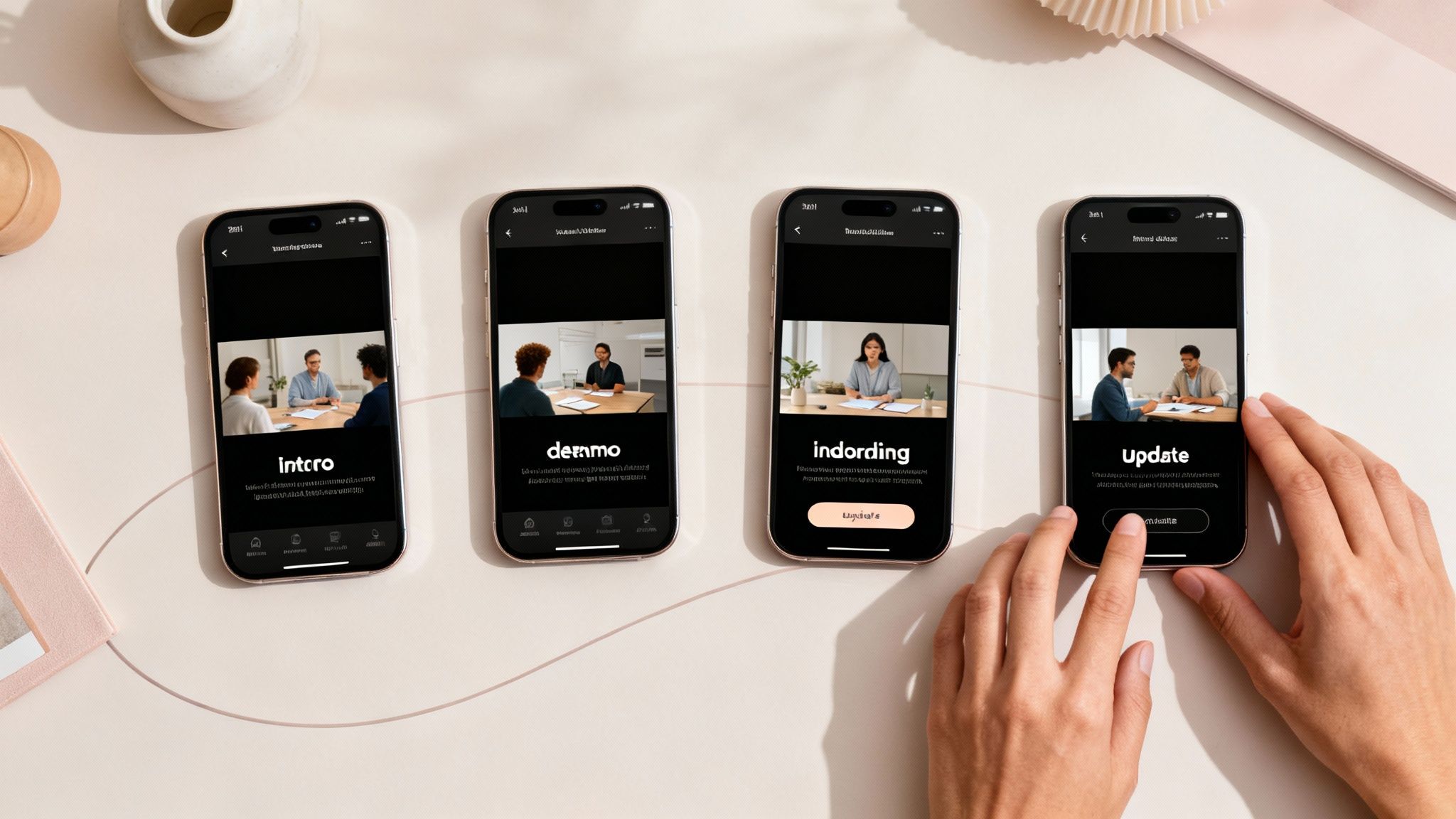
This is where the magic happens. Video marketing automation becomes a revenue-driving machine when you apply it strategically across the customer lifecycle. The real power isn’t just making videos faster; it’s delivering the right video, to the right person, at the right time.
By connecting your video templates to your CRM, every customer action—a click, a download, a purchase—can trigger a unique, personalized video. Your video content is no longer static. It becomes a dynamic, responsive conversation that adapts to each person’s journey.
Fresh Tactics for an Always-On Video Strategy
Forget the generic explainer video. With automation, you can build a system that serves tailored videos for awareness, consideration, conversion, and retention—all on autopilot.
Here are a few powerful strategies you can implement:
- Educational Video Campaigns: Simplify complex topics at the top of the funnel. A financial services company could auto-generate short, animated explainers about different investment products, triggered when a user visits a specific page.
- Personalized Video Journeys: Nurture leads with a sequence of videos triggered by their behavior. When a prospect downloads a guide, send them a personalized video demo that greets them by name and highlights features related to the guide’s topic.
- Automated Onboarding Sequences: Welcome new customers with videos tailored to their user profile or goals. This helps them find value faster and dramatically reduces churn.
- Data-Driven Client Reports: Transform dry performance reports into engaging video summaries. An agency can auto-generate monthly update videos for clients, pulling in real data to populate charts and celebrate key wins.
- Social Storytelling with Real Scenarios: Turn positive customer reviews or success stories into shareable social media clips automatically. A simple template can frame a customer quote with your branding for instant distribution.
These tactics shift video from a one-to-many broadcast medium to a one-to-one conversational tool, making every customer feel seen and understood. For more on this, check out these ideas on how to use personalized video throughout the SaaS sales funnel.
Turn Your Best Content into an Endless Social Feed
One of the smartest applications of video marketing automation is content repurposing. That hour-long webinar or in-depth podcast is a goldmine of shareable moments, but manually chopping it up is a tedious task.
Automation tools can scan long-form content, identify compelling highlights, and automatically generate dozens of short, branded clips complete with captions. This turns a single content pillar into weeks of social media fuel, maximizing the ROI of your original effort.
Once your automated workflows are running, the final piece is distribution. The best video automation platforms integrate directly with your email service provider, social media schedulers, and ad networks like leveraging YouTube Ads. This ensures your video engine doesn’t just create content—it actively drives business results across your entire ecosystem.
Building Your Automated Video Playbook

Ready to get practical? It’s time to evolve your video strategy from a collection of one-off projects into a smart, automated system that works 24/7. The first step is to identify which types of videos are ripe for automation and where they fit in your customer journey.
The goal is to stop building every video from scratch. Instead, you’ll design intelligent, flexible templates that can be personalized instantly with your own data. Think of it as creating a library of strategic video assets, ready to be deployed at the perfect moment.
What Kind of Video Content Works Best?
Not all video is a good fit for automation. The best candidates are repeatable, data-driven, and tied to specific, measurable actions. While the big, emotional brand film still has its place, your automated playbook should focus on content designed for specific triggers.
These video types thrive in an automated workflow:
- Explainer Videos: Perfect for breaking down complex products. Create a core template and dynamically insert a prospect’s name or industry-specific use cases to make it resonate.
- Customer Stories & Testimonials: When you get a great review, drop the quote into a pre-made template to create a fresh, shareable social asset in minutes.
- Personalized Onboarding Sequences: Guide new users with a video series tailored to their goals. A SaaS company can trigger different videos based on a user’s chosen plan or their first actions in the app.
- Product Demos: Automatically generate demos that highlight features relevant to a specific lead’s expressed interests or industry.
- Personalized Updates & Automated Reports: Turn routine data into a delightful experience. An airline could auto-generate a “Your Year in Travel” video for a frequent flyer, summarizing miles flown and destinations visited.
Mapping Videos to Your Marketing Stack
Once you know what videos to create, the next step is connecting them to your existing marketing stack. This is where video marketing automation comes to life. Your CRM and marketing automation platforms are full of triggers—customer actions that signal the perfect moment for a video.
Imagine these scenarios:
- A new lead signs up: They automatically receive a welcome video personalized with their name and company, featuring a relevant case study from their industry.
- A customer hits a milestone: On their one-year anniversary, your system auto-generates a thank-you video celebrating their loyalty.
- A user abandons their cart: An e-commerce brand sends a follow-up video showing the abandoned product in action, perhaps even using the customer’s name.
The core idea is simple but powerful: create flexible video templates that act as containers for dynamic data. You design the story once, and the automation platform populates it with unique customer information thousands of times.
Operationalizing these workflows is easier than you think. For example, marketers can use a platform like the Wideo video automation tool to connect data sources with video templates without needing a developer. This is how you turn your video strategy into a scalable, always-on engine for growth.
Measuring Success and Optimizing Your Video Engine
An automated system is only as good as the results it drives. To transform video marketing automation from a neat tool into a core growth strategy, you must measure what’s working and what’s not.
This means looking beyond vanity metrics like view counts. The real gold is in tracking how your automated, personalized videos move the needle on specific business goals. You’re no longer measuring a single video; you’re evaluating the performance of an entire communication engine.
Metrics That Truly Matter
When your videos are personalized and triggered by specific actions, your measurement strategy must be just as smart. Instead of asking, “How many people watched?” you should be asking, “What did the right people do after watching?”
Build your dashboard around these key performance indicators (KPIs):
- Engagement on Personalized Videos: Do videos personalized with a customer’s name have a higher completion rate than generic versions? This proves your personalization is connecting.
- Conversion Rates from Video CTAs: Track how many viewers click the call-to-action in your automated videos and then complete a goal, whether it’s booking a demo or making a purchase.
- Influence on Customer Retention: For automated onboarding or support videos, monitor churn rates and customer lifetime value. A well-oiled video engine should create stickier customers.
- Drop in Support Ticket Volume: If you’re using automated explainer videos, a measurable drop in related support tickets is a huge win, proving you’re educating users effectively.
The goal is to create a powerful feedback loop. Performance data shouldn’t just sit in a report; it should actively inform your next content strategy, turning your automated video engine into a learning system that gets smarter over time.
This table breaks down the essential metrics to track and what they tell you about your video strategy’s performance.
Key Metrics for Video Automation ROI
| Metric | What It Measures | Why It Matters |
|---|---|---|
| Video Completion Rate | The percentage of viewers who watch a video to the end. | Indicates how engaging and relevant your video content is. Higher rates mean you’re holding their attention. |
| Click-Through Rate (CTR) | The percentage of viewers who click on a call-to-action (CTA) within or after the video. | Directly measures how effective your video is at prompting action and driving traffic to the next step. |
| Conversion Rate | The percentage of viewers who complete a desired goal (e.g., purchase, sign-up) after clicking the CTA. | The ultimate measure of a video’s impact on business goals. This is your direct link to revenue. |
| Customer Churn Rate | The rate at which customers stop doing business with you, tracked for cohorts who received specific videos (e.g., onboarding). | Shows if your educational or support videos are improving customer satisfaction and retention. |
| Support Ticket Reduction | The decrease in support inquiries related to topics covered by your automated videos. | A clear indicator of cost savings and improved customer self-service. |
Creating a Cycle of Continuous Improvement
Once you’re tracking the right numbers, start optimizing. A/B testing is your best friend. Experiment with different video templates, personalization tokens, or calls-to-action to see what resonates with your audience.
For instance, you could test:
- An AI-generated voiceover versus a human one.
- A short, punchy 30-second video versus a more detailed 60-second version.
- Different background music or on-screen text animations.
By constantly testing and tweaking, you ensure your video automation strategy remains effective and continues to deliver results. To effectively gauge your campaigns’ performance, it’s vital to know how to measure marketing ROI accurately. This holistic view helps justify the investment and double down on the workflows that drive the most significant business impact.
Common Questions About Video Automation
Adopting new technology always brings up questions. For video marketing automation, concerns often revolve around losing the human touch or needing a specialized team to get started. Let’s address some of those common myths.
Will Video Automation Make Our Marketing Feel Robotic?
This is the biggest fear, but the reality is the opposite. The purpose of video marketing automation is to deliver personalization at a scale that is impossible for humans to achieve manually. It’s not about sending generic videos faster; it’s about sending smarter, more relevant videos.
When connected to your CRM, automation tools use real customer data to make each video feel like it was crafted just for them. A video can greet a customer by name, reference their specific interests, or visualize their unique usage data. This data-driven approach makes communication feel far more human and relevant, not less.
Automation handles the repetitive, robotic tasks. This frees your team to focus on what they do best: crafting the compelling, creative messages that truly connect with your audience.
What Kind Of Team Do I Need To Get Started?
You don’t need a film crew or a team of developers. Modern video automation platforms are built for marketers, not professional video editors. If your team is comfortable building campaigns in tools like HubSpot or Mailchimp, they’ll feel right at home with video automation.
The most critical skills are strategic, not technical:
- Understanding the customer journey: Knowing which moments are perfect for a personalized video touchpoint.
- Identifying key data points: Pinpointing what information in your CRM will make a video feel valuable and personal.
- Crafting compelling scripts: You still need clear, concise messaging that inspires action.
The technical heavy lifting—like rendering thousands of unique videos or connecting to data sources—is handled by the software.
How Much Content Do We Need To Automate?
You can start small and scale up. The best approach is to pick one high-impact use case and nail it first. For example, create an automated welcome video for new customers or a personalized monthly report for key accounts.
For a single campaign, you only need to design one or two core video templates to get started. Once you see the ROI from that first workflow, you can expand your template library to automate other touchpoints.
It’s about building a scalable system over time, not trying to create hundreds of videos from day one. For practical insights on how to make this happen, platforms like the Wideo video automation solution give you the tools to connect data and templates for real-world campaigns.
Related posts:
 A Practical Guide to AI Avatar Generator Tools
 AI Productivity Isn’t About Speed. It’s About Eliminating Work.
 Your AI Analytics Are Smart. But Are They Understood?
 AI Integration A Practical Guide for Business Growth
 Ai data processing: Practical strategies for pipelines, tools, and compliance
 12 Practical AI Use Cases for Video Automation in 2025


