
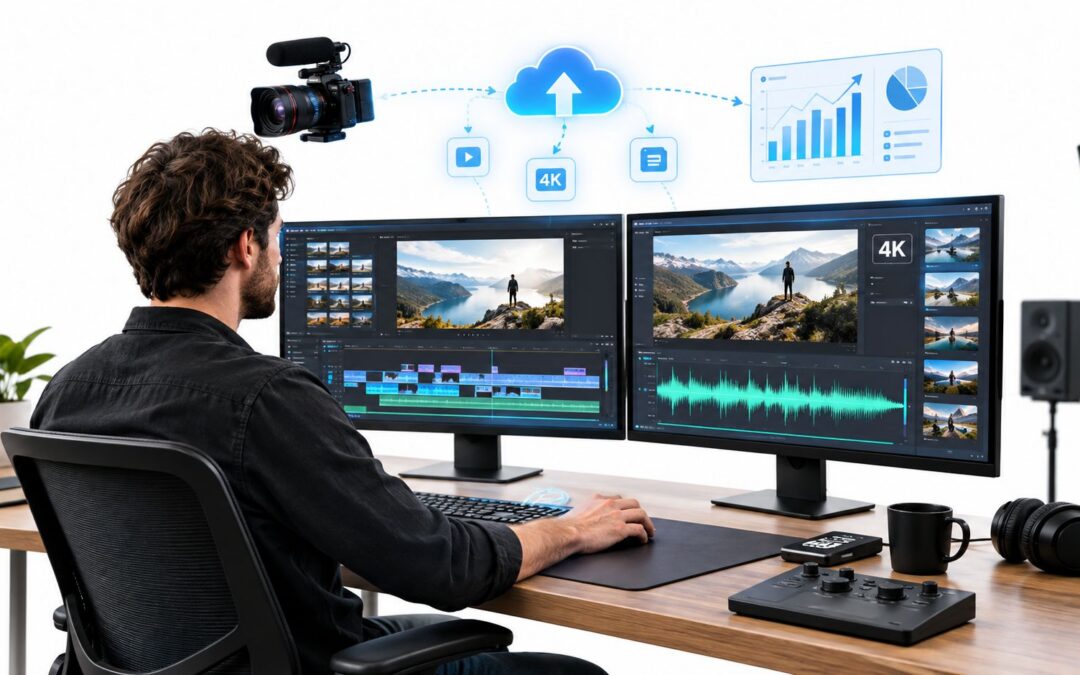
Veo 3 is Google’s generative video model that creates short audiovisual scenes from prompts and reference images. The latest Veo 3.1 release adds native vertical output and upscaling to 1080p and 4K. It can produce movement, dialogue, and atmosphere in a single generation, but it still needs a production system around it to maintain brand control and handle business data properly.
Defining the Capabilities and Limits of Veo 3
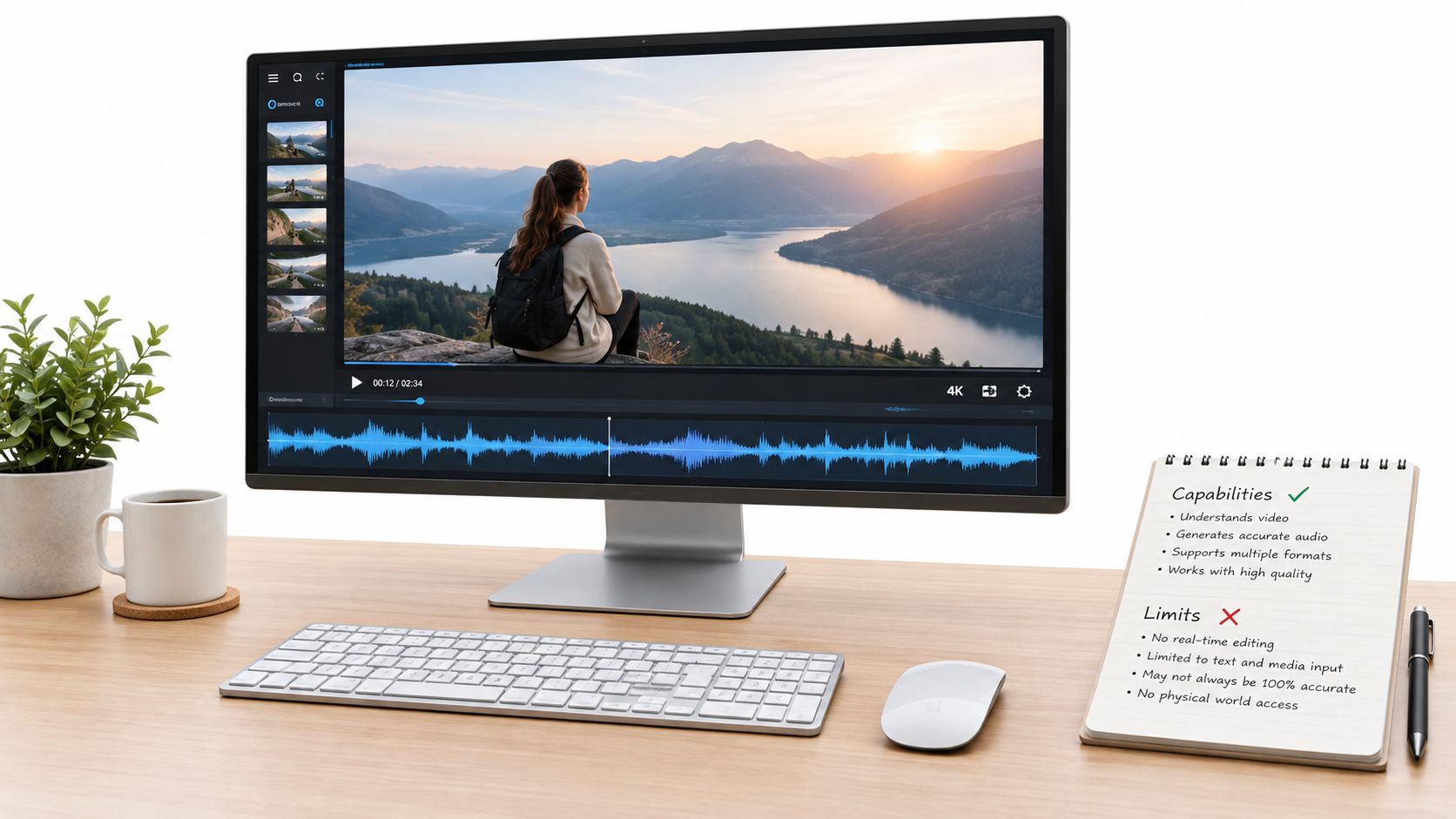
The easiest way to think about Veo 3 is as a fast visual sketch artist, not a complete marketing department. Earlier versions produced silent clips, whereas Veo 3 brought in synchronized speech and environmental sound. Now Veo 3.1 adds native 9:16 vertical output, stronger consistency when using reference images, and upscaling to 1080p or 4K, as outlined in Google’s announcement on Veo 3.1.
For a travel company, that might look like an atmospheric airport scene with footsteps, boarding announcements, and casual conversation. A SaaS marketer could generate a conceptual cloud-computing sequence for a campaign. An education provider might build a short historical setting to open a lesson. These serve as useful raw materials, especially when filming new b-roll for every idea would take weeks.
Veo 3.1 supplies the scene, but your workflow has to supply the rules.
Here’s where the model really shines:
- Short establishing scenes that set mood and context for campaigns.
- Concept footage for testing creative directions before committing production budget.
- Reference-image workflows that keep characters, objects, and backgrounds consistent across multiple scenes.
- Vertical and high-resolution output suited to social channels, presentations, and large-screen displays.
But the limitations deserve equal attention. Generated text can be misspelled or unstable, so a financial brand should never trust it for rates, legal wording, or policy terms. A property company might generate a stunning city exterior, but it shouldn’t present synthetic imagery as an exact listing representation. CRM fields, purchase history, and account status also don’t flow directly into a prompt without an external data and template layer handling that connection.
| Business requirement | What Veo 3.1 provides | What the workflow still needs |
|---|---|---|
| Atmospheric campaign footage | Generated scenes, sound, and dialogue | Brand review and editing |
| Product pricing or policy text | Unreliable generated typography | Locked templates and verified data |
| One-to-one onboarding | Visual concepts and backgrounds | CRM connection and rules |
| Consistent brand identity | Reference-image control | Approved assets, fonts, and voice |
| Enterprise distribution | API and platform access | Governance, approvals, and publishing |
A marketing team could generate a sunrise driving scene for an automotive campaign, then layer the real vehicle image, pricing, dealership details, and call to action inside a branded template. This approach avoids filming fresh b-roll for every regional variation while keeping business-critical information accurate.
Teams that need scripts, voiceovers, generated footage, and repeatable distribution in one place can also explore Wideo’s AI video generator. It uses LLM-written scripts, ElevenLabs voiceovers, prompt-based footage and images, and triggers through forms, APIs, or automation events. It doesn’t claim direct Veo integration, but it covers a confirmed end-to-end workflow.
The practical flow is straightforward: connect a data source, choose a template, trigger generation when a campaign or customer event fires, then distribute the approved asset through email, social, sales, or training channels. Veo 3 creates the ingredients; the surrounding system turns them into dependable business communication.
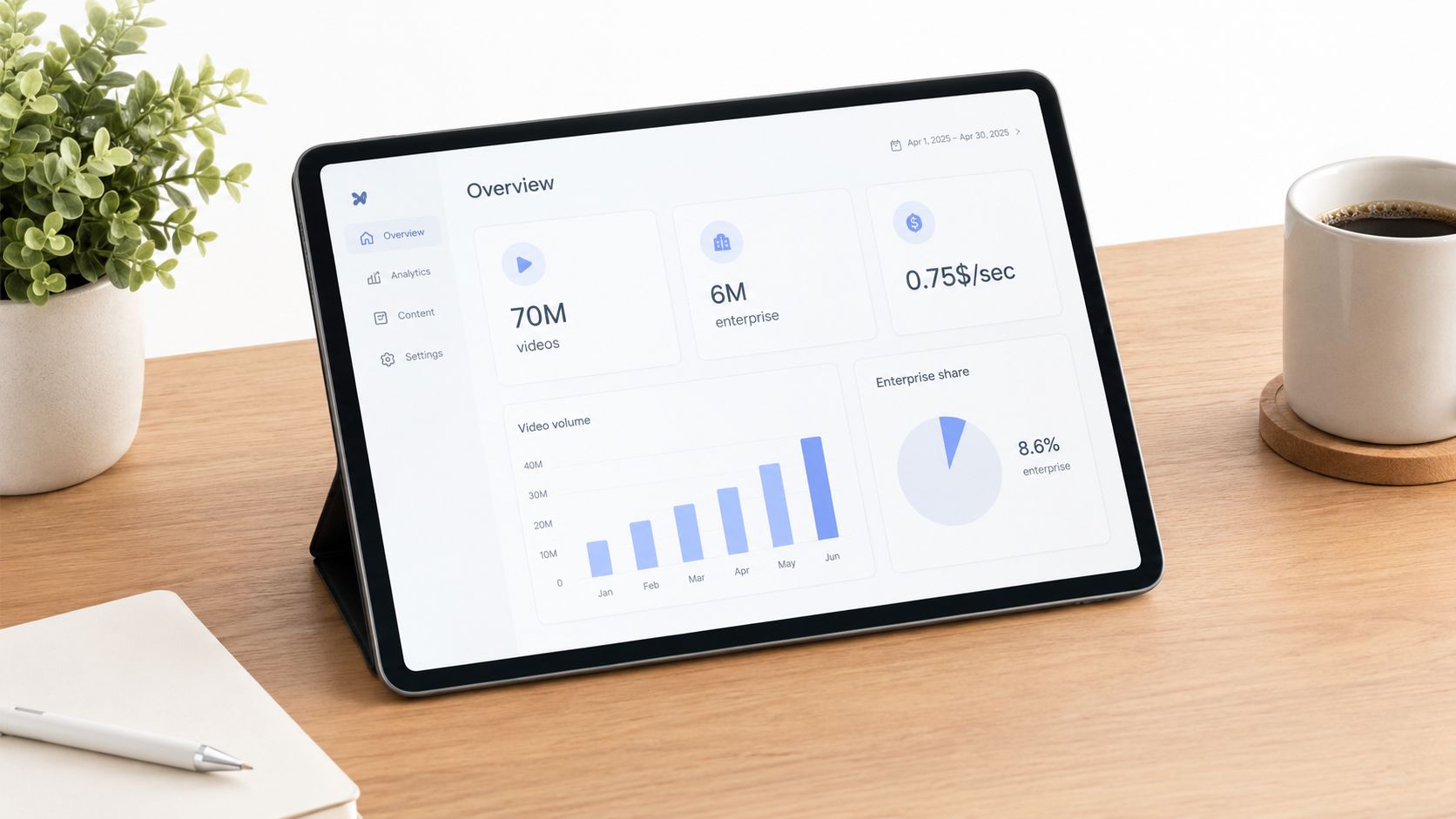
Numbers tell a clearer story about Veo 3 than hype alone ever could. By mid-2025, consumers had generated roughly 70 million videos across accessible platforms, while enterprise usage through Vertex AI accounted for six million videos since June 2025, according to figures shared for this analysis.
So enterprise activity made up roughly 8.6% of the total. That’s a striking gap between what people are casually trying out and what businesses are actually deploying.
High consumer volume shows curiosity. Lower enterprise volume shows that governance, cost, and workflow integration still determine whether a tool gets adopted.
The pricing helps explain that caution. Combined video and audio output runs about $0.75 per second, meaning a ten-second clip lands around $7.50 before anyone factors in editing, storage, reviews, or distribution. For a marketing team churning out hundreds of variations, those additional steps don’t stay additional for long — they become the budget.
Where Veo 3 Actually Creates Business Value
The strongest commercial use case isn’t crafting some sprawling, one-off cinematic production from nothing. It’s generating a single approved concept and adapting it into dozens of short, algorithm-friendly variations — for acquisition campaigns, sales follow-ups, onboarding sequences, or retention messaging.
Think about a travel brand shooting atmospheric footage of a quiet coastal hotel, then layering verified prices, dates, and booking instructions into a locked template. Or a SaaS company generating a conceptual data-center scene for a product launch, with sales teams plugging in account-specific messaging further down the line.
Internal communication works the same way. An operations team produces a short visual intro for a policy update, then pushes that approved message through employee portals, training modules, and stakeholder presentations without re-shooting anything.
- Customer acquisition: Test several opening scenes before committing to a full shoot.
- Sales enablement: Drop generated atmosphere behind approved product details and account information.
- Onboarding: Pair welcoming visuals with verified, user-specific instructions.
- Retention: Refresh lifecycle messages without filming every single campaign.
- Reporting: Convert static business updates into short visual summaries people actually watch.
Why Volume Demands a Production System
Veo 3.1 delivers richer scenes, native vertical output, and upscaling to 1080p or 4K — but better resolution doesn’t give you operational control. Teams still need approved scripts, brand assets, legal sign-offs, data connections, and distribution rules.
Picture an ecommerce team running seasonal promotions across ten markets. Generating a unique background for each campaign is the easy part. Prices, product names, disclaimers, and calls to action have to stay accurate. Those details belong in templates tied to reliable data, not floating inside freely generated imagery.
A repeatable workflow treats each clip as one component in a larger system. Teams can learn more about video automation workflows to see how data sources, templates, triggers, and publishing channels fit together.
The practical formula is straightforward: generate selectively, verify centrally, distribute repeatedly. That’s what makes the per-second cost defensible — one approved concept ends up supporting multiple business outcomes.
Veo 3 works best when it feeds a governed production operation, not when it runs on its own.

Having access to Veo 3.1 isn’t the same as having a multilingual video solution. Google has rolled out the model through the Gemini app, Flow, Google Vids, the Gemini API, Vertex AI, and YouTube-related tools, with native vertical output and upscaling to 1080p and 4K detailed in Google’s Veo 3.1 announcement.
But here’s the catch that doesn’t always make the headline: early access phases often supported English as the only audio language, and some image-based workflows produced video without voice at all. For an airline, an insurer, a fintech firm, or a nonprofit, that gap is a real blocker. A perfectly rendered English clip still needs professional translation, regional review, and compliance sign-off before it can go live anywhere else.
Just because a tool is available in your country doesn’t mean it speaks your language — or your audience’s.
Smart global teams should think of Veo 3.1 as a scene-building engine, not a full localization pipeline. Let the model generate the atmosphere and visual foundation, then layer in approved scripts, dedicated voice tools, subtitles, templates, and human editors to adapt the message for each market.
Picture an insurer running a claims-explanation campaign across France, Brazil, and Japan. The creative team builds one strong visual concept, then drops verified policy language and region-specific narration into separate branded versions. Creative direction stays consistent, while regulated content stays accurate — nobody’s relying on AI-generated speech to explain deductibles or coverage limits.
Here’s what that workflow looks like in practice:
- Translation review — especially for financial, legal, or safety-critical wording where a mistake has real consequences.
- Regional voiceovers — with pronunciation checked by native speakers, not auto-generated approximations.
- Locked templates — keeping logos, disclaimers, and calls to action identical across every market version.
- Approval stages — routing each localized cut through compliance and brand teams before it ships.
- Subtitle workflows — essential when audio language options remain limited or unreliable.
For teams pushing campaigns across languages and regions, it’s worth exploring how to add subtitles to recorded messages before publishing to customer, employee, or partner channels.
The takeaway is straightforward: let AI speed up the visual draft, but keep humans and controlled production rules in charge of everything that touches accuracy and trust. A travel brand can reuse a gorgeous destination sequence across ten markets, but local teams should still verify landmarks, pronunciation, accessibility language, and booking terms.
The simplest version of the workflow? Pull approved copy from your content system, slot it into a regional template, trigger the right voice and subtitle version, and distribute only after local sign-off. Veo 3.1 is excellent at accelerating the starting point — but multilingual business communication still runs on people and process.
Global reach starts with local accountability.
Veo 3 starts pulling its weight for business when the scenes it generates enter a controlled production system instead of being shipped out as finished campaigns.
Treat Veo 3 as a Base Layer
Picture a marketing team using Veo 3.1 to produce atmospheric driving sequences, then slotting verified vehicle specs, pricing, dealership locations, and calls to action into a branded template. The model handles the road, lighting, motion, and audio. The production system safeguards the information customers actually rely on.
That distinction matters more than it might seem at first glance. Generated typography, legal disclaimers, and CRM data fields still demand careful handling. A car brand shouldn’t ask Veo to render a precise finance offer mid-scene when a template can insert that figure with absolute accuracy.
Generated footage creates the setting. Templates create business reliability.

The screenshot illustrates exactly this principle in action: generated automotive imagery sitting alongside structured configuration and campaign data. The takeaway is straightforward. Visual atmosphere lands best when factual content stays firmly controlled outside the model.
Build the Workflow Around Data
Any repeatable process needs four pieces working together:
- Data source: CRM, product catalog, policy system, or campaign database supplies the approved fields.
- Template: Brand rules lock down logos, fonts, captions, disclaimers, and calls to action.
- Trigger: A form submission, API request, customer event, or campaign launch kicks off production.
- Distribution: Approved assets flow to email, social channels, sales teams, onboarding portals, or training libraries.
Take an ecommerce team as an example. They could generate seasonal product scenes, then inject live pricing and inventory directly from the catalog. A finance company might produce an explanatory background sequence while keeping interest rates and compliance language in verified fields.
Context.dev offers a web data API that can support data pipelines feeding into production systems. Even so, teams still need governance, validation, and approval rules layered around every data source.
For companies looking to connect production steps programmatically, it’s worth exploring Wideo’s API workflows. Wideo’s confirmed setup combines LLM-written scripts, ElevenLabs voiceovers, prompt-generated footage and images, and triggers fired by forms, APIs, or automation events. It doesn’t claim direct Veo integration — its role sits at the operational layer, turning generated material into repeatable business communication.
Apply It Without Rebuilding Everything
A SaaS team might generate a single abstract cloud-computing sequence for a product launch, drop it into several approved templates, and distribute versions across acquisition, sales enablement, onboarding, and internal training. An insurer could follow the same pattern for policy education. A travel company can build destination atmosphere without filming every route or hotel lobby.
The practical sequence is simple enough: connect the CRM or content database, map fields to a template, trigger production when a campaign or customer event fires, review the output, and push it through the right channel. Human review stays essential — for brand accuracy, accessibility, regional language, and regulated claims.
Veo 3 supplies raw creative material. A governed production workflow turns it into dependable business video.
Veo 3 really shines when teams stop trying to make it a one-stop production studio and instead treat it as a scene-building layer that slides into the workflows they already have. Those short audiovisual clips can plug into acquisition, sales enablement, onboarding, retention, training, reporting, and day-to-day operational communication — and templates plus verified data keep things from drifting off-message.
Connect Veo 3 to Customer-Facing Work
Picture a SaaS company entering a new region. Rather than flying a crew out to shoot b-roll in every market, the marketing team can spin up atmospheric cloud infrastructure scenes for campaign concepts, then drop approved product claims, pricing, captions, and calls to action into a branded template.
An ecommerce team might build seasonal product environments. An insurance provider could use generated scenes to introduce policy education. The model handles visual context; the customer-specific details — think pricing tiers, policy language, personalized offers — should always come from a controlled source like a CRM, catalog, or policy platform.
Use Veo 3 for the setting, and use your production system for the facts.
Sales teams can take one approved concept and reuse it across account-based outreach by swapping the script, offer, or next step through data-driven templates. Onboarding teams pair welcoming scenes with user-specific instructions. Retention teams refresh lifecycle messages without commissioning a new shoot every quarter.
Support Employees and Stakeholders
Internal communications teams can turn operational updates into short recorded messages — the kind employees actually watch, unlike that wall of text in the company-wide email. HR departments can build repeatable training modules, then layer in approved narration, procedures, subtitles, and knowledge checks outside the generated scene.
A finance team might publish a monthly visual briefing using generated background footage alongside verified figures pulled straight from its reporting system. A travel company could walk airport staff through seasonal schedule changes with consistent visual examples. An education provider creates lesson introductions that lead into teacher-reviewed material.
The real business case is repetition, not novelty:
- Acquisition: Test campaign concepts before committing budget to a full shoot.
- Sales: Produce account-specific outreach from templates that are already approved.
- Onboarding: Deliver clear, context-aware guidance the moment someone signs up.
- Training: Refresh employee modules without organizing a new filming session each time.
- Reporting: Turn recurring updates into concise visual briefings people actually absorb.
Build a Practical Production Layer
Generated footage still needs a review pass for identity, typography, accessibility, localization, and regulated claims. Veo 3.1 can output vertical formats and upscale footage to 1080p or 4K, but higher resolution alone won’t wire a scene into your customer data or guarantee brand consistency — Google’s Veo 3.1 announcement makes that clear.
Teams that need scripts drafted from LLMs, ElevenLabs voiceovers, prompt-generated footage, and distribution triggered by forms, APIs, or events will need a separate workflow layer. Wideo’s AI video generator covers that territory. It doesn’t claim Veo integration; its role is to turn generated ingredients into repeatable business communication.
A company can connect a CRM or content database, map approved fields to a template, trigger production after a campaign or customer event, and distribute the reviewed asset through email, social, sales, onboarding, or training channels.
Veo 3 creates the raw scene; a governed workflow turns that scene into dependable business communication.
Veo 3.1 makes scene generation noticeably better, but sustainable business video still hinges on what happens after the prompt.
Google’s latest release brings native 9:16 output, stronger image-to-video consistency, and upscaling up to 1080p and 4K, available through Flow, the Gemini API, Vertex AI, and Google Vids — according to Google’s Veo 3.1 announcement. Those upgrades mean atmospheric footage becomes a lot more usable for campaigns, training, sales presentations, and internal updates.
Veo 3.1 can build the scene, but your operation has to protect the message.
Picture a marketing team generating a cinematic hotel arrival for a travel campaign, then slotting verified room rates, dates, accessibility details, and booking links into a locked brand template. That same base footage can fuel customer acquisition, sales enablement, and lifecycle communication without shooting new b-roll for every single variation.
The distinction matters because generated footage still shouldn’t carry the weight of exact typography, regulated wording, pricing, or CRM-driven personalization. Those layers need to come from your own systems, bolted on after generation.
Building a Production Flow You Can Repeat
A reliable workflow starts with something solid underneath — a CRM, product catalog, policy system, or marketing database. Approved fields feed into a branded template, and then a campaign launch, form submission, API request, or customer event kicks off production and distribution.
Think about an insurer: they generate a calm household scene, drop in verified policy instructions, layer reviewed narration on top, and push the finished asset through email or a customer portal. An HR team runs the same pattern for employee training, onboarding, and operational announcements. Same engine, different audiences.
Teams should also document approval rules around brand identity, accessibility, localization, and synthetic media disclosure before production scales. If you’re looking for practical ideas on keeping production routines running smoothly, this piece on planning recap videos offers useful workflow thinking you can adapt.
And when you’re ready to map out triggers and distribution channels more fully, video automation for companies is a solid next read.
Slotting Veo 3.1 Into Your Existing System
The healthiest way to think about Veo 3.1 is as an asset-generation layer — not a replacement for creative direction or governance. Wideo’s proven workflow combines LLM-written scripts, ElevenLabs voiceovers, prompt-generated footage and images, plus production triggered by a form, API, or event. Wideo doesn’t claim direct Veo integration, but its AI video generator handles the operational layer that Veo alone doesn’t cover.
A company connects its data source, picks a template, configures the trigger, reviews the result, and distributes to email, social, sales, onboarding, or training channels. It becomes a loop rather than a one-off experiment.
The strongest Veo 3 strategy isn’t producing impressive clips once — it’s building a system that produces useful communication again and again.
Related posts:
 Your Guide to AI Video Generator Technology
 A Guide to AI Video Creation for Beginners
 AI Avatars: The New Face of Business Communication
 AI Avatars: The Secret Weapon for Business Growth and Efficiency
 AI Technology: The New Creative and Strategic Core of Business
 12 Powerful AI Tools for Video Creators in 2025


