
In today’s fast-paced, often remote work environment, seamless teamwork is no longer a luxury, it’s a necessity. The right suite of cloud based collaboration tools can transform disjointed efforts into a symphony of productivity, breaking down silos and accelerating innovation. But with a saturated market, how do you choose the platform that truly fits your workflow?
This guide cuts through the noise. We offer an in-depth analysis of the 12 leading platforms that modern teams in marketing, IT, HR, and sales rely on. We’ll move beyond generic feature lists to explore their unique strengths, potential drawbacks, and ideal use cases. This will help you make an informed decision that empowers your team to do its best work, together. For an in-depth exploration of the landscape of effective digital teamwork, consult this ultimate guide to collaboration tools for remote teams.
Each entry in our list includes screenshots and direct links, providing a practical, hands-on look at the user experience. You will gain a clear understanding of which platforms excel at project management, which are best for real-time communication, and which offer the most robust file-sharing capabilities. Let’s find the perfect fit for your team’s specific needs.
1. Microsoft 365
Microsoft 365 is a deeply integrated suite of cloud based collaboration tools designed for businesses that already operate within the Windows ecosystem. Its core strength lies in the seamless connectivity between familiar applications like Word, Excel, and PowerPoint, and powerful communication platforms like Teams and Outlook. This integration creates a unified environment where teams can co-author documents, manage projects, and communicate without constantly switching between disparate applications.
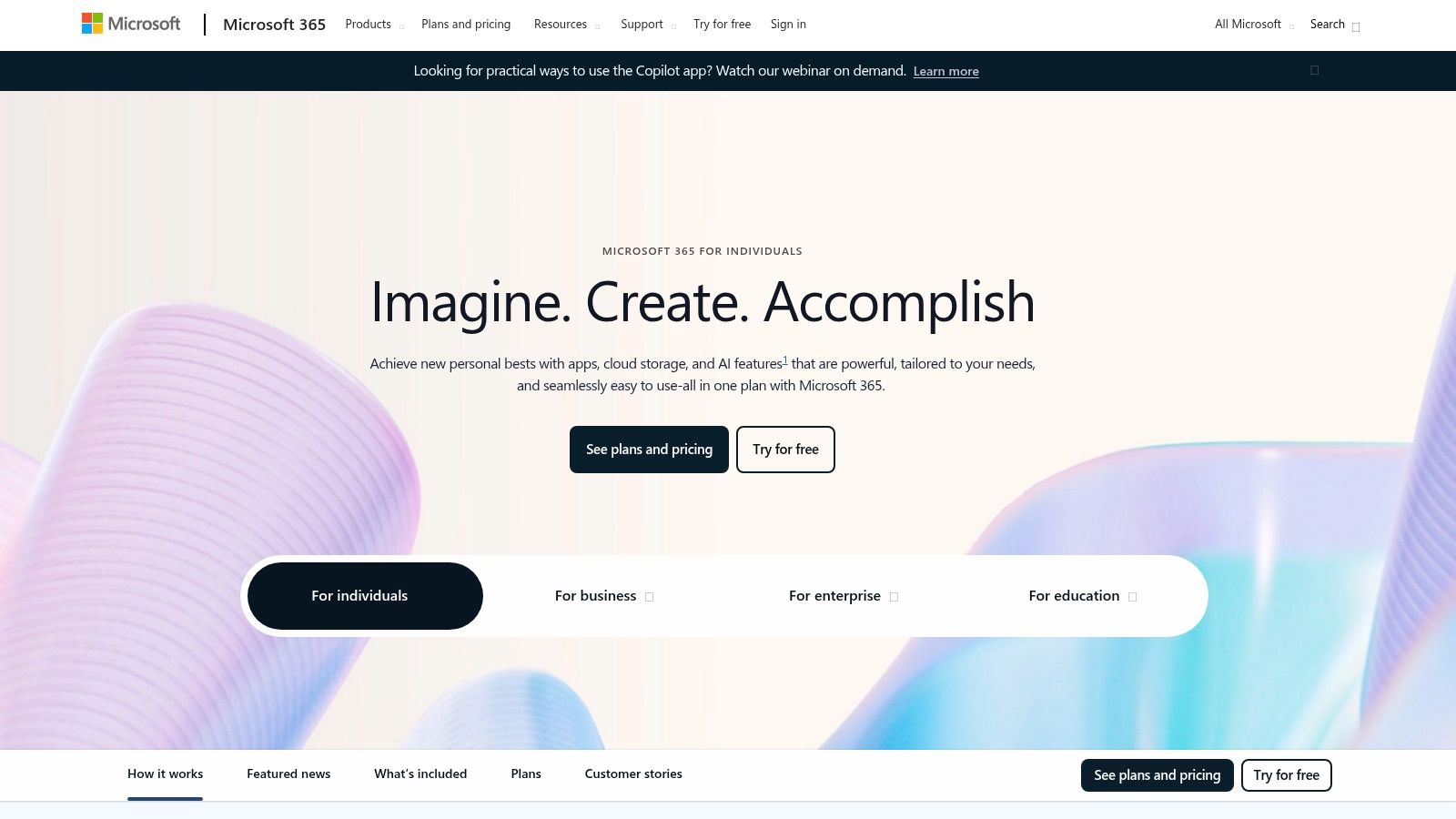
The platform is especially beneficial for large organizations needing robust security and compliance controls. While the admin center can be complex for smaller businesses, the familiarity of the Office UI significantly reduces training time for new users. The future of productivity within Microsoft 365 is also being revolutionized by AI tools; the new Microsoft 365 Copilot is a prime example of how artificial intelligence is being embedded to automate tasks and enhance creative workflows.
Key Information:
| Feature | Details |
|---|---|
| Best For | Organizations seeking an all-in-one productivity and collaboration suite with enterprise-grade security. |
| Pricing | Business Basic starts at $6.00 user/month. Business Standard and Premium plans are also available. |
| Key Features | Teams chat/meetings, SharePoint, OneDrive storage, Exchange email, full Office application suite. |
| Website | microsoft.com/microsoft-365 |
2. Google Workspace
Google Workspace is a suite of cloud-native collaboration tools built around simplicity and real-time co-editing. Its primary advantage is its web-first approach, allowing teams to instantly access and work on documents, spreadsheets, and presentations from any browser without needing desktop software. This makes it an incredibly agile solution for startups, SMBs, and distributed teams who prioritize speed and accessibility over the feature density of traditional desktop applications.
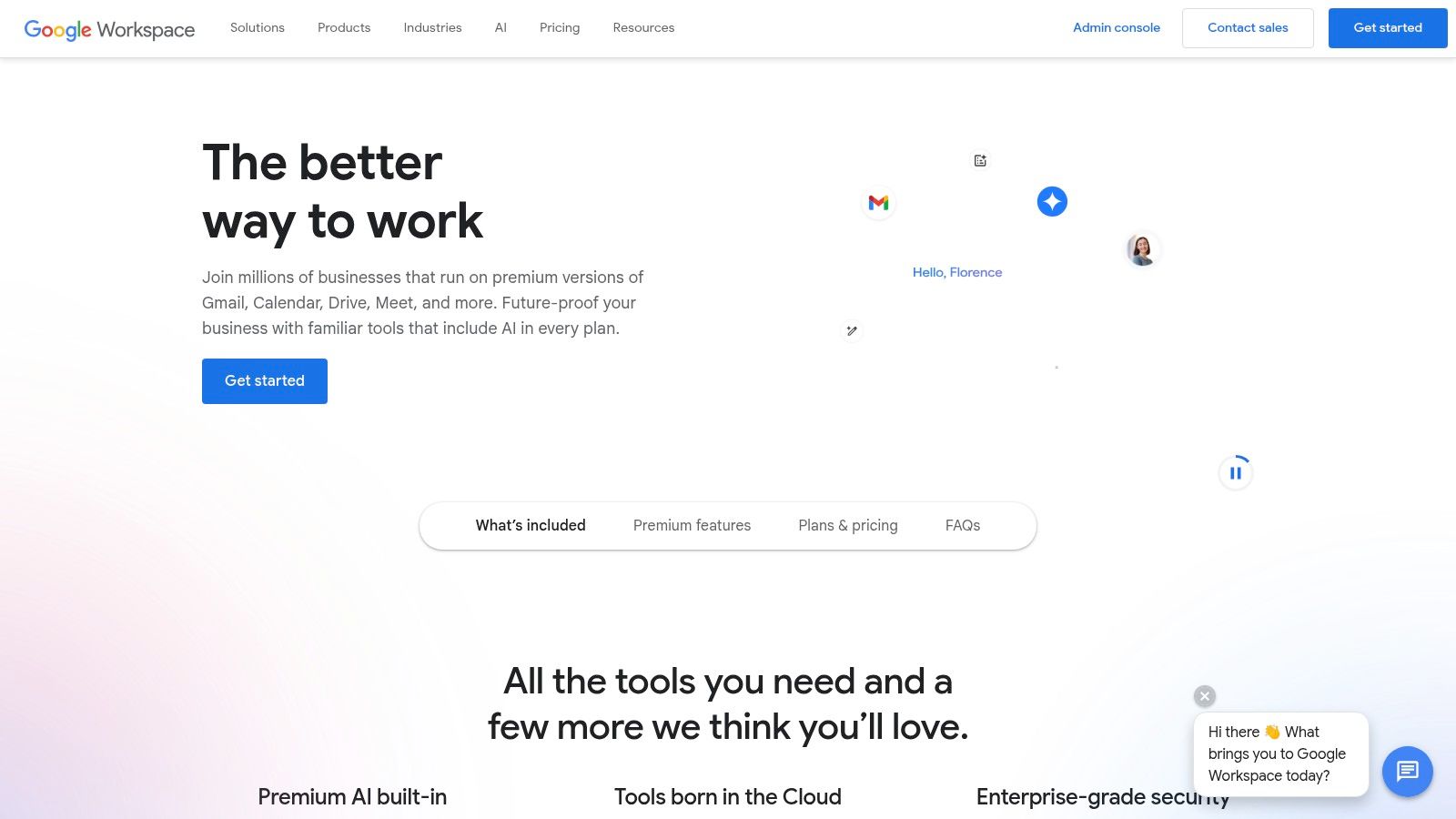
The platform excels at real-time, simultaneous editing within Docs, Sheets, and Slides, where multiple users can see changes instantly. The integration of Gmail, Calendar, Meet, and Drive creates a cohesive ecosystem that simplifies scheduling, communication, and file management. While some power users may miss advanced features found in desktop-first alternatives, Google Workspace’s straightforward admin controls and simple licensing make it one of the easiest cloud based collaboration tools to deploy and manage for growing organizations. The vast marketplace of third-party integrations further extends its functionality.
Key Information:
| Feature | Details |
|---|---|
| Best For | Startups and SMBs that need a fast, web-first collaboration platform with excellent real-time co-editing. |
| Pricing | Business Starter begins at $6.00 user/month, with Standard, Plus, and Enterprise plans available. |
| Key Features | Custom business Gmail, Docs/Sheets/Slides, Drive cloud storage, Meet video conferencing, shared Calendars. |
| Website | workspace.google.com |
3. Slack
Slack has redefined team communication by making it organized, searchable, and channel-based. As one of the most popular cloud based collaboration tools, its primary strength is replacing chaotic email threads with focused conversations in dedicated channels for projects, teams, or topics. This structure, combined with powerful features like huddles for quick voice chats and clips for video messages, streamlines asynchronous and real-time collaboration.
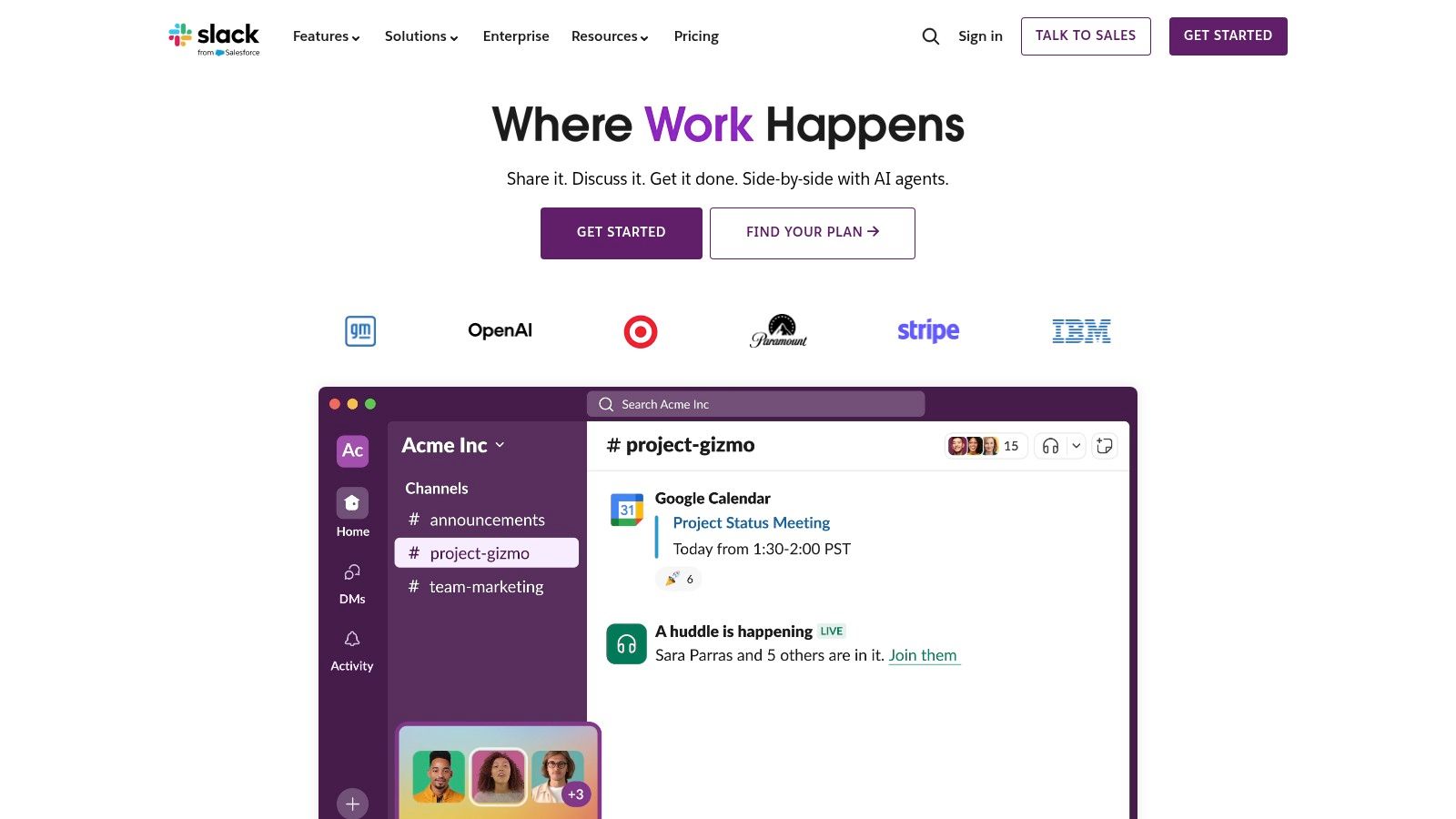
The platform’s user experience is best-in-class, making it intuitive for new teams to adopt. Slack truly shines with its mature app ecosystem, allowing for deep integrations with thousands of other tools, and its Workflow Builder automates routine tasks without needing to write code. While it can become noisy without proper channel management, its new AI features for summarizing threads and its tighter integration with Salesforce make it an even more powerful hub for business productivity. For teams looking to enhance their remote work, it’s useful to learn how to use video to communicate with teams within these modern platforms.
Key Information:
| Feature | Details |
|---|---|
| Best For | Tech-savvy teams and organizations that prioritize real-time communication and deep integrations with other software. |
| Pricing | Free plan available. Pro plan starts at $8.75 user/month. Business+ and Enterprise Grid plans are also available. |
| Key Features | Channels, Huddles, Clips, searchable history, Workflow Builder, extensive app integrations, Slack AI. |
| Website | slack.com |
4. Zoom (Zoom Workplace)
Originally synonymous with video conferencing, Zoom has evolved into Zoom Workplace, a comprehensive suite of cloud based collaboration tools. Its core strength remains its incredibly reliable and user-friendly video meeting platform, which has become the industry standard for external communication, webinars, and virtual events. The platform now integrates team chat, a digital whiteboard, and scheduling capabilities to create a more cohesive collaborative environment, moving beyond just meetings.
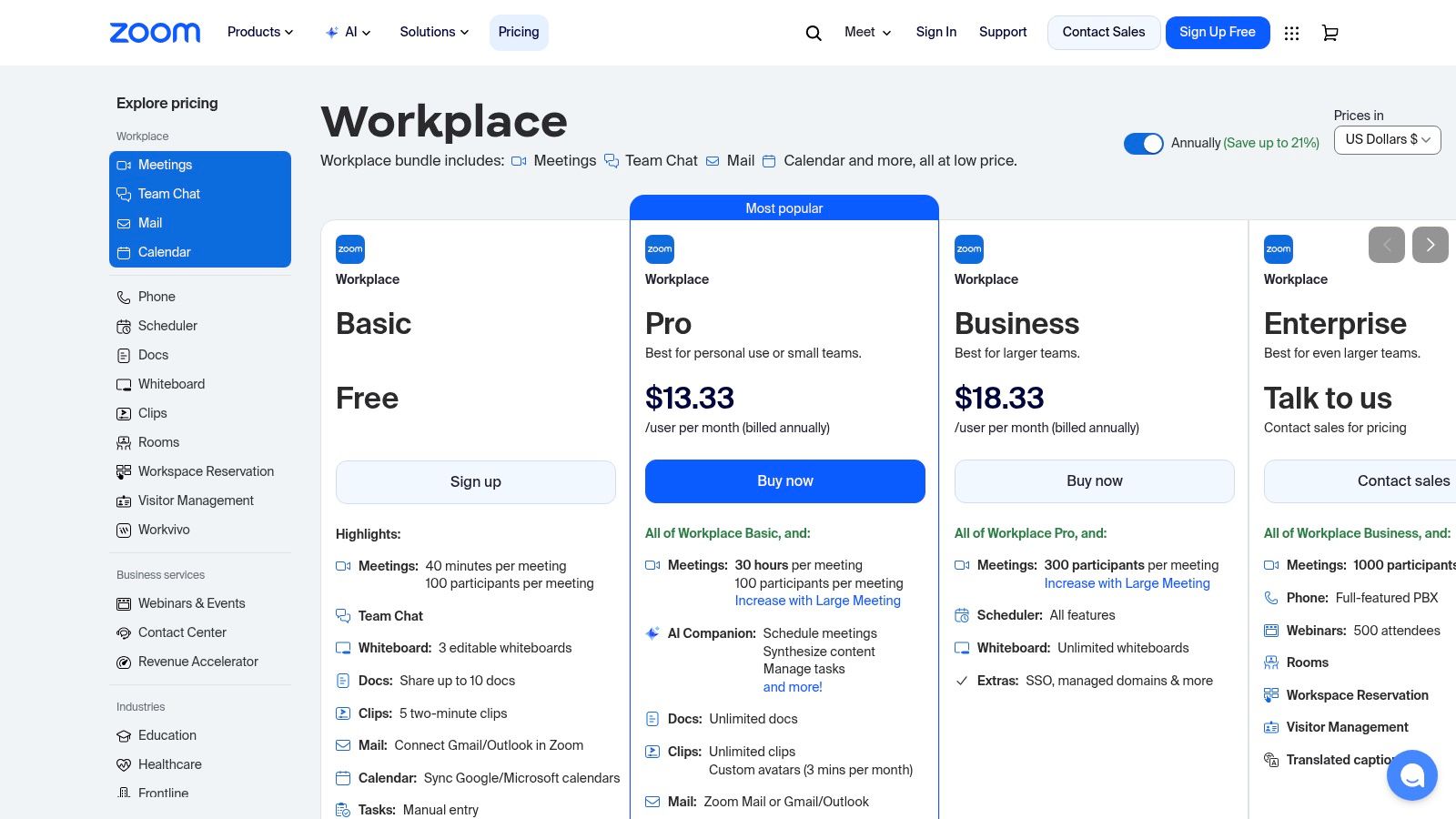
Zoom Workplace is particularly effective for organizations that prioritize high-quality video interactions and need a scalable solution for hosting large-scale virtual presentations. For those looking to maximize engagement, pairing Zoom’s webinar features with a strong presentation is key; you can explore a great webinar design template to get started. A significant recent addition is the AI Companion, available on paid plans, which assists with meeting summaries and action items, further boosting productivity. While the pricing can become complex with various add-ons, its core meeting functionality remains best-in-class for ease of use.
Key Information:
| Feature | Details |
|---|---|
| Best For | Teams needing a best-in-class video meeting and webinar solution with expanding collaboration features. |
| Pricing | Basic plan is free. Paid plans start at $13.32/month/license (Pro plan, annual billing). |
| Key Features | High-quality video meetings, webinars, Team Chat, Whiteboard, AI Companion, cloud phone system. |
| Website | zoom.us/pricing |
5. Atlassian Confluence
Atlassian Confluence serves as a centralized knowledge base and collaborative workspace, transforming how teams document projects and share information. Its core function is to act as a single source of truth, replacing scattered documents with organized, living pages in a wiki-style format. The platform shines with its tight integration into the Atlassian ecosystem, allowing seamless connections with project management tools like Jira and Trello, which makes it one of the most effective cloud based collaboration tools for development and IT teams.
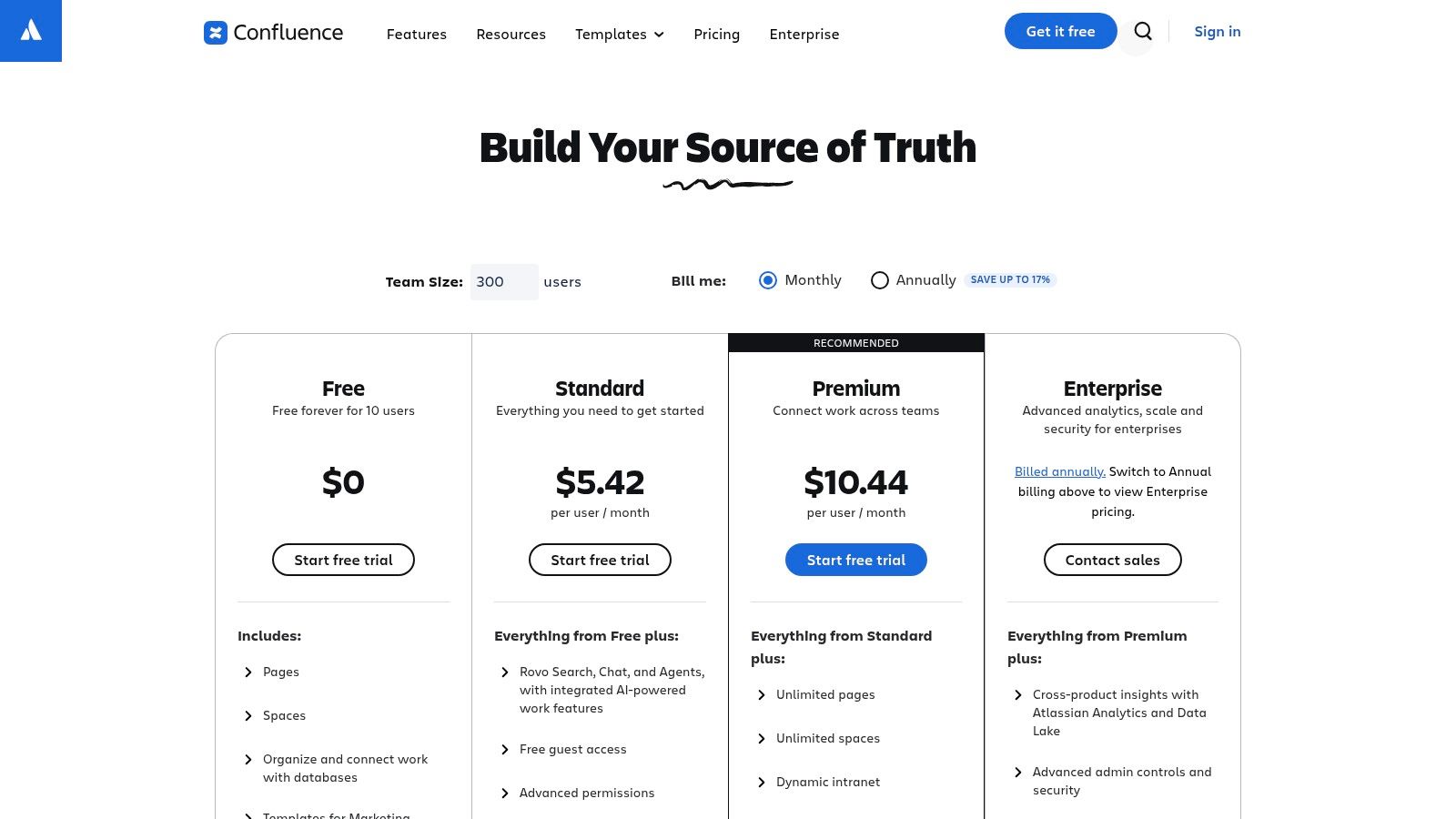
Confluence excels at creating structured documentation, from project plans and meeting notes to technical guides and HR policies. Its structured nature requires some governance to prevent clutter, but the benefits of a well-organized knowledge hub are immense. For instance, HR teams can use it to create onboarding portals, embedding training videos and policy documents in one place, which enhances their internal communication strategies. The platform’s powerful search and versioning ensure that information is always accessible and up-to-date.
Key Information:
| Feature | Details |
|---|---|
| Best For | Development, IT, and project teams needing a powerful knowledge management and documentation hub integrated with project tracking tools. |
| Pricing | A Free plan is available for up to 10 users. Standard plan starts at $6.05 user/month. Premium and Enterprise plans are also available. |
| Key Features | Unlimited pages/spaces, page versioning, templates, built‑in whiteboards and databases, deep Jira/Trello integration, robust permissions. |
| Website | atlassian.com/software/confluence |
6. Dropbox
Dropbox has evolved far beyond its origins as a simple cloud storage service into a comprehensive hub for file-based teamwork. Its core strength remains its best-in-class, reliable file synchronization across virtually any device, which forms the foundation of its collaboration features. Unlike more integrated suites, Dropbox’s approach is file-centric, building powerful tools around the content itself, such as integrated e-signatures with Dropbox Sign and robust PDF editing capabilities. This makes it an ideal choice for teams whose workflows revolve around creating, sharing, and securing documents, media, and other large files.
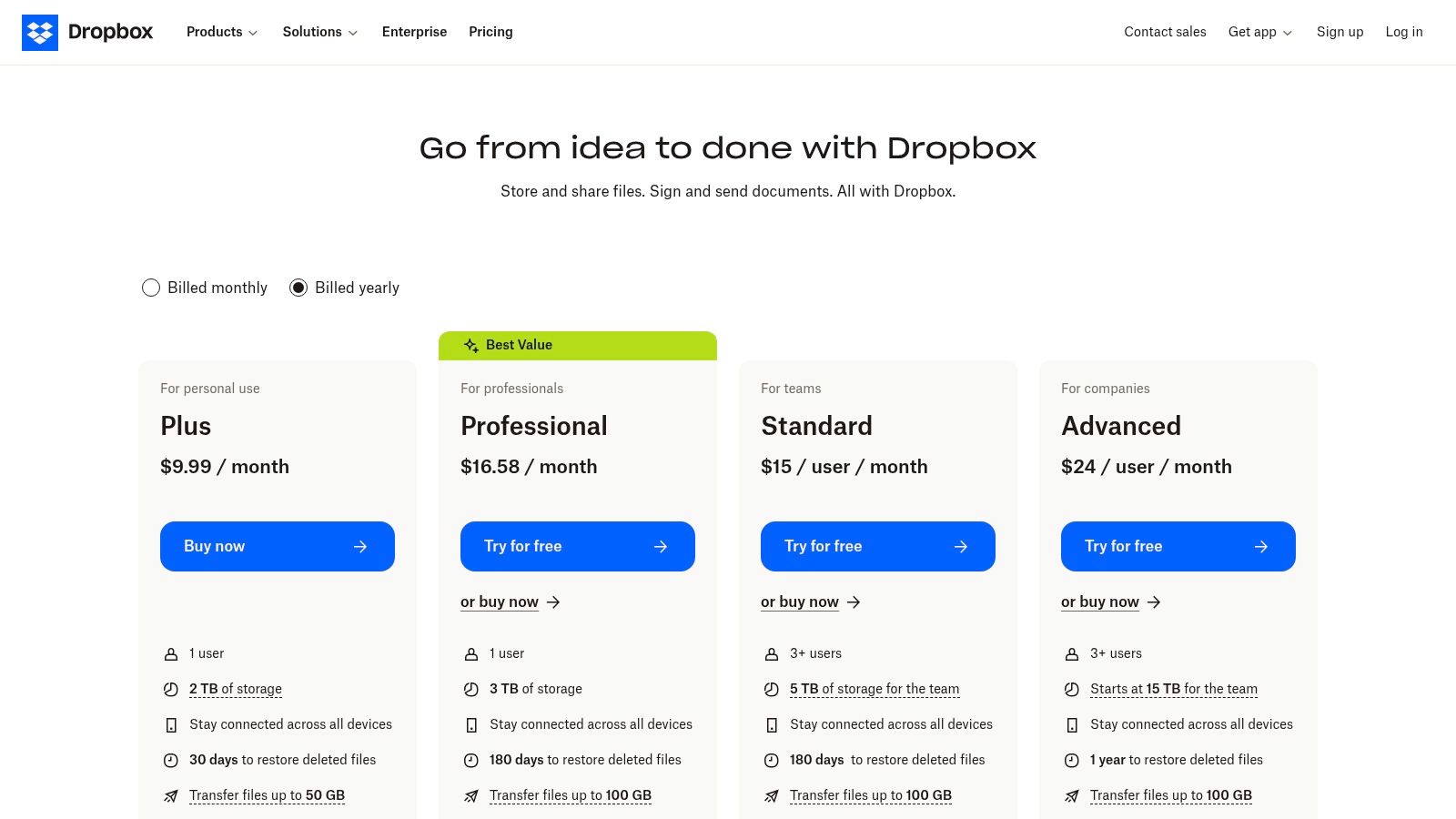
The platform excels in environments where creative assets and large documents are frequently exchanged. Features like Dropbox Transfer allow for sending large files with custom branding and password protection, bypassing email attachment limits. While its collaboration is less about real-time document co-authoring and more about version control and feedback on files, this focused approach provides a clean, uncluttered user experience. For organizations that need a powerful, secure, and user-friendly solution for managing their entire content lifecycle, Dropbox remains one of the top cloud based collaboration tools available.
Key Information:
| Feature | Details |
|---|---|
| Best For | Creative agencies, legal firms, and teams needing robust file storage, syncing, and sharing. |
| Pricing | Business plans start at $15 per user/month (billed annually) for the Standard tier. |
| Key Features | Dropbox Sign, Dropbox Transfer, PDF editing, team folders, file recovery, and desktop sync. |
| Website | dropbox.com/plans |
7. Box
Box positions itself as a “Content Cloud,” a platform that goes beyond simple file storage to provide secure, enterprise-grade content management and collaboration. Its primary strength lies in its robust security, governance, and compliance features, making it one of the top cloud based collaboration tools for regulated industries like finance, healthcare, and legal. Teams can securely co-edit using Box Notes, manage approvals with Box Relay, and formalize agreements using Box Sign, all within a tightly controlled environment.
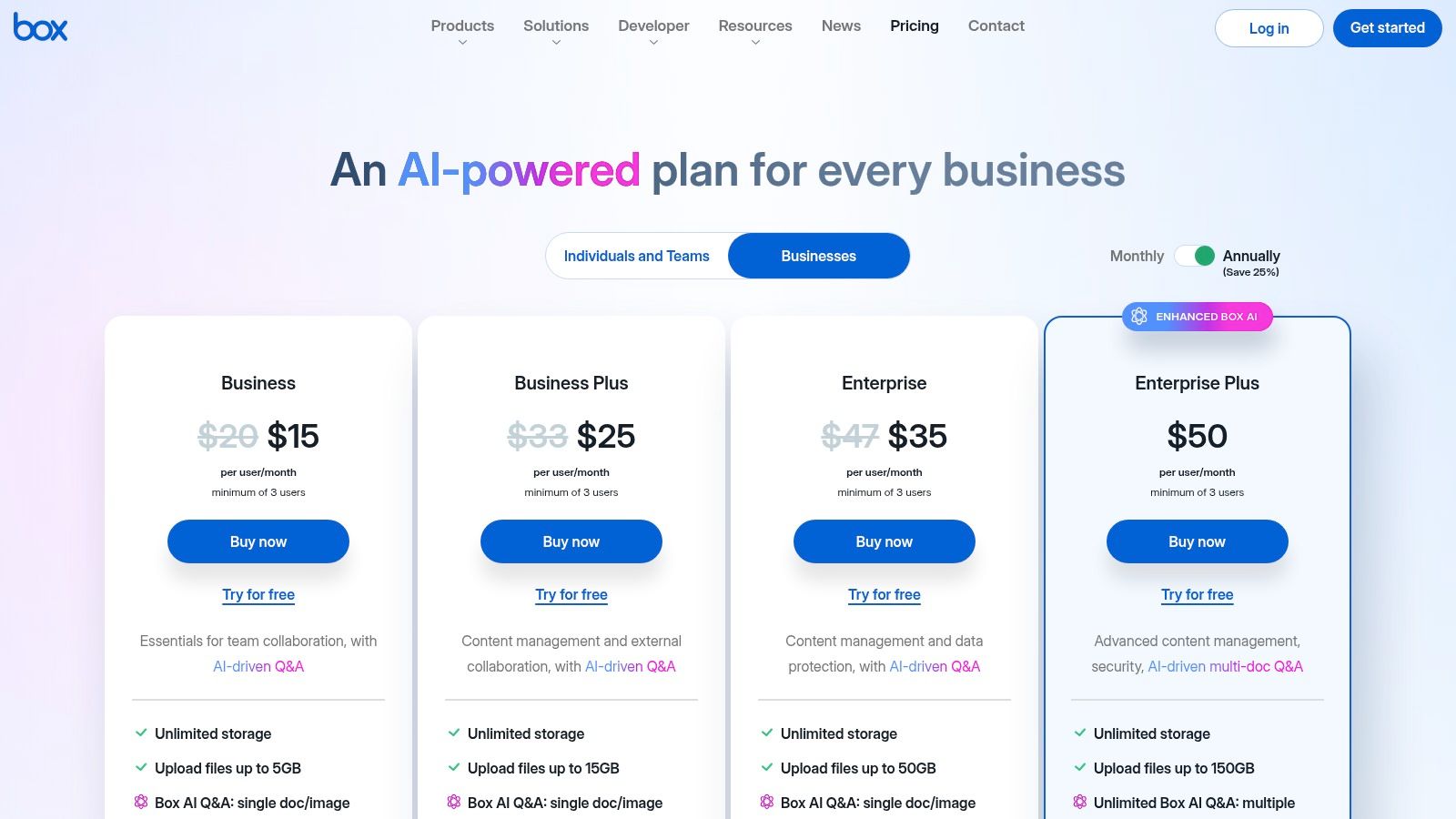
The platform excels at managing the entire lifecycle of content, from creation to retention and final disposition. While its user interface can feel more corporate and less consumer-friendly than some competitors, this is a direct result of its focus on powerful admin controls, data loss prevention, and threat detection. For organizations where data security and compliance are non-negotiable, Box provides a comprehensive and mature solution that integrates with thousands of other business applications.
Key Information:
| Feature | Details |
|---|---|
| Best For | Regulated industries and enterprises needing strong security, governance, and compliance controls. |
| Pricing | Business plans start at $15.00 user/month (minimum 3 users). Enterprise plans offer custom pricing. |
| Key Features | Box Sign e-signatures, Box Relay workflow automation, advanced security controls, data loss prevention, large integration ecosystem. |
| Website | box.com/pricing |
8. Asana
Asana is a premier work management platform that excels at bringing clarity to complex projects and cross-functional initiatives. It stands out from other cloud based collaboration tools by focusing on who is doing what, by when. This task-oriented approach, combined with visual project timelines, Gantt charts, and customizable dashboards, ensures every team member stays aligned on priorities and deadlines, reducing the need for constant status update meetings.
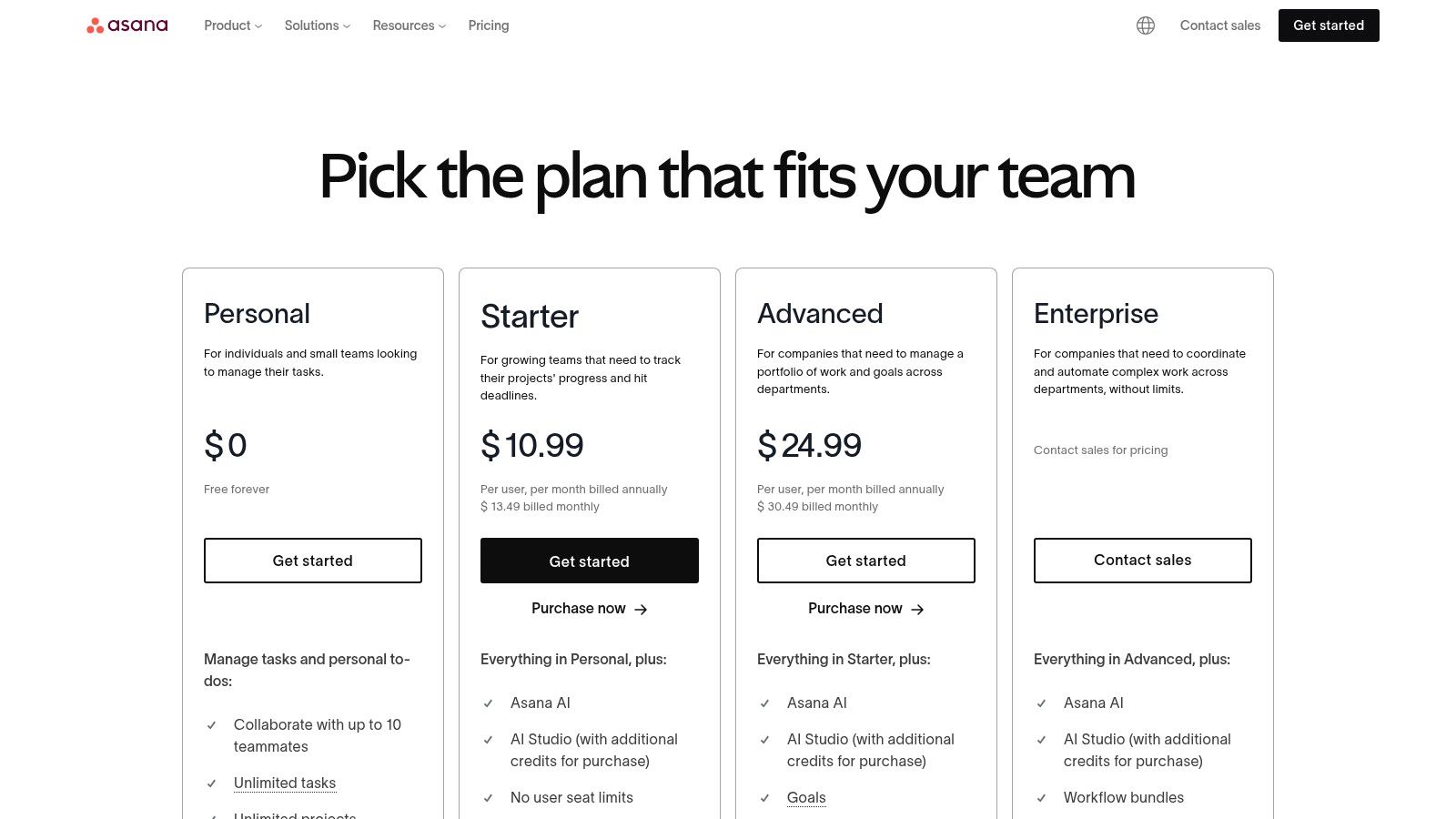
The platform’s strength lies in its intuitive user interface and scalability, making it suitable for small teams and large enterprises alike. Asana’s powerful automation features, called Rules, help eliminate manual, repetitive work by connecting with over 100 integrated tools. Its native AI capabilities further streamline workflows by summarizing tasks and generating project insights. While advanced features like workload management and portfolio views are reserved for higher-tier plans, Asana provides a robust foundation for organizing work and hitting goals.
Key Information:
| Feature | Details |
|---|---|
| Best For | Teams of any size needing a clear, centralized system for project and task management. |
| Pricing | Basic plan is free. Paid plans start at $10.99 user/month (billed annually). |
| Key Features | Tasks, timelines/Gantt, portfolios, workload management, Rules automations, AI features, reporting. |
| Website | asana.com/pricing |
9. monday.com
monday.com brands itself as a “Work OS,” a flexible platform designed to manage nearly any type of workflow, from project management and CRM to software development. Its core strength is its high degree of customization, built around visual boards that can be adapted with columns, views, and automations to fit specific team processes. This makes it one of the most versatile cloud based collaboration tools available, capable of serving diverse departments under a single account.
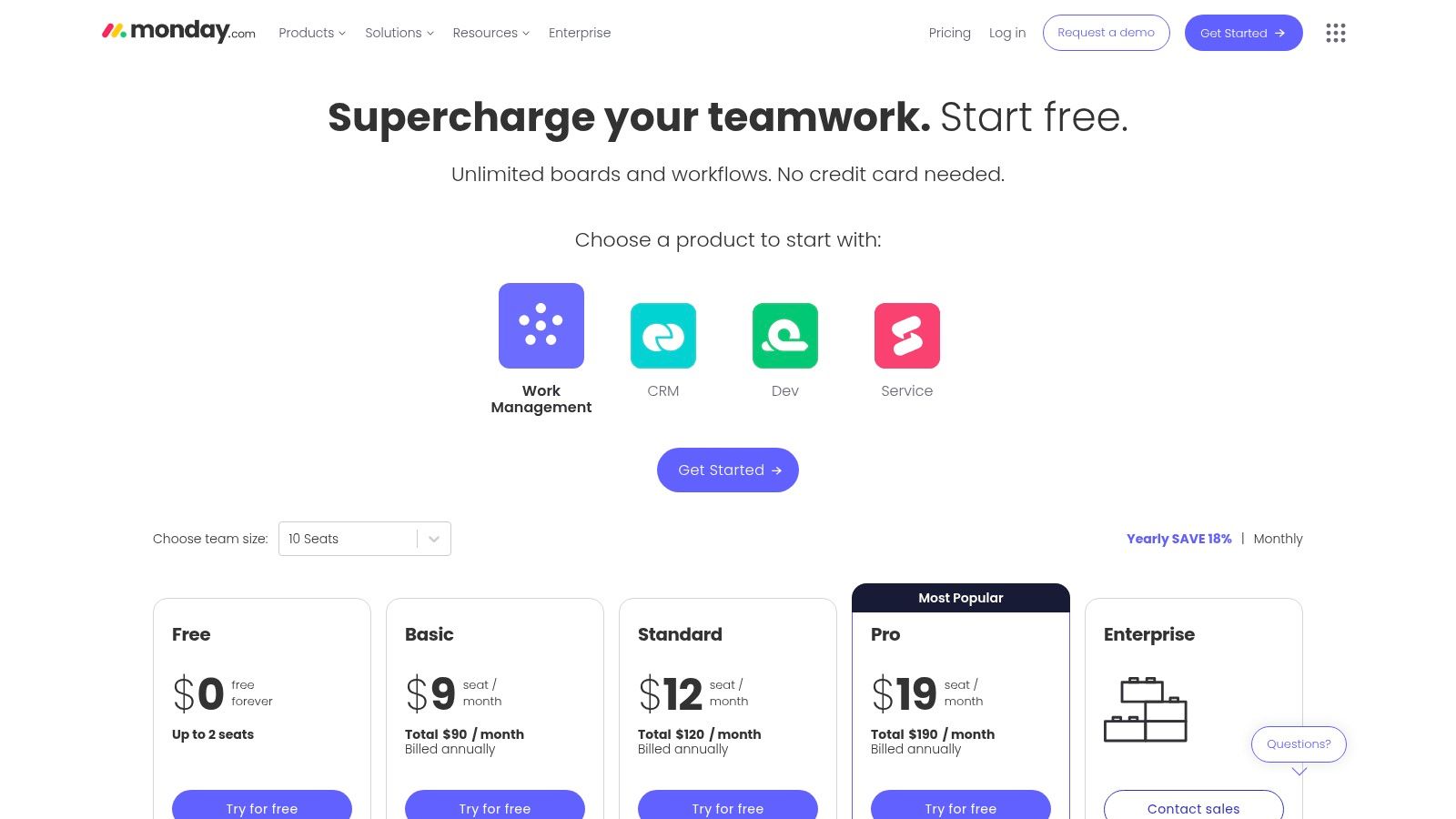
The platform truly shines in its ability to provide clear, high-level overviews for stakeholders through dashboards and various views like Gantt, Kanban, and Calendar. While its pricing model, based on seat bundles, can be inefficient for very small teams, its broad product line offers significant value for growing organizations. For complex setups, having a dedicated admin to govern workflows is beneficial to maintain organization and maximize the platform’s powerful automation and integration capabilities.
Key Information:
| Feature | Details |
|---|---|
| Best For | Teams needing a highly visual and customizable platform to manage diverse projects and workflows. |
| Pricing | Free plan available. Standard plan starts at $12 seat/month. Seat bundles are required. |
| Key Features | Customizable boards, dashboards, robust automations, multiple project views (Gantt, Kanban), templates. |
| Website | monday.com |
10. Airtable
Airtable brilliantly merges the simplicity of a spreadsheet with the structural power of a relational database, making it one of the most flexible cloud based collaboration tools available. It enables teams, especially in operations, marketing, and product development, to build custom applications and workflows without writing a single line of code. Users can organize anything from content calendars to complex project pipelines, linking related data across different tables to create a single source of truth.
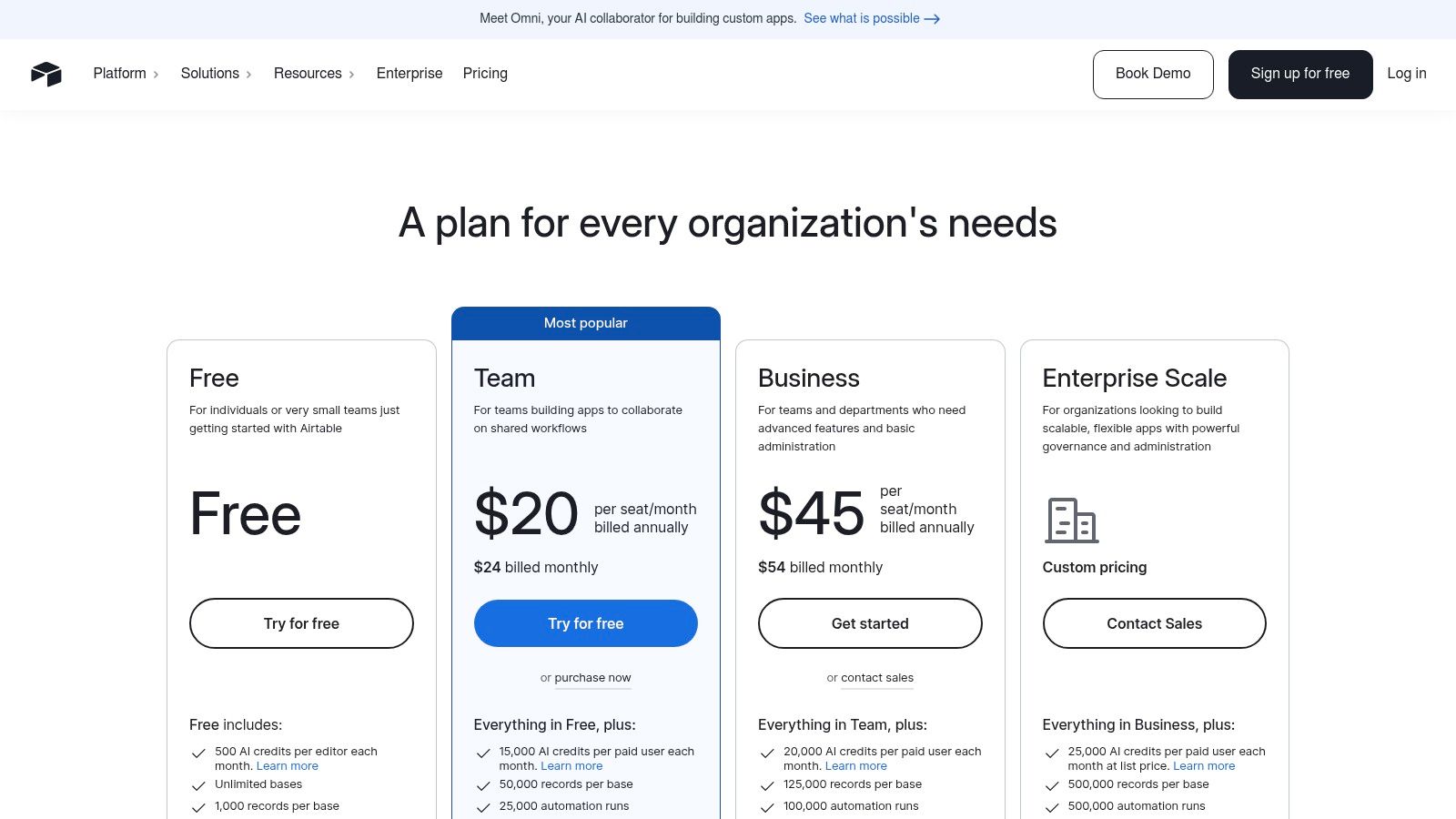
Its strength lies in its adaptability; you can visualize data using various views like Gantt, calendar, or kanban, and build custom user-facing “Interfaces” to share insights with stakeholders. While its free tier is generous, scaling requires careful planning around record limits and collaborator seats. The advanced automation, AI features, and robust governance controls on higher-tier plans make it a powerful engine for bespoke business processes.
Key Information:
| Feature | Details |
|---|---|
| Best For | Teams needing a highly customizable platform to build custom workflows and manage complex data sets. |
| Pricing | A free plan is available. Paid plans start with Team at $20 per seat/month (billed annually). |
| Key Features | Relational databases (Bases), custom Interfaces, automations, Gantt/timeline views, AI features. |
| Website | airtable.com/pricing |
11. Miro
Miro is a visual collaboration platform that acts as an infinite online whiteboard, designed to bring teams together for brainstorming, workshops, and strategic planning. Its core strength is enabling dynamic, visual communication, making it an indispensable tool for distributed and hybrid teams needing to map out complex ideas, design user flows, or facilitate interactive meetings. The platform moves beyond simple whiteboarding by offering a vast library of templates and powerful diagramming tools.
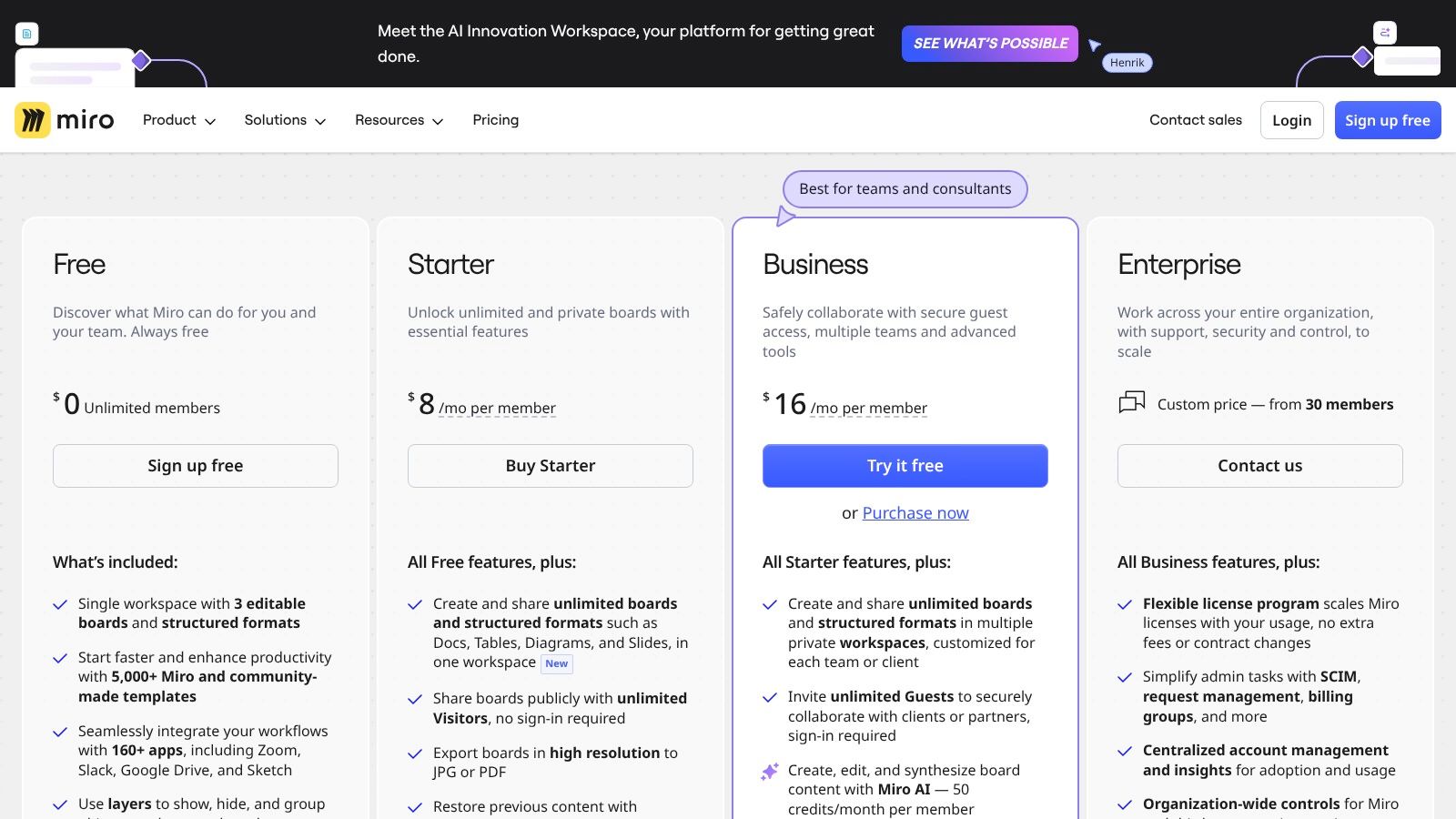
This tool is especially powerful for agile teams, product managers, and UX designers who rely on visual frameworks like Kanban boards or customer journey maps. Miro’s robust integrations with other cloud based collaboration tools such as Jira, Asana, and Slack ensure that brainstorming sessions translate directly into actionable tasks within existing workflows. While the experience is optimized for larger screens, its facilitation features like timers and voting make it a top choice for structured, engaging remote workshops.
Key Information:
| Feature | Details |
|---|---|
| Best For | Creative teams, product developers, and facilitators needing a flexible visual workspace for brainstorming and planning. |
| Pricing | A free plan is available for individuals. Paid team plans start at $8 per member/month (billed annually). |
| Key Features | Infinite whiteboard canvas, pre-built templates, diagramming, real-time collaboration, integrations, meeting/workshop tools. |
| Website | miro.com/pricing |
12. AWS Marketplace (Collaboration & Productivity)
AWS Marketplace offers a unique approach to acquiring cloud based collaboration tools, acting as a curated B2B software catalog rather than a single tool itself. Its primary value is for organizations already invested in the Amazon Web Services ecosystem. It allows companies to discover, procure, and manage third-party software like Zoom Workplace or Slack directly through their existing AWS account, which dramatically simplifies vendor onboarding, compliance vetting, and billing.
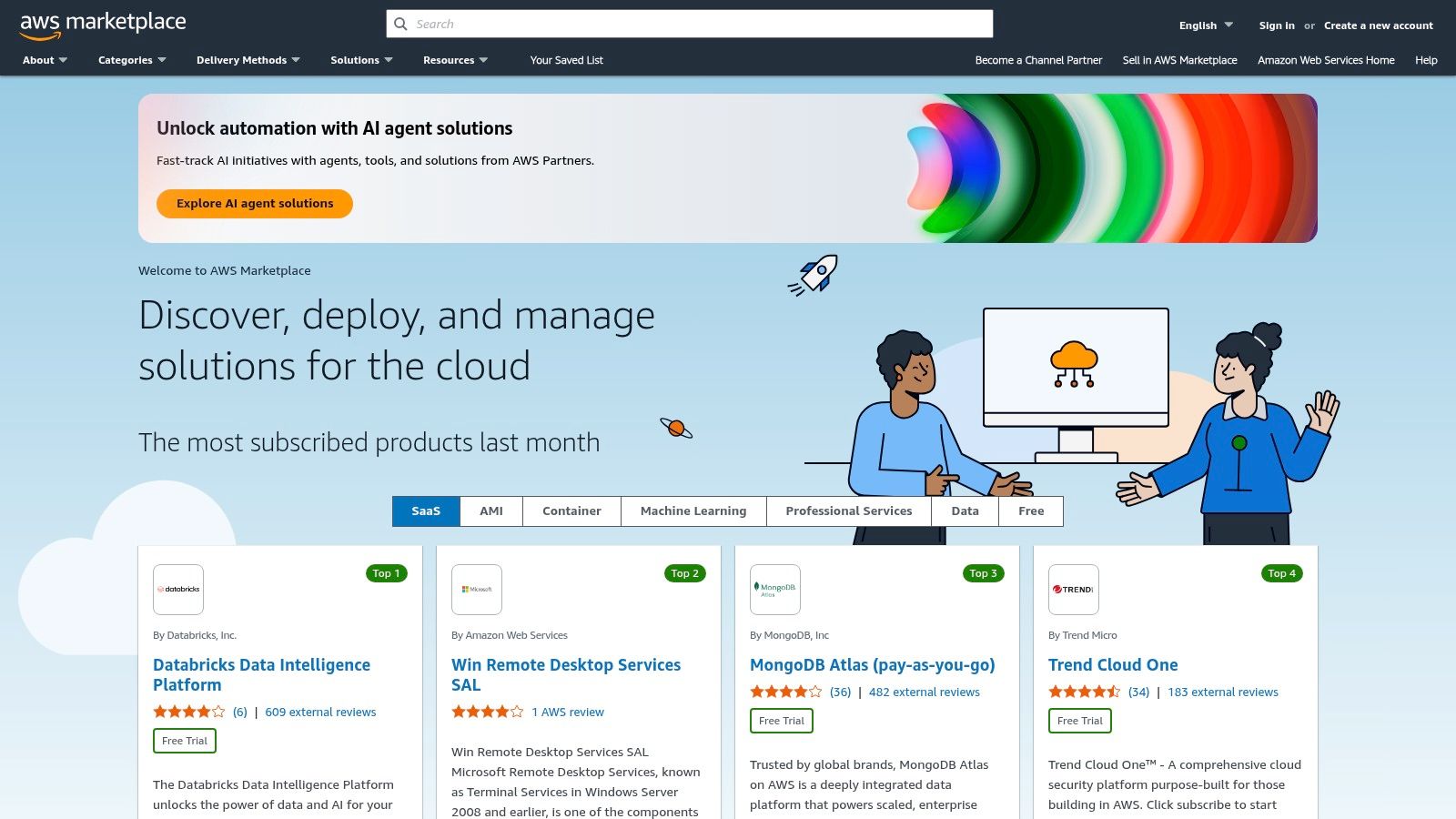
This model streamlines procurement by consolidating software invoices into one AWS bill and enables businesses to apply their committed AWS spending towards these essential productivity tools. For IT and finance departments, this centralizes governance and simplifies budget management. While not every collaboration tool is available, the marketplace is ideal for enterprises looking to leverage their AWS relationship to simplify how they purchase and manage their entire software stack, including key collaboration platforms.
Key Information:
| Feature | Details |
|---|---|
| Best For | Companies heavily invested in the AWS ecosystem seeking to streamline software procurement and billing. |
| Pricing | Varies by vendor. AWS charges are based on the individual software’s pricing, paid through your AWS bill. |
| Key Features | Centralized procurement, consolidated invoicing, flexible pricing models, and private offers. |
| Website | aws.amazon.com/marketplace |
Top 12 Cloud Collaboration Tools Comparison
| Product | Core features | Video workflow fit | Key benefits / Value | Target audience | Pricing & notes |
|---|---|---|---|---|---|
| Microsoft 365 | Teams, OneDrive, SharePoint, Exchange, Office apps | Host meetings, store/edit video assets, embed in SharePoint | Enterprise security & integrations; familiar UI reduces training | Large enterprises, IT-managed orgs | Per-user plans (Business/Enterprise tiers); complex admin |
| Google Workspace | Gmail, Drive, Docs/Sheets/Slides, Meet | Real-time co-editing of scripts, Drive storage, Meet for reviews | Fast setup; strong real-time collaboration and integrations | Startups, SMBs, distributed teams | Simple per-user tiers; storage scales by plan |
| Slack | Channels, huddles, clips, Workflow Builder, apps | Quick sharing of drafts, feedback via threads, short clip reviews | Best-in-class messaging UX; rich integrations and workflows | Product, engineering, fast-moving teams | Per-seat pricing; free tier available; costs grow with scale |
| Zoom (Workplace) | Meetings, webinars, whiteboard, chat, AI Companion | External webinars, training sessions, recorded demos & transcriptions | Reliable meeting/webinar delivery; broad ecosystem (rooms/phone) | Webinars, training, sales demos, hybrid meetings | Host-based plans + add-ons (phone, rooms, AI features) |
| Atlassian Confluence | Pages/spaces, templates, versioning, whiteboards | Embed videos into docs, centralized how-to guides and knowledge base | Organize institutional video assets and documentation | Engineering, ops, documentation teams | Per-user cloud pricing; free tier for small teams |
| Dropbox | File sync, team folders, previews, e-signature, Transfer | Store/share large MP4s, preview videos, collect approvals | Fast cross‑platform sync; simple sharing and transfer tools | Creative teams, freelancers, SMBs needing file-centric workflows | Clear tiered plans; per-user or team pricing |
| Box | Content cloud, DLP, governance, malware protection | Secure storage for regulated video assets; controlled sharing | Strong compliance, governance, and enterprise controls | Regulated industries (healthcare, finance, legal) | Enterprise-focused pricing; best value at business tiers |
| Asana | Tasks, timelines, portfolios, automations | Plan production schedules, assign review tasks, track milestones | Intuitive project tracking and reporting for campaigns | Marketing, operations, cross-functional teams | Per-seat pricing; advanced features on higher tiers |
| monday.com | Boards, automations, dashboards, templates | Build custom video production pipelines and campaign boards | Highly customizable workflows and visual status tracking | Marketing, sales ops, PMOs needing flexibility | Seat bundles and tiered plans; can over-provision small teams |
| Airtable | Relational bases, interfaces, forms, API, automations | Manage asset metadata, shot lists, and publishable records | Spreadsheet ease + database structure for asset management | Ops, marketing, product teams building custom solutions | Per-collaborator pricing; record limits on plans |
| Miro | Infinite whiteboards, templates, facilitation tools, integrations | Storyboarding, ideation, workshop-driven script development | Visual collaboration for storyboards and creative alignment | Design, product, workshop facilitators, remote teams | Per-member plans; business/enterprise tiers for advanced features |
| AWS Marketplace (Collab & Prod) | Procurement, consolidated billing, private offers, compliance | Procure collaboration/video SaaS under centralized billing | Streamlines procurement, compliance alignment, consolidated invoicing | Enterprises buying through AWS/EIPs | Pricing varies by vendor; useful for AWS customers and commitments |
Integrating Video into Your Collaborative Workflow with Wideo
Choosing the right cloud-based collaboration tools is a foundational step toward building a more connected, efficient, and productive team. As we’ve explored, the landscape is vast, with platforms like Microsoft 365 and Google Workspace offering comprehensive ecosystems, while specialized tools such as Asana, Miro, and Slack excel at specific functions like project management, visual collaboration, and real-time communication. The key is not just to pick one tool, but to build a strategic tech stack that aligns with your organization’s unique workflows, team size, and goals.
The journey doesn’t end with tool selection; it evolves with implementation and integration. The most successful teams are those who not only adopt these platforms but also enrich them with dynamic, engaging content. This is precisely where a dedicated video creation platform becomes an indispensable part of your collaborative toolkit.
Making Your Final Decision: A Strategic Approach
To navigate this complex decision-making process, distill your needs down to the essentials. Don’t be swayed by an endless list of features you may never use. Instead, focus on the core functionalities that will solve your most pressing collaborative challenges.
Consider these critical factors:
- Primary Use Case: Are you trying to solve project management hurdles, improve asynchronous communication, or centralize document storage? Your primary goal should guide your choice. A marketing agency might prioritize Asana for campaign tracking, while an IT team may lean on Atlassian’s Confluence for knowledge management.
- Team Size and Scalability: A startup’s needs differ vastly from a multinational corporation’s. Select a tool that not only fits your current team but can also scale seamlessly as you grow. Pay close attention to per-user pricing tiers and enterprise-level features.
- Integration Capabilities: Your chosen platform must integrate smoothly with your existing software. A tool that connects effortlessly with your CRM, file storage, and communication apps will create a unified digital workspace, not another siloed system.
The Power of Visuals in a Collaborative World
Once your foundational tools are in place, the next step is to elevate your communication. In a remote or hybrid environment, text-based updates and static documents can quickly lead to disengagement. This is where video content, created with a tool like Wideo, acts as a powerful catalyst for clarity and connection.
Imagine embedding a concise, animated project update video directly into a monday.com task, sharing a visually compelling new marketing concept in a Slack channel, or creating a library of micro-learning onboarding tutorials to store in Confluence. Wideo’s intuitive, cloud-based platform empowers any team member, regardless of technical skill, to create professional animated videos and presentations in minutes. By integrating these dynamic video assets, you enhance comprehension, boost engagement, and make both internal and external communications significantly more impactful across any of the cloud based collaboration tools we’ve discussed. This synergy transforms your workflow from a simple system of record into a vibrant and effective communication engine.
Ready to supercharge your team’s communication and make your collaborative efforts more engaging? Discover how Wideo can seamlessly integrate into your workflow, allowing you to create stunning animated videos that bring clarity to every project, presentation, and announcement. Start creating for free and see the difference at Wideo today.