

An AI avatar video is presenter-led visual content in which a synthetic person speaks a written script on screen. It matters when your approved onboarding message is ready but filming a person is what keeps it from shipping.
When Filming the Presenter Stalls the Message
Say you’re the communications lead holding one approved onboarding message about system access, meeting a manager, and finding the first-week checklist. Your script is signed off, yet nothing ships because the HR director needs booking, lighting, and a fresh take for every wording change. Editing isn’t the bottleneck here.
Filming the person is.
That distinction changes the decision. You’re not replacing every human appearance, you’re removing a camera day from a recorded message that must repeat word for word. Teams facing similar production delays often rethink the whole workflow, as shown in one agency’s account of cutting its production costs. Our running example stays narrow, one onboarding message later produced in several languages, followed through consent, creation, fit, limits, and distribution.
What the Avatar Shows and Who Must Consent
Permission comes before any render. Keep a written record naming who approved the likeness, who approved the voice, and which uses that approval covers. Tie that record to the exact script version, then log provenance for each language cut so a later edit can’t stretch consent beyond its scope.
A rendered face without that record shouldn’t publish.
Think of an AI avatar video plainly, as presenter-led visual content where a synthetic person delivers your written script inside a normal template with logo, lower thirds, and chapter titles. It isn’t a live conversation, isn’t a screen recording, and doesn’t prove a named manager ever sat down to record it.
A fictional presenter borrows no one’s face, while a digital replica copies a real colleague and needs that person’s permission first.
Voice carries the same weight as face because a cloned voice can imply words someone never approved. Under the EU AI Act summarized by DLA Piper’s overview of deepfake law in the EU and China, providers must mark synthetic outputs in machine-readable form and deployers must disclose qualifying deepfakes clearly and accessibly at first exposure from 2 August 2026. U.S. rules are fragmented, and New York requires conspicuous disclosure when an advertisement features a synthetic performer. Put your label where the new hire first sees the piece, in wording they’ll notice, not buried in a file name.

How Script Voice and Render Come Together
Write the Script
Freeze one master script in the source language first. Mark terms that must stay exact, like tool names and access rules, and cut sentences a human would rush past on camera. Short lines give the voice room to land each instruction clearly.
Choose the Voice
Pick a voice to read that script, then check pronunciation of product names and people’s names. Keeping one voice across language versions helps recognition, unless a market needs another. Background on how synthetic speech is built sits in this explainer on text to speech technology.
Render the Avatar
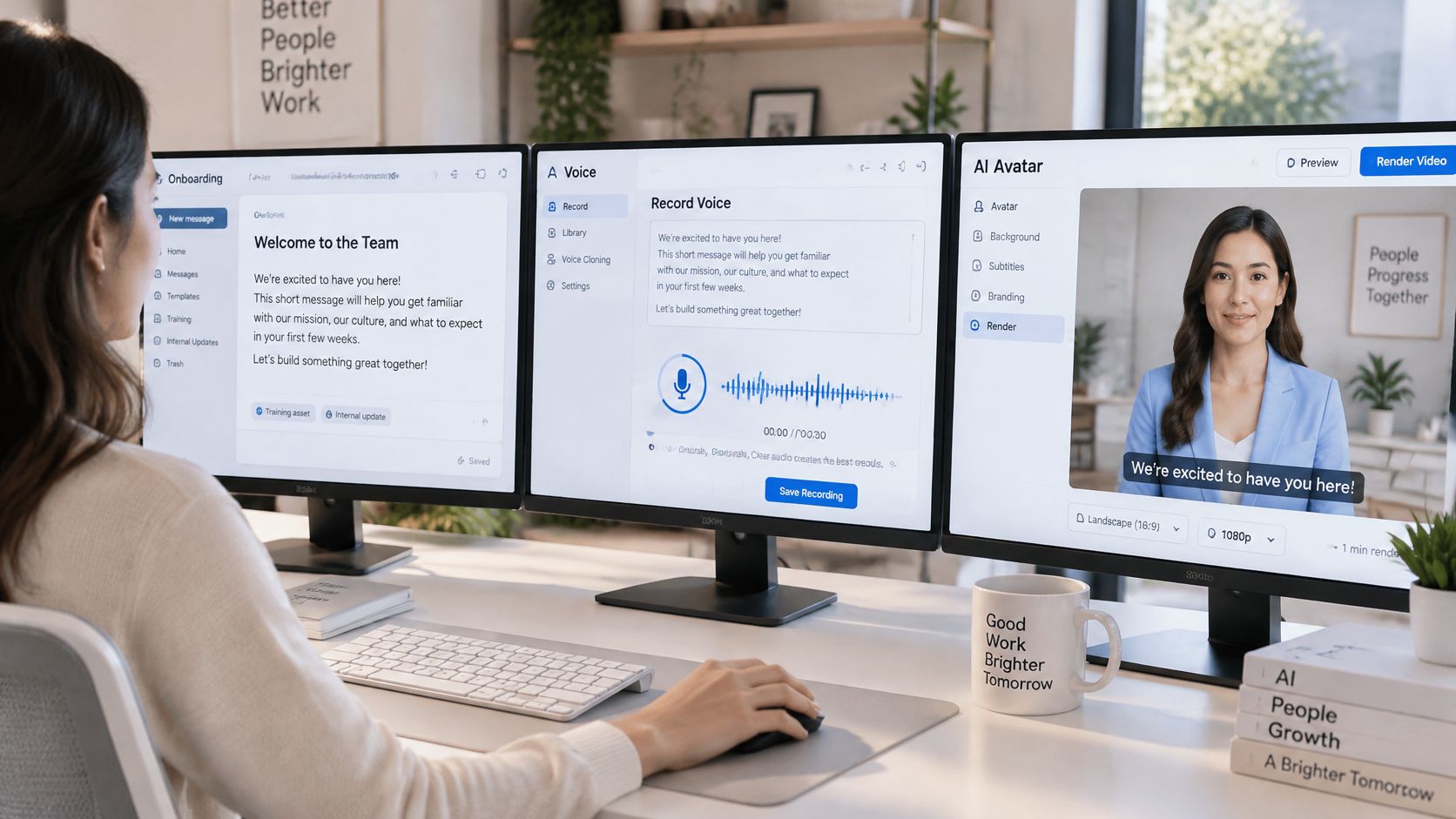
Rendering matches mouth movement to the recorded line, scene by scene. Reviewers check lip sync, a consistent face across scenes, readable on-screen text, wrong emphasis, and stiff pauses before accepting or sending the dynamic asset back. Each language version is another pass of the same approved script, not a new shoot. Creative teams exploring motion from still artwork can also animate your illustrations with AI for supporting scenes.
Where the Same Onboarding Message Can Travel
Approved words travel well. Because the script is already signed off, a new locale needs translation review plus a new voice and render, not another presenter booking. That pattern suits the repeatable parts of onboarding, and templates like these employee onboarding layouts keep branding steady while only the spoken language changes.
Suitable moments for this one message include:
- Access checklist: steps for accounts, badges, and first logins
- Policy reminder: stable rules that rarely change wording
- Language versions: the same script for each hiring region
- Training refreshers: modules whose steps stay fixed for months
- Internal updates: recurring explanations recycled across cohorts
Would your next new-hire cohort accept a labeled synthetic presenter for the checklist if a real human still handled the sensitive close?
Draw the line inside this same example. Benefits enrollment with personal consequences, a misconduct warning, or anything needing a named leader’s judgment stays with a real person.
Where Naturalness Emotion and Trust Fall Short
Clean delivery isn’t the same as warmth. Your synthetic presenter can read the checklist neatly and still sound flat while welcoming someone on day one. Gaze may hold a beat too long, a sympathetic pause may never arrive, and stress can land on the wrong word. Reassurance after an access failure, gentle humor, or a sincere apology asks for emotional range this format doesn’t reliably have. Reviewers should watch once without sound for odd motion, then again with sound for misplaced emphasis, rejecting the take if either pass fails.
A clearly labeled, less human presenter often earns more trust than a convincing clone.
Trust also breaks when viewers can’t tell the speaker is synthetic, a risk worth weighing alongside any one-to-one message you send.
Place the Avatar Inside the Production Flow
Treat the onboarding message as a small system. The approved script stays in one source of truth, a template holds the presenter scene and disclosure label, and a defined trigger, a new cohort, a site, or a language, starts production. That chain fits systematic video production: script data fills the template, the render is queued, and distribution waits until review clears the onboarding portal or internal channel. Teams formalizing sign-off can borrow ideas from approval governance for multi-site teams.
In a tool such as Wideo’s AI video generator, use instant preview to check pacing, captions, logo placement, and the avatar label before a final render is sent around. Publish when the checklist is stable, the approval record is attached, and the label is visible. Keep a human on screen when the message needs judgment or comfort.
Use the avatar for repetition, and keep people for accountability.
Ready to turn that one approved onboarding script into a repeatable, multilingual audiovisual piece without booking another camera day? Visit Wideo to build presenter-led content from templates, scripts, and hands-off workflows your HR and training teams can reuse for every cohort.
Related posts:
 Your Guide to AI Video Generator Technology
 A Guide to AI Video Creation for Beginners
 AI Avatars: The New Face of Business Communication
 AI Avatars: The Secret Weapon for Business Growth and Efficiency
 AI Technology: The New Creative and Strategic Core of Business
 12 Powerful AI Tools for Video Creators in 2025


