
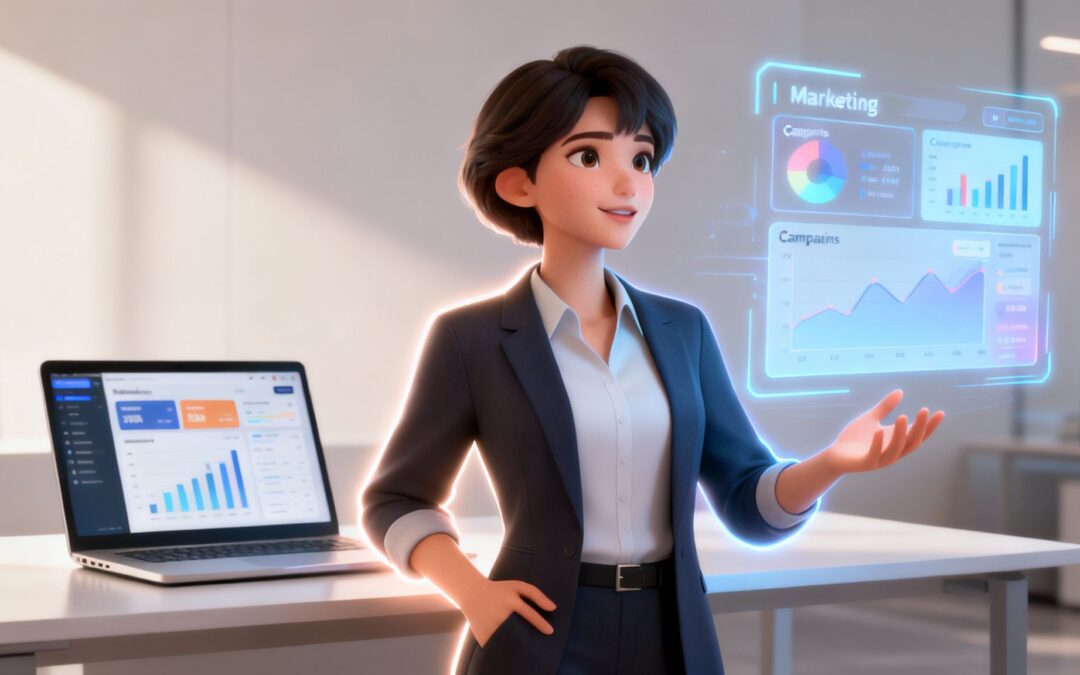
An AI avatar is more than just a computer-generated face. It’s a digital human, brought to life by artificial intelligence, designed to interact and communicate in a surprisingly lifelike way. Picture a sophisticated digital puppet, but instead of strings, AI is pulling them—controlling speech, facial expressions, and even hand gestures. These aren’t just static images; they’re dynamic characters ready to deliver presentations, answer questions, and connect with your audience on a massive scale.
What Is an AI Avatar

So what’s really going on behind the scenes? An AI avatar is the visual front—the face and body—for a complex AI system. It’s the technology that finally closes the gap between the robotic, text-only experience of a standard chatbot and the engaging, nuanced conversations we have with real people.
The magic happens when a few key technologies team up. Generative AI handles the visuals and creates the voice, making the avatar look and sound human. Meanwhile, natural language processing (NLP) acts as the brain, allowing the avatar to actually understand and respond to text or spoken words. The result is a digital person who can deliver information far more personally than a wall of text or a simple audio clip ever could.
Moving Beyond Static Content
Here’s where AI avatars really start to shine: they completely change how we deliver information. Think about it—content like blog posts or PDF guides is totally passive. Your audience just consumes it. An AI avatar flips that script, creating an active, conversational experience that grabs and holds attention, making information stick. For any business trying to build a real connection with its audience, that’s huge.
Just look at what’s already possible:
- Marketing: Forget generic email blasts. An AI avatar can send out personalized video messages to thousands of customers, greeting each one by name.
- Corporate Training: Imagine a virtual instructor for new hires—always consistent, endlessly patient, and available 24/7 to teach company policies.
- Customer Support: Instead of a frustrating FAQ page, an avatar can pop up on your website to walk users through troubleshooting steps, putting a friendly face on automated help.
An AI avatar isn’t just a cool visual gimmick. It’s about giving your brand a voice and a personality that makes digital interactions feel genuinely human and approachable. It turns a one-way message into a two-way conversation.
In this guide, we’ll pull back the curtain on the technology that powers AI avatars, explore how businesses are using them in the real world, and walk you through creating one for yourself. We’ll cover everything from the basic mechanics to the finer points of using these digital humans to their full potential. By the end, you’ll see exactly why this technology is quickly becoming a go-to tool for modern business communication.
How AI Avatars Work Behind the Scenes
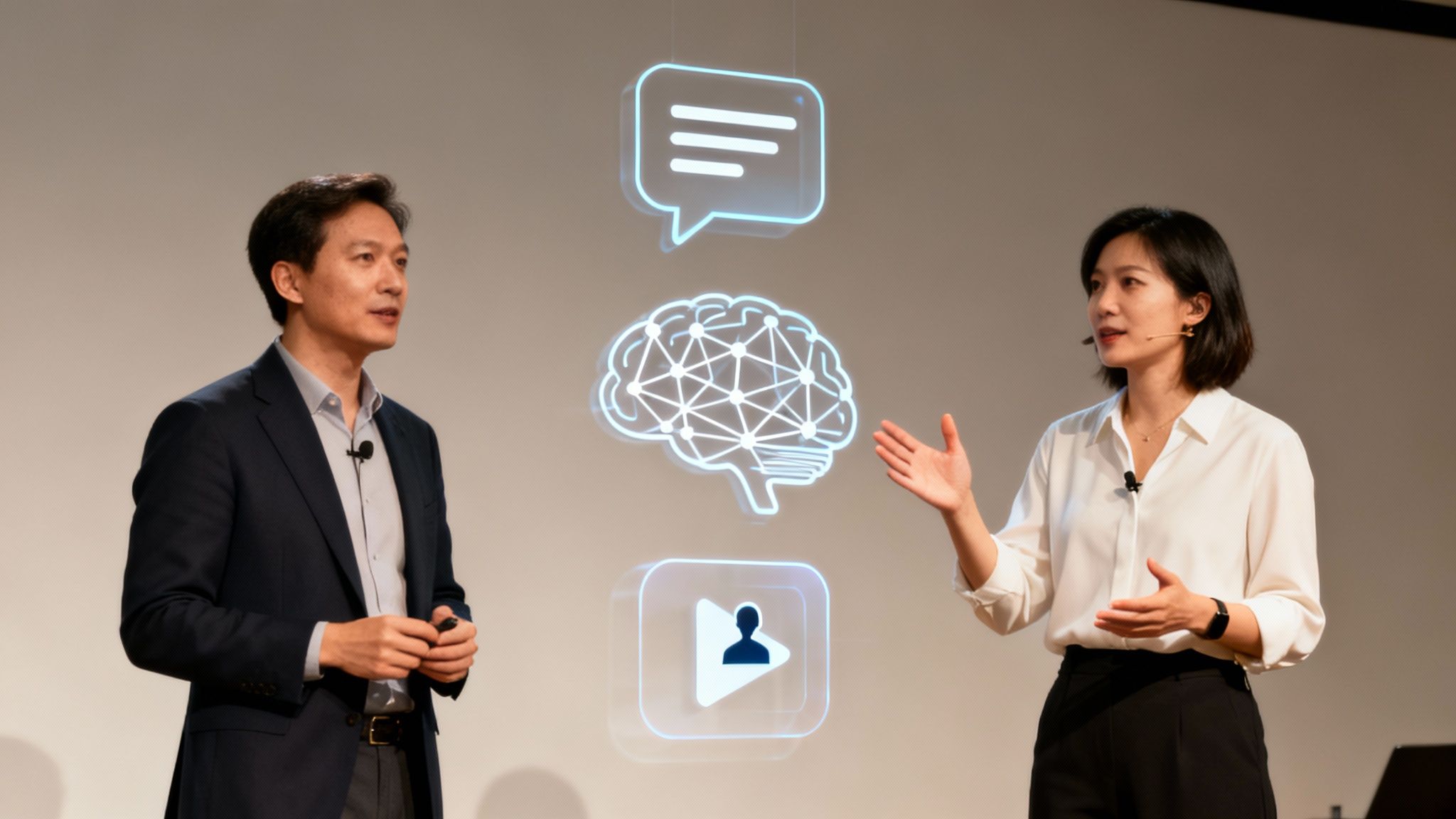
To really get what’s happening when an AI avatar comes to life, it helps to think of it like a stage play with three key parts. First, you have the script—this is just the text or voice command you give it. It’s the raw material.
Next up is the brain. This isn’t just a simple program; it’s a powerful engine running on technologies like Natural Language Processing (NLP) and machine learning. The brain doesn’t just “read” the script. It digests it, picking up on the context, emotion, and intended tone.
Finally, you get the performance. This is where advanced animation and rendering engines step in. They take the brain’s interpretation and turn it into a visual show, meticulously syncing lip movements, generating believable facial expressions, and coordinating body language for a smooth, human-like presentation.
The Core Technology Powering Your Avatar
Under the hood, every AI avatar is powered by a symphony of advanced tech. Generative AI acts as the artist, creating the avatar’s look and synthesizing its voice. Meanwhile, machine learning models, which have been trained on huge datasets of human speech and expressions, give the avatar the ability to learn and refine its delivery to feel more real.
This whole process is what makes a modern AI avatar so much more than a simple cartoon character. The system can tell the difference between an upbeat announcement and a serious explanation, adjusting the avatar’s non-verbal cues to match. It’s this deep level of interpretation that makes the final video feel so convincing.
An AI avatar is essentially a digital performer that has mastered its lines, understood the emotional core of the script, and can deliver a flawless performance every single time, in any language you choose.
This blend of technologies offers incredible flexibility. For example, you can take one piece of text and spin up dozens of video versions with different avatars, voices, and languages—all within minutes. That kind of speed is exactly why businesses are turning to tools like an AI video generator to scale up their content creation.
Interactive vs. Non-Interactive Avatars
Not all AI avatars are built the same; they typically fall into two camps depending on how they interact with people. Figuring out the difference is crucial for picking the right tool for the job.
Right now, interactive digital humans have a bigger slice of the market, mostly because they can hold a real-time, two-way conversation. But non-interactive avatars are catching up fast as more companies use them for ads and training videos. In fact, over 70% of Fortune 500 companies are already experimenting with AI avatars for training, which can slash costs by 30-50% compared to traditional, human-led sessions.
To make the distinction clear, here’s a quick breakdown of the two types.
Interactive vs Non-Interactive AI Avatars
| Feature | Interactive Avatars | Non-Interactive Avatars |
|---|---|---|
| Primary Function | Engage in real-time, dynamic conversations with users. | Deliver a pre-scripted message in a one-way communication format. |
| Underlying Tech | Relies heavily on advanced NLP, Speech-to-Text, and Text-to-Speech. | Primarily uses Text-to-Speech and animation rendering engines. |
| Common Use Cases | Customer service bots, virtual assistants, and interactive training. | Marketing videos, corporate announcements, and onboarding tutorials. |
| User Interaction | Responds to user queries and adapts its conversation path. | Plays a linear video; the user’s role is purely observational. |
Ultimately, the choice between an interactive and a non-interactive avatar comes down to your goal. If you need to field customer questions or walk users through a complex process, an interactive model is your best bet. But if you just need to deliver a polished, consistent message at scale—like in a marketing video or company-wide announcement—a non-interactive avatar is a powerful and incredibly efficient solution.
Powerful Business Applications for AI Avatars

Knowing how the tech works is one thing, but seeing it deliver real results is what actually counts. Businesses in every sector are starting to use AI avatars not just as a fun gimmick, but as a serious tool to get ahead. These digital humans are starting to drive real returns by changing how companies market their stuff, train their teams, and help their customers.
This move from flat, static content to interactive, avatar-led experiences is a big deal. It’s more than a trend—it’s a fundamental shift in how we communicate. By putting a friendly, consistent face on automated tasks, companies can scale up their operations without losing that human touch. You get the best of both worlds: the efficiency of machines and the personal feel of a real conversation.
The applications are practical and they have a real impact, from personalized marketing videos that talk directly to one customer to virtual agents that are available 24/7. Let’s jump into some of the smartest ways an AI avatar can help a business grow.
Revolutionize Marketing and Sales Outreach
In a market this crowded, personalization is the only way to get noticed. AI avatars give brands the power to create highly customized video campaigns at a scale that was just impossible with old-school production. Just imagine sending out thousands of unique videos where an avatar greets each customer by name or brings up a product they were just looking at.
That kind of personal touch forges a genuine connection with your audience. Suddenly, your marketing messages feel less like ads and more like a helpful, one-on-one chat. This has a direct effect on the numbers that matter most.
When you make communication feel direct and personal, AI avatars can seriously bump up engagement and conversion rates. A potential customer is way more likely to watch a video made just for them than to read another generic email blast.
For instance, a car dealership could automatically whip up videos where an avatar gives a customer a personal tour of the exact car model they were checking out online. It’s a great way to grab their attention and gently nudge them further down the sales funnel. You can learn more about how this works in our complete guide to personalized video campaigns.
Streamline Corporate Training and Onboarding
Good employee training is everything, but it’s also expensive and a real headache to scale. In-person workshops cost a fortune, and most e-learning modules are just plain boring. An AI avatar offers a solution right in the middle, delivering consistent training on-demand that’s both engaging and easy on the budget.
Companies can build a whole library of training modules with avatars, covering everything from HR policies to tricky software tutorials. New hires can learn whenever it suits them, and the information is always delivered perfectly, ensuring every single employee gets the same quality training.
- Consistency: Every employee gets the exact same training, so there are no weak spots or variations that you might get with different human trainers.
- Accessibility: Training materials are up and running 24/7, so people can learn when and where it works for them.
- Scalability: You can send a single video to thousands of employees all over the world, and avatars can even deliver the content in different languages.
This approach really helps with knowledge retention. The combination of seeing and hearing an avatar present information makes it stick in your brain much better than just reading a manual or clicking through slides. The result is a sharper, more productive team.
Enhance Customer Support and User Experience
Everyone knows great customer support builds loyalty, but staffing a team around the clock is a huge operational lift. AI avatars can step in as friendly, capable virtual agents, handling all sorts of customer questions at any hour without ever getting tired or frustrated.
You can embed these digital agents right on your website or in your app to help users find what they need, answer common questions, and walk them through simple problems. They offer help instantly, which cuts down wait times and frees up your human agents to tackle the really tough, high-stakes issues.
The results speak for themselves. In the U.S., where the AI avatar market is already worth USD 0.8 billion, their use in customer service is exploding. Right now, 40% of large retailers are using AI avatars, which have been shown to slash customer response times by a whopping 70% and push satisfaction scores to an impressive 92%.
By offering immediate, helpful, and personable support, companies can make their user experience so much better. It doesn’t just solve problems faster; it builds a stronger, more trusting relationship between the customer and the brand.
How to Create Your First AI Avatar

Alright, now that you’ve seen what AI avatars can do, it’s time to get your hands dirty. The good news is, making your first avatar-led video is surprisingly simple. You can forget about booking a studio or hiring a film crew; modern platforms have made professional-quality video accessible to everyone.
Think of it less like complicated video production and more like putting together a presentation. You pick your presenter, give them a script, and set the stage. Let’s walk through the process, step by step. You’ll go from a blank canvas to a finished video in just a few minutes.
Step 1: Choose Your Digital Presenter
First things first: who is going to deliver your message? Most platforms have a whole library of high-quality, pre-built stock avatars. These are ready-to-go digital people of different ages, ethnicities, and styles, so you can easily find one that feels right for your brand.
- Stock Avatars: This is the quickest way to get started. Just browse the gallery and pick a presenter that matches the vibe you’re going for—whether that’s a friendly face for a customer service video or a polished professional for a corporate training module.
- Custom Avatars: If you want something truly unique, many tools let you create a custom avatar. This usually involves uploading video of a specific person to generate their digital twin, which is perfect for maintaining absolute brand consistency.
The goal here is to pick an avatar that feels authentic. A presenter in a suit might be perfect for a quarterly report, but a more casually dressed avatar could be a better fit for a social media update.
Step 2: Write and Input Your Script
Got your avatar? Great. Now it’s time to give them something to say. All you have to do is type or paste your script directly into the platform’s editor. The AI takes it from there, generating the avatar’s speech and syncing their lip movements to the text.
Just a heads-up: writing for an AI avatar isn’t quite the same as writing a blog post. To get a natural-sounding delivery, keep your language conversational. A great trick is to read your script out loud to catch any clunky phrases or run-on sentences.
Pro Tip: Keep your sentences and paragraphs short. This sounds more natural and gives the AI clearer cues for pacing and intonation, helping you avoid that dreaded robotic monotone.
Step 3: Select a Voice and Language
With the script ready, you need to pick the voice that will bring it to life. AI-powered text-to-speech (TTS) has come a long way, and you’ll find a huge library of voices to choose from. You can usually filter by language, accent, gender, and even tone (like professional, friendly, or energetic).
This is a game-changer for reaching a global audience. In just a few clicks, you can produce your video in dozens of languages. A single product demo script can instantly be adapted for audiences in North America, Europe, and Asia, all with native-sounding voices. That kind of scalability is a massive win.
Step 4: Customize the Visuals and Branding
Your avatar doesn’t have to exist in a white void. The last creative step is to customize the background and pop in your own branding elements. This is what makes the video feel like it truly belongs to your company.
Most platforms will let you:
- Upload a Custom Background: Set the scene with a branded image, a solid color from your company’s palette, or even a video background.
- Add Your Logo: Drop your company logo in as a watermark to keep your brand front and center.
- Incorporate Text and Overlays: Add on-screen text to emphasize key points, show contact info, or include subtitles.
This is where a generic AI video transforms into a polished piece of branded content. It’s a crucial step for maintaining a professional and consistent look across all your communications.
Step 5: Generate and Share Your Video
You’ve done the hard work. Now for the easy part. Just hit the “generate” button. The platform’s AI engine will process your script, animate the avatar, create the voiceover, and pull all the visual elements together into a final video file.
This whole process usually takes just a few minutes—a tiny fraction of the time traditional video production requires. Once it’s ready, you can download the MP4 file and use it on your website, in presentations, or on social media. Many platforms even let you share directly to sites like YouTube, making distribution a breeze.
For a deeper dive into the possibilities, check out our guide on how to make videos using AI.
Best Practices for Using AI Avatars Effectively
Creating an AI avatar is an exciting first step, but its real value comes from putting it to work strategically. Just having a digital presenter isn’t enough; you need a thoughtful approach to everything from its personality to the script it delivers. When used right, an avatar becomes a powerful communication asset, not just a cool novelty.
The goal is to build trust and connection, not to create a robotic announcer. This means every part of your avatar’s presentation has to be carefully considered to line up with your brand’s voice and what your audience expects.
Align Avatar Identity with Your Brand
Your AI avatar is basically a brand ambassador, so its appearance and personality have to be a perfect match for your company’s identity. If there’s a mismatch, you can create a disconnect that hurts audience trust before the avatar even says a word.
Think about your brand’s core values. Are you formal and authoritative, or more friendly and approachable? The avatar you choose should reflect this, both in how it looks and how it sounds. A financial services firm might go for a presenter in professional attire, while a lifestyle brand would probably pick a more casual, relaxed look. This alignment makes the message feel genuine and credible.
The most effective AI avatars feel like a natural extension of the brand. They don’t just deliver a message; they embody the personality and professionalism that customers already associate with your company.
This kind of consistency is key to a smooth user experience. When the avatar feels like it belongs, viewers are much more likely to pay attention and actually absorb the information.
Write Scripts That Sound Human
The script is the soul of your avatar’s performance. You can have the most advanced tech in the world, but if the text is stiff and full of jargon, the delivery will sound robotic. The secret to a great AI avatar video is a script written for conversation, not for a textbook.
A simple trick? Read your script out loud before you finalize it. Does it flow naturally? Are the sentences short and clear? This quick test helps you spot awkward phrasing and clunky sentences that will make the final video sound unnatural.
To get it right, keep a few things in mind:
- Use Conversational Language: Write like you’re talking to a real person. Ditch the corporate-speak and use simple, direct language.
- Incorporate Pauses: Use punctuation like commas and periods to create natural breaks. This gives the avatar’s delivery a more realistic rhythm.
- Vary Sentence Structure: Mix short, punchy sentences with slightly longer ones. It keeps the dialogue dynamic and much more interesting to listen to.
Avoid the Uncanny Valley
Ever seen a digital human that looks almost real, but something is just… off? That unsettling feeling is called the “uncanny valley,” and it can be incredibly distracting. The best practice here is to choose high-quality, professionally designed avatars that look polished without trying to be a perfect, pore-for-pore human replica.
Luckily, the market already leans toward reliable, ready-made solutions. Preset avatars dominate with a 39.5% market share, which makes sense for businesses wanting quick, professional results without getting bogged down in heavy customization. In e-commerce, 60% of shoppers actually prefer getting help from an avatar, a feature that has been shown to boost conversion rates by up to 25%. You can dig into more data on AI avatar market trends and their impact.
By picking a well-designed avatar, you make sure the audience stays focused on your message, not on the slightly strange appearance of your presenter.
Navigating the Ethical Landscape of Digital Humans
As AI avatars become a more common business tool, their power brings some serious responsibilities. Using these digital humans well is about more than just a good script; it requires a strong ethical framework to build and keep your audience’s trust. If you skip this part, you risk pushing away the very people you’re trying to connect with.
The absolute cornerstone of using an AI avatar ethically is transparency. Your audience should always know when they’re interacting with an AI, not a person. Trying to pass off an avatar as a real human is deceptive and a surefire way to kill your credibility. A simple, upfront disclosure builds trust and sets the right expectations from the start.
Beyond just being honest, data privacy is a huge deal. Interactive avatars, especially those used in customer service or healthcare, often handle sensitive personal information. It’s crucial to manage this data securely, follow all privacy regulations, and be crystal clear with users about what info you’re collecting and how you plan to use it.
Preventing Misuse and Protecting Your Brand
The same tech that powers a friendly, helpful AI avatar can also be twisted to create misleading or harmful content. This is where having proactive policies in place is non-negotiable. Ethical concerns aren’t going away—in fact, 35% of consumers are worried about deepfakes—but new regulations are starting to push for safer innovation across the industry. You can read more about the trends shaping the AI avatar market to get a better sense of how the rules are changing.
To keep both your brand and your audience safe, you need to set clear guidelines for how your digital humans are used.
- Content Authenticity: Use watermarks or other clear indicators to show that your video content is official and not some manipulated deepfake.
- Copyright Clarity: The legal ground for AI-generated characters is still being mapped out. Make sure you have the rights to the avatar you’re using, especially if it’s a custom model based on a real person, to sidestep any legal headaches down the road.
In the end, using an AI avatar responsibly all comes down to respecting your audience. By being transparent, protecting their data, and taking steps to prevent misuse, you can innovate with confidence and strengthen your brand’s reputation for being trustworthy.
A Few Common Questions About AI Avavtars
As you start digging into the world of AI avatars, you’re bound to have some practical questions. It’s totally normal. Let’s tackle some of the most common ones to give you a clearer picture of the costs, capabilities, and key differences in this technology.
How Much Does It Cost to Create an AI Avatar?
The price tag for an AI avatar can swing pretty widely. If you’re using a platform like Wideo to create simple text-to-video avatars from preset templates, it’s quite affordable—often just a monthly subscription. These plans are perfect for businesses that need to pump out content quickly and without breaking the bank.
On the other hand, if you want a fully custom avatar modeled after a real person, you’re looking at a bigger investment. Enterprise-grade “digital humans” built for complex, interactive roles can run into the thousands to develop because of all the specialized 3D modeling and AI programming involved.
Can an AI Avatar Speak Multiple Languages?
Absolutely, and this is where they really shine. Most of the top platforms use advanced text-to-speech (TTS) tech that can generate incredibly realistic speech in dozens of languages and accents.
This means you can take a single script and instantly create localized video versions for audiences all over the globe. It saves a massive amount of time and money compared to the old way of hiring voice actors and coordinating separate video shoots for every single region.
An AI avatar essentially erases language barriers. You can deliver a consistent, personalized brand message to customers anywhere in the world, all from one central hub.
What Is the Difference Between an AI Avatar and a Chatbot?
Here’s a simple way to think about it: the chatbot is the brain, and the AI avatar is the face. A standard chatbot is just text-based AI that understands and replies to questions.
An AI avatar gives that chatbot a visual, human-like body. It uses facial expressions, gestures, and a synthesized voice to deliver the chatbot’s answers, turning a basic text chat into a much more personal and dynamic conversation. In many cases, an advanced avatar is really just a chatbot with a compelling, visual front-end.
Ready to bring your own digital presenter to life? With Wideo, you can create professional AI avatar videos in just a few minutes. Start creating for free today!
Related posts:
 Beyond Automation: How AI Software Is Redefining Creative and Strategic Work
 How to Choose the Right ai platforms: A Practical Guide
 Ai algorithms: How They Power Modern Tech and Everyday Apps (ai algorithms)
 A Practical Guide to Implementing AI Solutions
 The Top 10 AI Trends Marketers Must Watch in 2025
 A Practical Guide to AI Innovation and Business Growth


